.svg)
unified sdlc
compliance
audit evidence
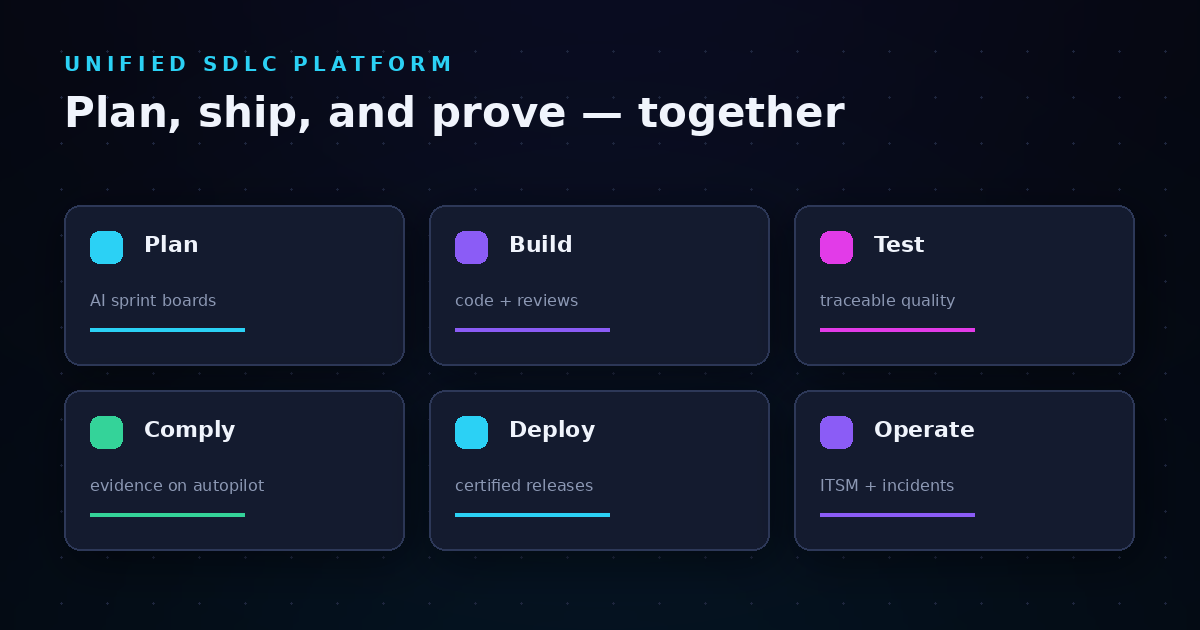

Your engineering team runs on dozens of SaaS tools—project management here, CI/CD there, compliance tracking somewhere else entirely. Each tool captures valuable data, but none of them share it effectively. The result? Data silos that fragment your visibility, slow down decision-making, and make audit preparation a scramble. LoopIQ addresses this challenge by unifying planning, testing, DevOps, ITSM, and compliance into a single workspace where data flows naturally between stages.
This guide walks you through why data silos form in multi-tool SaaS automation environments, the real costs they impose on software delivery operations, and practical strategies for establishing a single source of truth. You'll learn how to identify silos in your current stack, implement governance controls that prevent fragmentation, and build data mapping practices that keep your delivery evidence connected from planning through deployment.
Data silos are isolated repositories of information that remain trapped in specific tools or departments, inaccessible to the rest of your organization. In SaaS automation environments, these silos form when your project management tool holds sprint data, your CI/CD pipeline captures build metrics, and your compliance system tracks audit evidence—with no connection between them.
The isolation creates a fundamental visibility problem. You cannot see the full picture of a release without manually pulling data from multiple systems and reconciling conflicting records. According to IBM's research on data silos, nearly 77% of business leaders agree that data silos hinder their ability to perform real-time analytics and make data-driven decisions.
For software delivery operations, this means your release readiness assessments rely on incomplete information. You might approve a deployment without realizing that test coverage gaps exist in one system while incident history in another system suggests risk factors that warrant additional review.
Understanding the root causes of data silos helps you prevent them before they fragment your delivery operations. Multiple factors contribute to silo formation, and most organizations experience several simultaneously.
When your organization grows quickly, teams adopt specialized tools to solve immediate problems. Marketing adds analytics platforms. Engineering implements new CI/CD solutions. IT operations deploys separate ticketing systems. Each adoption decision makes sense in isolation, but collectively they create a fragmented data landscape.
The average organization now manages over 300 SaaS applications according to industry benchmarks. Without deliberate integration planning, each new tool becomes another data island that cannot share information with existing systems.
Even when you want tools to communicate, technical barriers often prevent effective data sharing. Different SaaS platforms structure their data using incompatible schemas. Field names differ. Data types clash. One system stores dates in ISO format while another uses Unix timestamps.
API limitations compound these challenges. Rate limits restrict how much data you can sync. Missing endpoints prevent access to critical information. Authentication protocols vary between platforms, requiring separate credentials and connection management for each integration.
When multiple tools contain similar information, confusion emerges about which system holds the authoritative record. Is the customer data in your CRM more current than the data in your support platform? Which system should "win" when records conflict?
Without clear sync ownership rules, data drifts between systems. Updates made in one tool fail to propagate to others. Your teams end up working from different versions of the truth, making coordination difficult and audit trails incomplete.
Organizational structure often reinforces data silos. Development teams prefer certain tools. Operations teams prefer others. Compliance teams maintain separate systems entirely. Each group optimizes for their own workflows without considering how their tool choices affect cross-functional visibility.
This departmental isolation mirrors the data isolation it creates. When teams do not share tools, they cannot easily share the information those tools contain.
Data silos impose concrete costs on your software delivery operations. These costs compound over time as silos deepen and the gaps between systems widen.
When release data lives in disconnected systems, you cannot assess deployment readiness with confidence. Test results exist in your test management tool. Code review approvals live in your source control platform. Compliance sign-offs reside in a separate governance system.
Assembling a complete picture requires manual data gathering from each source. This manual process introduces delays and creates opportunities for overlooking critical information. You might deploy a release that meets most criteria while missing a failed security scan documented in a system nobody checked.
Auditors want to see a complete trail of decisions, approvals, and validations for each release. When your evidence lives in multiple disconnected systems, preparing for audits becomes a project unto itself. Teams spend days or weeks gathering screenshots, exporting reports, and assembling documentation that should be automatic.
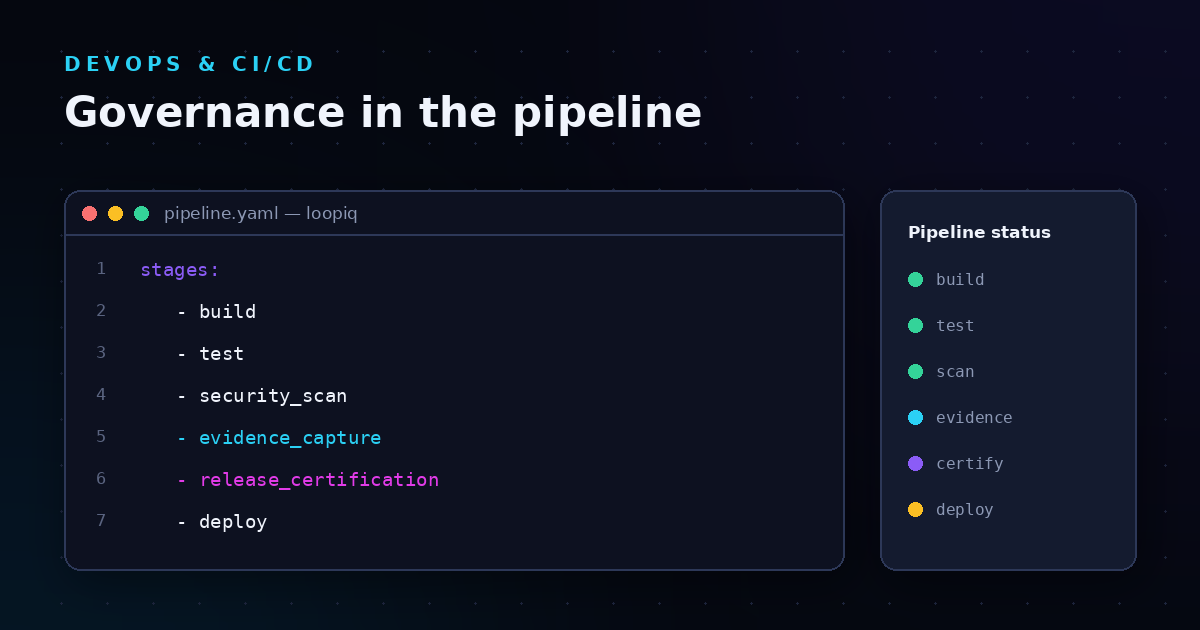
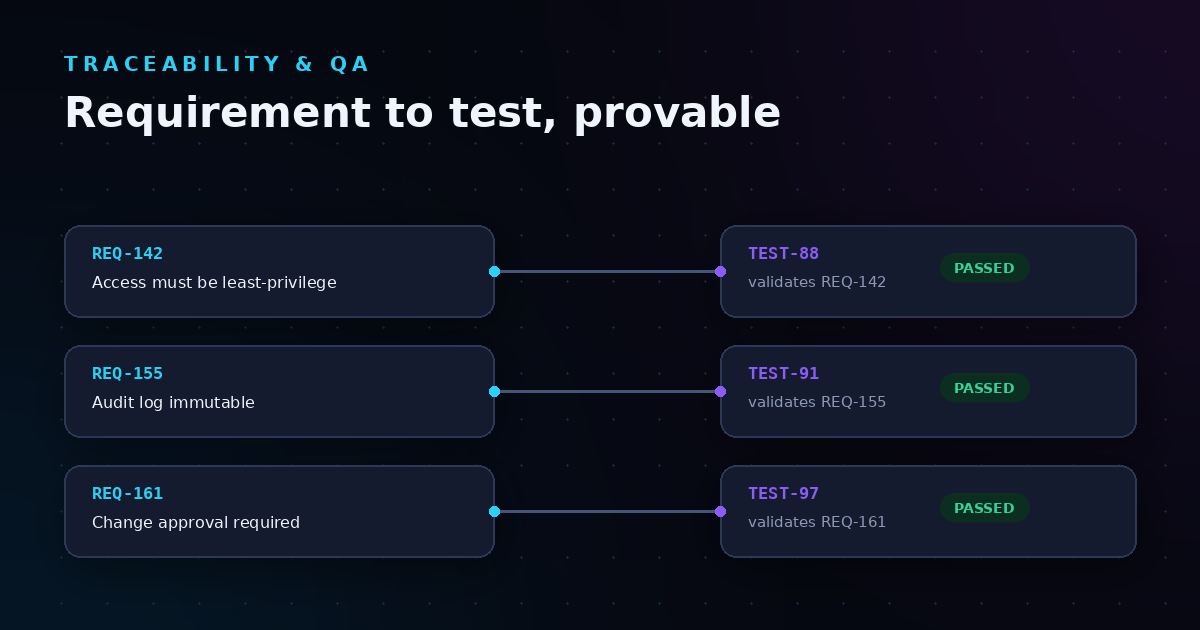
LoopIQ captures compliance evidence automatically as work happens—approvals, quality signals, test results, and release certifications all documented in real time. Every decision is traceable from planning through deployment without requiring post-release documentation assembly.
Silos force teams to duplicate data entry across systems. The same information gets recorded multiple times in different formats. Updates made in one system require manual updates in others. Eventually, records diverge, and no one knows which version is correct.
This duplication wastes time and introduces errors. Research from Stitch highlights that siloed data produces incomplete views of essential business information, leading to flawed decision-making and missed opportunities.
Data-driven decisions require access to relevant data. When that data lives in silos, decision-makers must request information from multiple sources, wait for responses, and reconcile conflicting reports before acting.
This delay reduces your ability to respond quickly to changing conditions. Incident response slows because incident history is disconnected from deployment records. Release decisions take longer because risk assessments require manual data compilation.
Workflow automation promises efficiency, but fragmented automation creates new problems. Understanding how automation fragmentation occurs helps you design workflows that reduce rather than reinforce silos.
Many organizations build integrations between specific tool pairs as needs arise. Marketing connects to CRM. CRM connects to billing. Billing connects to finance. Each integration solves an immediate problem but creates a brittle web of dependencies.
As your tool count grows, the number of required integrations grows exponentially. Maintaining these point-to-point connections becomes unsustainable. When one tool changes its API, multiple integrations break. When you replace a tool, you must rebuild every integration that touched it.
Different integrations may transform the same data in different ways. One integration converts status values from text to numeric codes. Another integration maps them to a different set of codes entirely. A third passes them through unchanged.
These inconsistencies make data difficult to compare across systems. Reports generated from one tool tell a different story than reports from another, even when both supposedly contain the same underlying information.
Integrations fail silently more often than you might expect. API timeouts occur. Rate limits trigger. Authentication tokens expire. Without active monitoring, failed syncs go unnoticed until someone discovers that data has drifted between systems.
By the time you discover the problem, reconciling the diverged data requires significant manual effort. Records created during the sync gap may exist in one system but not others, creating inconsistencies that persist indefinitely.
Before you can eliminate data silos, you need to identify where they exist. Several patterns indicate the presence of silos in your current environment.
When different tools produce different answers to the same question, silos are at work. If your project management tool shows 15 open issues while your ticketing system shows 23, data is not flowing properly between them. These discrepancies signal that each system maintains its own version of the truth.
If your teams regularly spend time manually comparing data between systems and correcting inconsistencies, silos are creating extra work. This reconciliation effort is a tax imposed by fragmentation—time that could be spent on productive work instead goes to data cleanup.
When you cannot trace a decision or change back to its origin using system records alone, silos have broken your audit trail. You should be able to see who made a change, when they made it, what approvals were obtained, and what evidence supported the decision—all in connected records.
Pay attention to how many different systems you need to check when answering routine questions. "What is the status of this release?" should not require looking at five different dashboards. If it does, your data is siloed across those tools.
Preventing data silos requires deliberate architecture decisions and clear governance. This framework establishes the foundations for keeping your data connected.
Start by identifying what data matters most to your operations and establishing a standard structure for it. Define the authoritative fields, formats, and relationships that should be consistent across all systems. This canonical model becomes the standard against which you evaluate all integrations.
For software delivery operations, your canonical model should cover work items, deployments, test results, incidents, and compliance evidence. Each entity needs clearly defined fields that remain consistent regardless of which tool stores it.
For each data type, designate one system as the authoritative source. All other systems receive data from this source and push updates back to it. This prevents the "which system is right?" problem by establishing clear sync directionality.
Document these designations and communicate them to all teams. When conflicts arise, everyone should know which system holds the authoritative record.
Not all integrations need to be bi-directional, but those that do need clear rules for handling conflicts. When the same record changes in two systems simultaneously, which update wins? Timestamp-based resolution is common, but you may need more sophisticated rules for certain data types.
Define these conflict resolution rules before conflicts occur. Discovering inconsistencies and then debating how to resolve them creates delay and frustration.
Implement monitoring that alerts you when syncs fail or data begins to drift between systems. Do not wait for someone to notice that records differ—proactively detect and address sync problems before they create widespread inconsistencies.
Technical solutions alone cannot prevent data silos. You also need governance practices that control how new tools enter your environment and how existing tools share data.
Before adopting any new SaaS tool, assess its integration capabilities. Does it offer APIs that support your data sync needs? Can it connect to your existing systems? What data can it share, and in what formats?
Rejecting tools that cannot integrate effectively is easier than building complex workarounds later. Make integration capability a gate for tool adoption, not an afterthought.
Shadow IT—tools adopted by teams without central approval—is a primary driver of data silos. When anyone can sign up for a new SaaS tool with a credit card, fragmentation accelerates.
Centralize procurement processes to ensure new tools undergo integration assessment before adoption. This does not mean slowing down legitimate tool needs—it means routing those needs through a process that considers integration requirements.
Create policies that require departments to share relevant data with other teams who need it. Combat the tendency to treat data as a departmental asset rather than an organizational resource.
These policies should specify what data must be shared, how it should be shared, and who is responsible for maintaining the sharing mechanisms.
The goal of eliminating data silos is establishing a single source of truth—one authoritative view of your software delivery operations that all stakeholders can access and trust.
Two primary approaches exist for creating a single source of truth. You can adopt a unified platform that handles multiple functions in one system, eliminating the need for many integrations. Alternatively, you can build an integration layer that connects your existing specialized tools and synchronizes their data.
Unified platforms reduce complexity by consolidating functions. LoopIQ connects delivery work, compliance evidence, and audit documentation in one workspace, eliminating the fragmentation that occurs when these functions live in separate tools. This approach works particularly well for software delivery operations where planning, testing, deployment, and compliance are tightly interrelated.
Integration layers work better when you need to preserve specialized tools that serve specific purposes exceptionally well. The trade-off is ongoing integration maintenance and the potential for sync issues.
Regardless of approach, your single source of truth should include connected records that link work items to their related deployments, tests, incidents, and compliance evidence. You should be able to trace any release back through every decision and approval that led to it.
Real-time visibility is essential. Stale data undermines trust in the source of truth. If teams cannot rely on current information, they will revert to checking individual tools directly, defeating the purpose of consolidation.
Access controls must balance visibility with security. Teams need to see relevant data without exposing sensitive information inappropriately. Role-based access ensures the right people see the right data.
Eliminating data silos is not a single project but an ongoing practice. This step-by-step approach helps you make progress systematically.
Begin by documenting all the tools in your environment and the data each contains. Map the connections between tools—which systems share data, and through what mechanisms? Identify gaps where data exists in one system but is needed in others.
This audit reveals the scope of your silo problem and highlights the most critical integration needs.
Not all silos impose equal costs. Prioritize eliminating silos that most significantly impact your operations. Compliance data disconnected from release records may impose greater risk than marketing data disconnected from sales data, depending on your business context.
Focus first on silos that affect audit readiness, release quality, or incident response—areas where fragmented data creates the most significant operational problems.
Define what your integrated environment should look like. Identify which tools will remain, which will be consolidated, and how data will flow between remaining systems. Document the canonical data model and system-of-record designations.
This target architecture guides all subsequent integration work and helps you evaluate trade-offs when making technical decisions.
Build integrations incrementally rather than attempting a big-bang consolidation. Start with the highest-priority data flows, implement them, validate that data synchronizes correctly, and then move to the next priority.
Validate each integration thoroughly before moving on. Sync issues that go undetected compound over time, creating data inconsistencies that become increasingly difficult to resolve.
Silo elimination is not a one-time project. New tools enter your environment. Existing integrations require maintenance as APIs change. Data models evolve as your business changes.
Establish processes for ongoing monitoring of sync health and regular review of your tool landscape. Detect drift early before it creates significant inconsistencies.
Software delivery and IT service management environments exhibit specific silo patterns worth understanding. Recognizing these patterns in your own environment helps you address them more effectively.
A common pattern separates planning data (requirements, stories, sprints) from execution data (commits, builds, deployments). Teams can see what was planned and what was deployed, but connecting the two requires manual effort.
This disconnect makes it difficult to answer questions like "Which requirements were addressed by this release?" or "What commits relate to this story?" The connection exists conceptually but not in your data.
IT service management often maintains incident records separately from change records, even though incidents frequently relate to changes. When an incident occurs, determining whether it resulted from a recent change requires manual investigation across systems.
Connected incident and change data enables faster root cause identification and more effective change risk assessment based on historical incident correlation.
Compliance evidence often lives in a separate system from the delivery work it documents. Test results, approvals, and security scans generate evidence, but that evidence may not link directly to the releases it supports.
LoopIQ captures compliance evidence automatically as work happens—every approval, test result, and release certification documented in real time and linked to the delivery work it validates. This connection eliminates the post-release scramble to assemble audit documentation.
Data silos are not inevitable. They form because of specific technical and organizational factors that you can address through deliberate architecture decisions and governance practices. The key is recognizing that tool selection, integration planning, and data ownership rules all contribute to whether your data remains connected or becomes fragmented.
Start by understanding where silos exist in your current environment. Prioritize eliminating the silos that impose the greatest costs on your operations. Design a target architecture that establishes clear data flows and authoritative sources. Implement incrementally with validation at each step.
For software delivery operations specifically, consider whether a unified platform approach might reduce complexity more effectively than maintaining and integrating multiple specialized tools. When planning, testing, deployment, and compliance data live in one connected workspace, many silo problems simply do not arise.
The investment in eliminating data silos pays returns through faster decision-making, reduced compliance effort, improved audit readiness, and more reliable release quality assessments. Your engineering organization deserves complete visibility into its delivery operations—not the fragmented view that data silos impose.
Rapid adoption of specialized SaaS tools without integration planning is the primary cause. Teams select tools that solve immediate problems but cannot share data with existing systems. This creates isolated data repositories that fragment your operational visibility and prevent data-driven decision-making across your organization.
Data silos prevent complete release readiness assessments by fragmenting test results, approval records, and risk indicators across disconnected systems. LoopIQ addresses this by connecting delivery work with compliance evidence in one workspace, ensuring you have complete visibility before approving any release for deployment.
Integrations can help, but they require careful architecture to avoid creating a brittle web of point-to-point connections. You need clear data ownership rules, consistent transformation logic, and active sync monitoring. A unified platform approach often reduces complexity more effectively than extensive integration work.
LoopIQ unifies planning, testing, DevOps, ITSM, documentation, and compliance into a single workspace. This eliminates the fragmentation that occurs when these functions live in separate tools. LoopIQ captures audit-ready evidence automatically as work happens, keeping delivery data connected from planning through deployment.
Require integration capability assessment before adopting new tools. Centralize procurement to prevent shadow IT. Establish data sharing policies that treat data as an organizational resource rather than a departmental asset. Regular audits of your tool landscape help identify emerging fragmentation before it becomes entrenched.
Look for conflicting reports from different systems, manual reconciliation requirements, incomplete audit trails, and questions that require checking multiple tools. These patterns indicate that data is not flowing properly between your systems and silos have formed.