.svg)
devops
compliance
audit evidence

When your requirements live in one tool, test cases in another, approvals scattered across email threads, and compliance evidence buried in spreadsheets, you spend more time chasing context than shipping software. Unified SDLC platforms solve this by connecting every phase of software delivery into a single workflow. LoopIQ takes this further by embedding compliance evidence collection directly into the development process, so your team captures audit-ready documentation as a byproduct of daily work.
This guide walks you through what unified SDLC platforms actually do, how they differ from cobbled-together toolchains, and what to evaluate when choosing one for your organization. You'll learn the core capabilities that matter most for QA and engineering leaders, common implementation patterns, and how to measure success after deployment.
A unified SDLC platform consolidates planning, coding, testing, deployment, and compliance management into a single integrated system. Instead of maintaining separate tools for each phase—and manually transferring information between them—you work in one environment where data flows automatically across the entire software delivery lifecycle.
The key differentiator from traditional toolchains is context preservation. When a developer commits code, the platform automatically links that commit to the original requirement, associated test cases, approval workflows, and eventual deployment record. This creates an unbroken chain of evidence that auditors can follow without anyone manually documenting each step.
Integration and unification aren't the same thing. An integrated toolchain connects separate tools through APIs and webhooks, creating data bridges between systems. A unified platform eliminates the boundaries entirely—work and record exist on the same surface.
With integrated toolchains, you often face synchronization delays, data transformation errors, and evidence gaps where information falls between systems. When an auditor asks "who approved this change and why?", you might need to pull records from three different tools and reconstruct the timeline manually.
Unified platforms capture approval chains with verifiable identity at the moment decisions happen. The context never leaves the system, which means you don't need to reconstruct anything months later when questions arise.
QA teams sit at a critical junction in software delivery. You validate that code meets requirements, verify security standards, confirm regulatory compliance, and gate releases based on quality signals. When these responsibilities span disconnected tools, your team becomes a bottleneck—not because testing takes too long, but because gathering the information needed to make decisions does.
According to research from GetDX, engineering teams lose significant productivity to context switching between development tools. For QA leaders, this problem compounds because you need visibility into work happening upstream (requirements, design) and downstream (deployment, operations) from your testing activities.
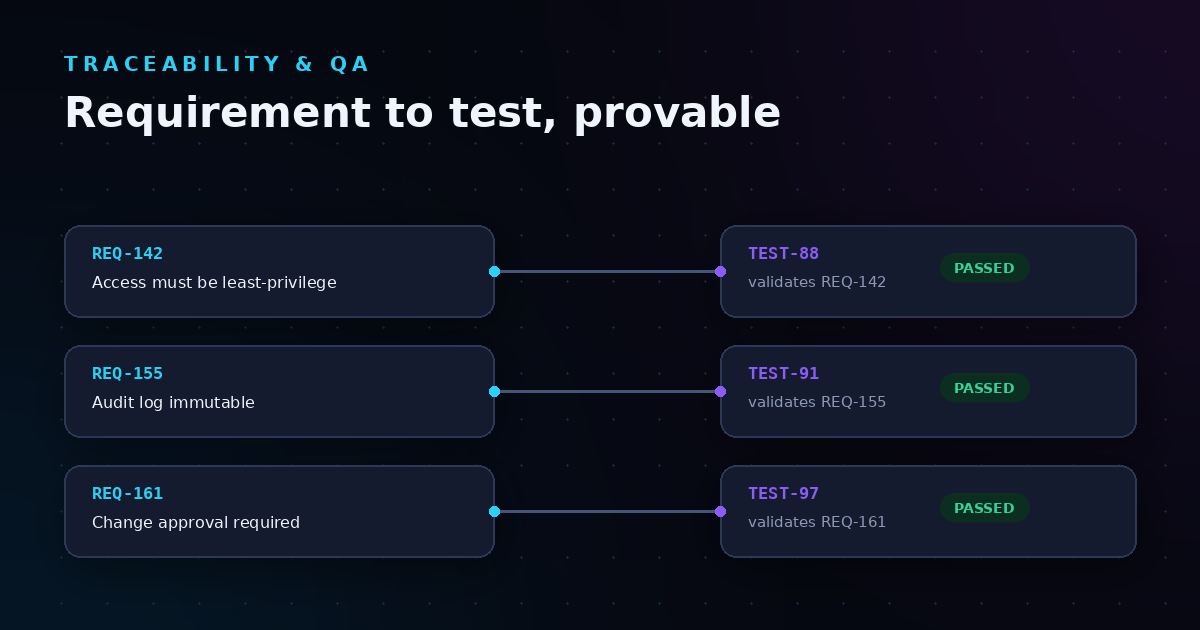
Traceability—linking requirements to test cases to results to releases—sounds straightforward on paper. In practice, maintaining these connections across separate systems requires constant attention. A requirement changes in your planning tool. Does the linked test case in your testing tool automatically update? Does the test execution history remain connected to the original requirement version?
Most toolchains handle simple traceability well. Complex traceability—tracking how a single requirement flows through multiple test types, across development branches, through staging environments, and into production—often requires custom scripting or middleware that becomes its own maintenance burden.
If your organization operates under regulatory requirements (SOC 2, ISO 27001, HIPAA, PCI DSS, or industry-specific standards), you know the audit preparation overhead. Engineering teams typically spend days per release cycle collecting evidence: screenshots of approvals, exported test results, deployment logs, change records, and documentation proving who knew what and when.
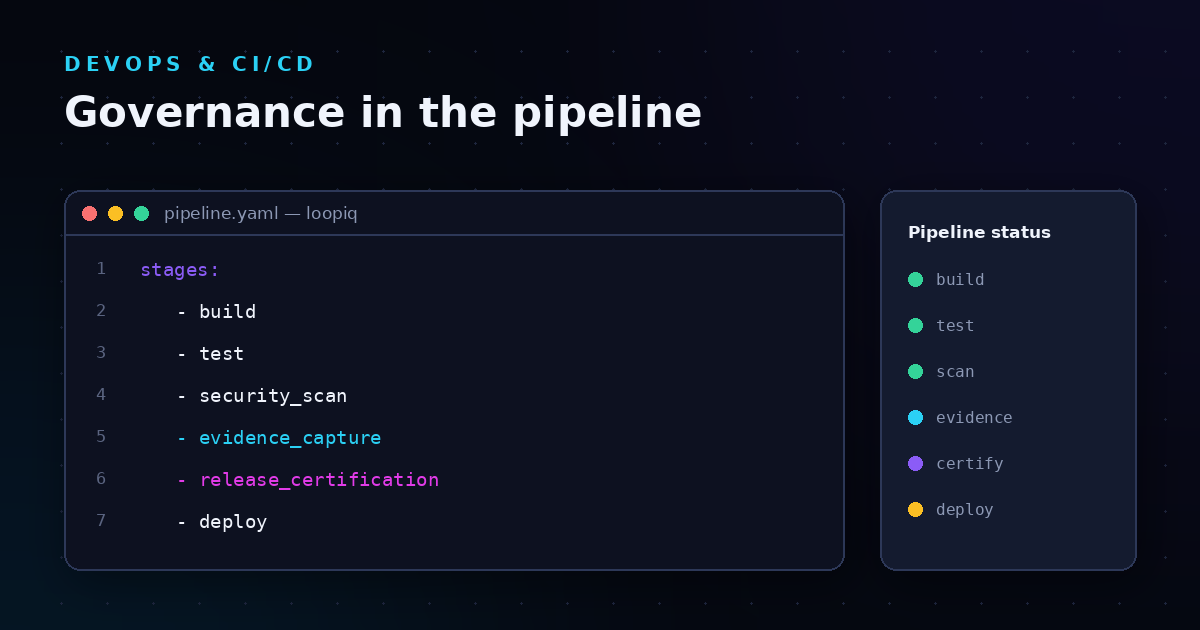
LoopIQ addresses this directly by generating compliance evidence automatically as your team ships. Instead of treating compliance as a separate process that happens after development, LoopIQ embeds evidence collection into daily delivery. When a release ships, the audit dossier is already complete because the platform captured everything as work happened.
Not every platform marketed as "unified" delivers the same depth of integration. When evaluating options, look for these specific capabilities that directly impact QA and engineering leadership workflows.
The platform should allow you to define requirements and create linked test cases in the same system—without exporting, importing, or manually maintaining relationship tables. When a requirement changes, linked test cases should flag for review automatically. When test results come in, the requirement status should update to reflect coverage and pass/fail status.
Look for platforms that support hierarchical requirements (epics → features → user stories → acceptance criteria) with test coverage reporting at each level. QA leaders need to answer "are we ready to ship?" quickly, which means seeing coverage gaps and failing tests in context, not digging through separate reports.
Your platform should support multiple test types: unit tests, integration tests, system tests, acceptance tests, regression tests, and performance tests. Results from automated test suites should flow in automatically through CI/CD integrations. Manual test execution should capture results, notes, and evidence (screenshots, logs) in structured formats.
Historical test data matters for QA leadership decisions. Can you quickly see flaky tests that need attention? Regression trends over the past several releases? Test execution time patterns that indicate infrastructure issues? The platform should surface these insights without requiring you to build custom dashboards or export data for external analysis.
Release decisions involve multiple stakeholders: QA sign-off, security review, compliance approval, product acceptance, and operations readiness. A unified platform should support configurable approval workflows that enforce your governance policies while capturing evidence of who approved what and when.
The approval chain capture with verifiable identity becomes critical during audits. You shouldn't need to reconstruct approval timelines from email threads and chat logs. The platform should record approvals with timestamps, user identities, and the context (test results, security scan outputs, deployment configs) that informed each decision.
Modern software delivery relies on automated deployment pipelines. Your SDLC platform should integrate deeply with CI/CD systems—not just triggering builds, but receiving deployment events, environment status, and release metadata back into the system.
This bidirectional flow enables deployment traceability. When something goes wrong in production, you should be able to trace back from the incident to the deployment, to the release contents, to the tests that validated it, to the requirements that drove it—all without leaving the platform.
If your organization follows formal compliance frameworks, the platform should map your development activities to specific control requirements. When you execute a test that validates an access control policy, the platform should record that execution as evidence for the relevant compliance control.
LoopIQ takes this further with its compliance-native SDLC approach. Rather than bolting compliance tracking onto existing workflows, LoopIQ treats compliance as part of the delivery infrastructure. Your team's regular work—writing code, reviewing changes, executing tests, approving releases—automatically generates the structured artifacts that compliance frameworks require.
Evaluating platforms requires looking beyond feature checklists. Two platforms might both claim "requirements management" and "test case linking," but the depth and usability of those features can vary dramatically. Here's a framework for meaningful evaluation.
Start by mapping your current toolchain. List every tool involved in your software delivery process: planning, design, development, testing, deployment, monitoring, and compliance. For each tool, document what data moves between it and other tools, how that data moves (manual, API, webhook, file export), and how often synchronization issues cause problems.
When evaluating unified platforms, ask: does this platform eliminate the problematic data movements, or just add another integration layer? Native capabilities are generally more reliable than integrations with external tools. But if you have non-negotiable tool requirements (a specific IDE, a particular testing framework, a mandated security scanner), verify that integrations work reliably.
Create a test scenario that matches your real-world complexity. Define a requirement with multiple child requirements. Create test cases linked to different levels. Execute some tests as passing, some as failing. Change a requirement. Add a new test case. Simulate an approval workflow. Deploy to a test environment.
Now try to answer questions an auditor might ask: What tests validated requirement X? Who approved the release containing change Y? What was the test coverage at the time of deployment Z? How long does it take to get these answers? Do they require exporting data or building custom queries?
If compliance matters to your organization, evaluate how the platform handles evidence generation. Can you produce an audit-ready evidence package for a specific release without additional preparation work? Does the platform map activities to compliance framework controls automatically, or do you need to maintain that mapping manually?
Ask vendors for sample audit dossiers from actual customer implementations (appropriately anonymized). Look for structured evidence that clearly connects activities to controls, with timestamps and user identities intact. Generic reports that summarize activity without detailed evidence won't satisfy auditors who need to verify specific controls.
Unified platforms serve multiple user types: developers writing and committing code, QA engineers executing tests, release managers coordinating deployments, compliance officers reviewing evidence, and executives wanting status dashboards. Each role needs appropriate access and a usable interface for their specific tasks.
During evaluation, have representatives from each role perform their typical workflows in the platform. A platform that works brilliantly for developers but frustrates QA engineers won't deliver the unification benefits you're pursuing. Pay attention to onboarding complexity—how long does it take someone new to become productive?
Adopting a unified platform is as much an organizational change as a technical one. These implementation patterns help teams transition successfully without disrupting ongoing delivery commitments.
Unless you're starting with a greenfield project, you'll need to migrate existing work into the new platform. A phased approach reduces risk by moving one workstream or project at a time, validating the platform configuration, and refining processes before migrating the next.
Start with a project that's representative of your typical work but not on a critical deadline. Use this pilot to identify gaps between your current workflows and the platform's capabilities. Some gaps will require workflow adjustments; others might reveal platform configuration needs or integration requirements.
During migration, you'll likely operate both old and new systems simultaneously. This parallel period should be as short as practical—long parallel operations create synchronization overhead and confusion about which system is authoritative.
Set clear cutover criteria before starting: what must be true in the new system before you can retire the old one? Common criteria include data migration completeness, team training completion, integration verification, and a successful release cycle entirely through the new platform.
Tool changes affect daily work for every team member. Even if the new platform is objectively better, expect resistance from people comfortable with existing tools. Address this proactively with clear communication about why the change is happening, what benefits teams can expect, and what support is available during the transition.
Training should be role-specific. Developers need to understand how code commits flow through the system. QA engineers need hands-on practice with test management features. Release managers need workflow configuration training. One-size-fits-all training wastes time and leaves gaps in role-specific knowledge.
After deploying a unified platform, how do you know if it's delivering value? Establish baseline metrics before migration so you can measure improvement accurately.
Track time savings in specific activities: how long does it take to create a release from approved features? How much time do QA engineers spend on test result documentation versus actual testing? How quickly can you answer ad-hoc audit questions?
Compare these to your pre-migration baselines. If the platform is working as intended, you should see measurable reductions in non-value-adding activities like data transfer, evidence assembly, and cross-system reconciliation.
Unified platforms should improve software quality by enabling better visibility and faster feedback. Track defect escape rates (bugs found in production versus caught in testing), mean time to detect issues, and test coverage trends. Better traceability should help you identify coverage gaps earlier and focus testing effort where it matters most.
If compliance drove your platform decision, track audit performance: preparation time, auditor questions that require additional research, findings related to evidence gaps or documentation issues. Platforms like LoopIQ that generate compliance evidence automatically should dramatically reduce these metrics.
Also track the ongoing compliance overhead—how much time do teams spend on compliance-related activities during normal development? The goal is compliance as a byproduct of good engineering practice, not a separate tax on delivery velocity.
Even unified platforms don't exist in isolation. You'll likely need integrations with tools that remain outside the platform. Here are common scenarios and integration considerations.
Your unified platform should integrate deeply with your source control system (Git repositories, primarily). At minimum, this means linking commits to work items and requirements. Deeper integration includes branch policies enforcement, pull request workflows, and code review tracking.
Verify that the integration captures the context you need for traceability. A commit linked to a work item is useful; a commit linked to a work item with visible code changes, review comments, and approval decisions is much more valuable for audit purposes.
Build and deployment pipelines should connect to your platform to report execution status, test results, deployment events, and artifact information. This integration enables the deployment traceability discussed earlier—connecting production issues back through the delivery chain.
Look for platforms that support your specific CI/CD tools natively, or that offer robust generic integration options (webhooks, APIs) for custom pipelines. Pipeline integration quality directly affects your ability to achieve end-to-end visibility.
Security scanning tools (SAST, DAST, SCA, container scanning) generate findings that affect release decisions. Your platform should ingest these findings, link them to relevant code and dependencies, and incorporate security status into release gate decisions.
LoopIQ integrates with existing security tools to ingest compliance and security metrics, mapping them to objectives for proactive risk management. This means security findings appear in context alongside other quality signals, rather than in a separate security dashboard that teams might overlook.
Production issues often trace back to specific releases. Integrating monitoring and incident management tools with your SDLC platform enables faster root cause identification. When an incident occurs, you should be able to quickly identify which release is affected and trace to the specific changes, tests, and approvals involved.
Beyond core functionality, some platforms offer advanced capabilities that deliver additional value for mature engineering organizations.
Some platforms now offer AI-driven testing tools that auto-generate test suites based on code changes and predict failure points. These capabilities can expand test coverage without proportional increases in QA effort, particularly for regression testing and edge case identification.
Evaluate AI features carefully—they should augment QA expertise, not replace engineering judgment. The most useful AI assistance helps you identify what to test, not just how to test it.
Platforms with sufficient historical data can offer predictive capabilities: which areas of code are likely to have defects based on change patterns, which releases are at risk based on test result trends, and which deployments might face issues based on environment configurations.
LoopIQ's AI-powered system operates on complete development context, enabling these predictive insights because it has visibility across the entire delivery workflow rather than just one slice of it.
For organizations with formal governance requirements, look for platforms that can enforce policies automatically. Examples include blocking releases that don't meet test coverage thresholds, requiring specific approvals based on change risk classification, and generating compliance alerts when activities deviate from defined processes.
Automated controls reduce the governance burden on QA leaders by shifting enforcement from human vigilance to system rules. This doesn't replace human judgment for complex decisions, but it does eliminate the risk of simple policy violations slipping through.
Adopting a unified platform requires investment—licensing costs, implementation effort, training time, and productivity impact during transition. Building a compelling business case requires quantifying both costs and benefits.
Account for platform licensing (per-user, per-project, or enterprise pricing), implementation services if needed, integration development for tools that don't connect natively, training and change management, and productivity impact during the parallel operation period.
Also consider the cost of not changing: ongoing licensing for multiple tools, integration maintenance, time spent on evidence assembly and cross-system reconciliation, and audit preparation overhead.
Quantify benefits in terms leadership cares about: developer productivity (hours reclaimed from non-value-adding activities), release velocity (faster cycle times from reduced coordination overhead), quality improvement (defect reduction, faster issue resolution), compliance efficiency (audit preparation time, finding reduction), and risk reduction (fewer compliance violations, better traceability for incident response).
Where possible, tie benefits to specific organizational goals. If your company has commitments around release frequency, compliance certifications, or developer experience, show how platform unification supports those commitments.
Different industries have different SDLC platform requirements based on regulatory environment, risk tolerance, and organizational structure.
Financial services organizations face stringent regulatory requirements around software development: change management, access controls, audit trails, and segregation of duties. Your platform must support these requirements natively, not through workarounds.
Look for features like enforced approval workflows, immutable audit logs, and compliance mapping to frameworks like SOC 2 and PCI DSS. The platform should make it easy to demonstrate compliance to auditors without extensive evidence preparation.
Healthcare software development must comply with HIPAA requirements for systems handling protected health information. Additionally, medical device software faces FDA regulations that require extensive validation documentation.
Platforms serving healthcare organizations should support risk-based approaches to validation, with clear traceability from requirements through testing to release. The ability to generate validation documentation automatically is particularly valuable given FDA expectations.
Government contractors and defense organizations often face requirements like FedRAMP, CMMC, and agency-specific security standards. Platform selection may be constrained by authorization status and deployment model (cloud versus on-premises).
Verify that any platform you consider meets your security and authorization requirements. Some unified platforms offer both cloud and self-hosted deployment options to accommodate different security postures.
If you're ready to move forward with unified SDLC platform adoption, here's a practical roadmap for the next steps.
Document your current state: tools in use, data flows, pain points, and compliance requirements. Identify stakeholders who should be involved in platform selection. Define evaluation criteria weighted by your organization's priorities. Create a shortlist of platforms to evaluate based on initial research.
Conduct hands-on evaluations with your shortlisted platforms. Use realistic scenarios that match your actual work. Involve representatives from all affected roles. Verify integrations with tools you must retain. Assess vendor stability, support quality, and roadmap alignment with your needs.
Select your platform based on evaluation results. Negotiate licensing and implementation terms. Develop a detailed implementation plan including migration approach, training schedule, and success metrics. Secure organizational commitment and resources for implementation.
Execute your implementation plan starting with pilot projects. Iterate on configuration and workflows based on pilot learnings. Expand to additional teams and projects. Establish ongoing governance for platform administration and improvement.
Unified SDLC platforms represent a significant evolution from traditional disconnected toolchains. For QA and engineering leaders, the benefits are substantial: better traceability, reduced coordination overhead, and automated compliance evidence generation that turns audits from emergency projects to routine reviews.
The right platform choice depends on your specific context—regulatory requirements, existing tool investments, team size, and organizational readiness for change. Take time to evaluate options thoroughly, with hands-on testing of realistic scenarios rather than relying solely on vendor demonstrations.
LoopIQ delivers a compliance-native approach that embeds evidence collection directly into engineering workflows. If audit preparation and compliance overhead are significant pain points for your organization, this architecture eliminates the duplicate work that plagues traditional toolchains where teams ship features, then separately document compliance.
A unified SDLC platform consolidates planning, coding, testing, deployment, and compliance into one system. Data flows automatically between phases, eliminating the need to transfer information between separate tools.
This differs from integrated toolchains that connect separate tools through APIs. With unified platforms, work and record exist on the same surface, so context is preserved throughout the delivery lifecycle.
LoopIQ generates compliance evidence automatically as your team ships software. Test executions, approvals, deployments, and change records are captured in structured formats that map to compliance framework controls.
This means audit preparation becomes a one-click download rather than a multi-day evidence assembly project. LoopIQ treats compliance as part of the delivery infrastructure, not a separate process.
Prioritize integration depth, traceability capabilities, and compliance evidence generation. Test with realistic scenarios that match your actual work complexity. Verify that the platform supports your specific regulatory requirements and integrates with tools you must retain.
Also assess user experience across all roles—developers, QA engineers, release managers, and compliance officers all need usable interfaces for their specific tasks.
Implementation timelines vary based on organization size, toolchain complexity, and migration approach. A phased implementation for a mid-sized engineering organization typically takes 8-16 weeks from decision to full deployment.
Plan for parallel operation of old and new systems during migration. Set clear cutover criteria to minimize this overlap period.
Quality unified platforms offer native integrations with popular CI/CD tools and robust APIs for custom pipelines. LoopIQ connects with existing CI/CD systems to receive deployment events, test results, and release metadata, enabling end-to-end delivery traceability.
Verify specific integration capabilities during your evaluation, as integration depth varies significantly between platforms.
Support varies by platform, but common frameworks include SOC 2, ISO 27001, HIPAA, PCI DSS, FedRAMP, and CMMC. LoopIQ maps development activities to compliance controls automatically, generating audit-ready evidence as work happens.
For industry-specific requirements like FDA validation for medical devices, verify that the platform supports your specific documentation and traceability needs.
Unified platforms link requirements to test cases to results to releases in one system. When requirements change, linked tests flag for review. When tests execute, coverage metrics update automatically. This bidirectional traceability works without manual maintenance or synchronization.
LoopIQ extends this traceability through compliance, connecting test evidence to specific audit controls and release certification trails.