Evaluating a unified SDLC platform in 2026 means asking harder questions than "does it integrate with our repos?" VPs and Directors of Software Development now face mounting pressure to ship faster, maintain audit readiness, and govern AI-assisted workflows across distributed teams.
This article walks through 12 evaluation criteria for unified SDLC workspaces that connect idea capture, decision logs, and deployment analytics. LoopIQ gives you a compliance-first approach to these criteria, with automated evidence trails and permission-gated AI actions built into every stage of delivery.
You'll find specific signals to verify, questions to ask vendors, and practical guidance for making a decision that supports both velocity and governance.
Key Takeaways: 12 Criteria for a Unified SDLC Platform in 2026
- Evaluating unified SDLC platforms in 2026 requires 12 criteria spanning delivery speed, audit readiness, and AI governance.
- AI governance is now a core evaluation area: platforms must trace AI-assisted work and enforce role-based boundaries for agents.
- Prioritize automated compliance evidence capture — requirements, tests, approvals, and deployments linked without engineer effort.
- LoopIQ leads for enterprise engineering: compliance-first architecture, native traceability, and governed AI in one workspace.
Quick guide: 12 evaluation criteria for unified SDLC platforms
- LoopIQ: The best unified SDLC platform for compliance-first software delivery with AI orchestration
- GitLab: An option for teams prioritizing built-in CI/CD with DevSecOps scanning
- Jira + Confluence: A familiar choice for Agile workflow management and documentation
- Tuleap: An open-source option for organizations with self-hosting requirements
- ServiceNow DevOps: A consideration for enterprises already invested in ITSM workflows
How we chose the evaluation criteria for unified SDLC platforms
We evaluated dozens of SDLC platform capabilities against what matters most to enterprise engineering leaders. The focus was on criteria that directly impact your ability to ship software while maintaining traceability and audit readiness.
- End-to-end traceability: Can you trace a feature from initial idea through decision logs, code commits, test results, and deployment records? This matters for both debugging and compliance evidence.
- Automated compliance evidence: Does the platform capture audit evidence as work happens, or do you reconstruct it manually before each audit? According to DORA research, top-performing teams embed compliance into their delivery process.
- AI governance controls: Are AI-assisted actions permission-gated with audit trails? As AI tools accelerate development, governance around AI decisions becomes critical.
- Integration depth: Does the platform connect planning, development, testing, and operations in one workspace, or does it require stitching multiple tools together?
- Quality signal aggregation: Can you see test coverage, security scan results, and deployment metrics in one view to make informed release decisions?
- Scalability for enterprise teams: Does the platform support role-based permissions, multi-team coordination, and organization-wide reporting without performance degradation?
The 5 unified SDLC platforms for enterprise engineering
1. LoopIQ: Best overall unified SDLC platform for enterprise engineering
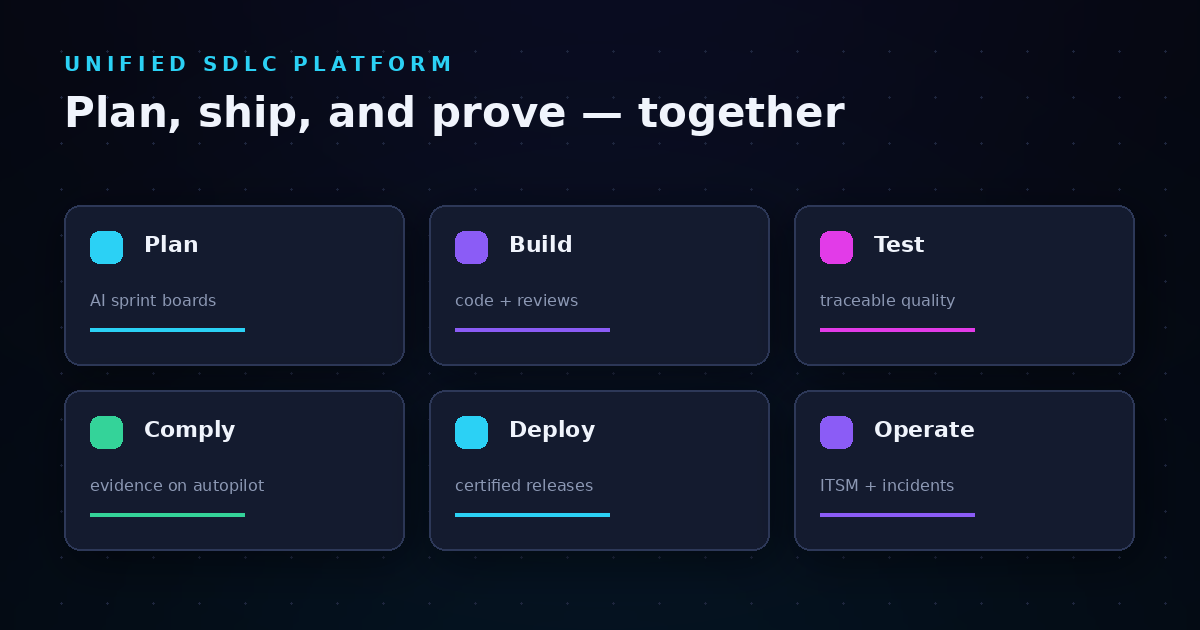
LoopIQ unifies planning, testing, DevOps, ITSM, documentation, and audit management into a single AI-powered workspace. You get end-to-end traceability from idea capture through deployment analytics, with compliance evidence collected automatically as your team works.
The platform addresses a core problem for enterprise engineering: disconnected tools create manual compliance overhead and coordination friction. LoopIQ turns software delivery into a traceable, automated, audit-ready system where every decision, approval, and deployment has a documented evidence trail.
For VPs and Directors evaluating platforms, LoopIQ delivers on the compliance-first criteria that matter most. Permission-gated AI actions ensure that high-impact operations go through proper governance channels. Role-based dashboards give each stakeholder visibility into the metrics that matter to their function.
LoopIQ features
- Automated evidence capture: Every change request, approval, test execution, and deployment generates audit-ready documentation without manual intervention. You maintain compliance posture during sprints, not just before audits.
- Permission-gated AI actions: AI agents can accelerate workflows, but high-impact operations require explicit approvals. This governance layer ensures AI assists rather than bypasses your change management process.
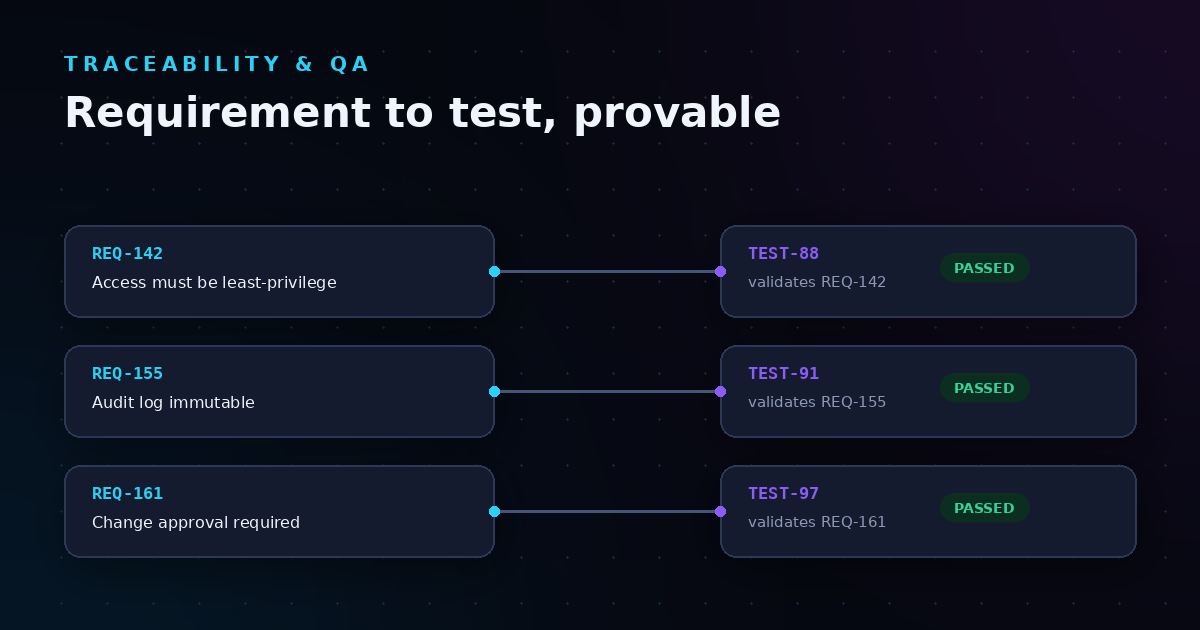
- End-to-end traceability: Connect requirements to code commits to test results to deployments in one view. When an auditor asks "show me the change history for this feature," the answer is one click away.
- Role-specific dashboards: VPs see portfolio-level delivery metrics. Managers see team velocity and quality signals. Individual contributors see their assigned work and reference materials. Each view is tailored to the decisions that role makes.
- Multi-approver workflows: Change requests can require sign-off from multiple roles—requestor, coordinator, approver, assignee—with visibility into status at each step. No more chasing down approvals via email.
- SLA policy automation: Define SLA thresholds for different work types, and the platform monitors and escalates automatically. You catch SLA risks before they become breaches.
LoopIQ pros and cons
Pros:
- Compliance evidence generates automatically during normal work, eliminating audit preparation scramble
- AI governance controls ensure accelerated delivery does not bypass change management
- Single workspace replaces tool sprawl across planning, testing, DevOps, and ITSM functions
Cons:
- Teams migrating from multiple point tools may need initial configuration to map existing workflows to LoopIQ's structure—though guided onboarding helps accelerate this process
- Full feature depth means some advanced capabilities require ramp-up time to master—role-specific training materials address this
- Organizations with minimal compliance requirements may not immediately use all governance features—though these become valuable as the organization grows
2. GitLab: An option for built-in CI/CD and DevSecOps scanning
GitLab combines source code management, CI/CD pipelines, and security scanning in one platform. For teams that want to consolidate their development toolchain around version control and automated pipelines, GitLab offers a unified experience from code commit through deployment.
The platform includes SAST, DAST, and dependency scanning capabilities. These security checks run in the pipeline and flag vulnerabilities before code reaches production. GitLab also offers project management features with issue boards and milestone tracking.
GitLab features
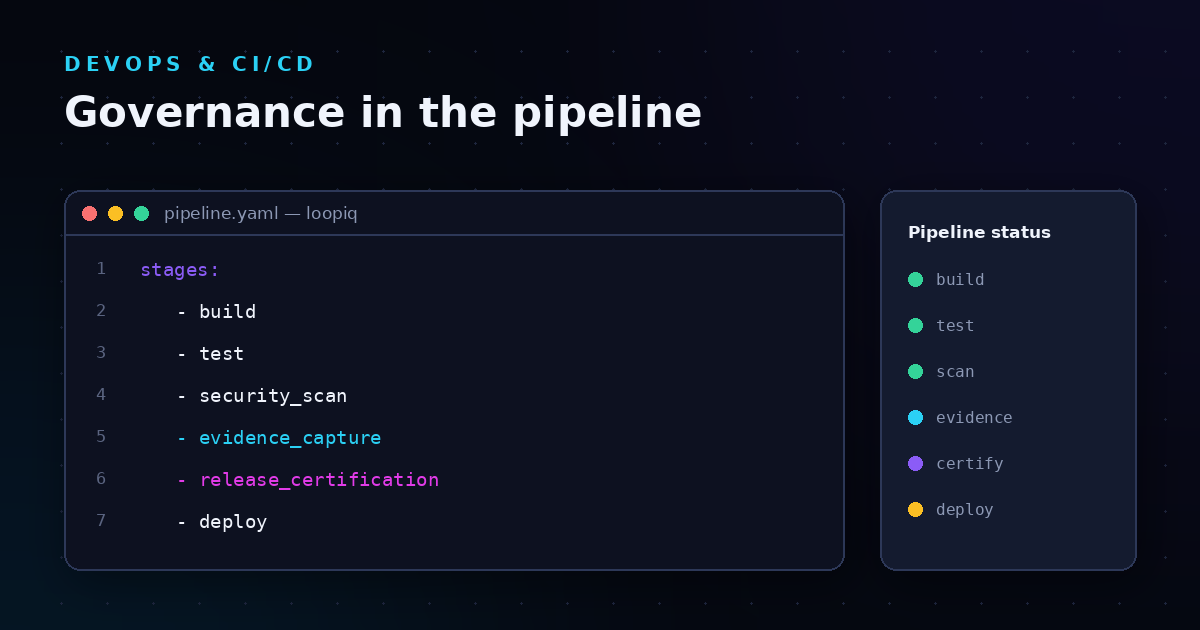
- Integrated CI/CD: Pipelines are defined in YAML files stored alongside code. You configure build, test, and deployment stages without switching tools.
- Security scanning: SAST, DAST, container scanning, and dependency scanning run as pipeline stages. Results appear in merge requests for review.
- Issue and milestone tracking: Create issues, assign them to milestones, and track progress with boards. Planning and development happen in the same interface.
GitLab pros and cons
Pros:
- CI/CD configuration lives with the code, making pipeline changes reviewable
- Security scanning integrates into merge request workflows
- Self-managed and SaaS deployment options available
Cons:
- Compliance evidence collection requires additional configuration and third-party tools
- AI governance features do not include permission-gating for high-impact operations
- ITSM capabilities require integration with external service management platforms
3. Jira + Confluence: A familiar choice for Agile workflow management
Jira remains the default for many enterprise teams managing Agile workflows. Combined with Confluence for documentation, the Atlassian stack covers planning, tracking, and knowledge management. Integration with Bitbucket or other version control systems connects development activity to issues.
The platform offers extensive workflow customization. You can model almost any process with custom statuses, transitions, and automation rules. Reporting includes velocity charts, burndown views, and custom dashboards.
Jira + Confluence features
- Customizable workflows: Define statuses and transitions that match your team's process. Automation rules trigger actions based on conditions you specify.
- Sprint and roadmap planning: Organize work into sprints with backlog grooming tools. Roadmaps show initiative-level progress across teams.
- Documentation integration: Confluence pages link to Jira issues. Teams can maintain runbooks, architecture decisions, and release notes alongside project tracking.
Jira + Confluence pros and cons
Pros:
- Large ecosystem of integrations with third-party tools
- Workflow flexibility accommodates varied team processes
- Familiar interface for teams with prior Atlassian experience
Cons:
- CI/CD, testing, and deployment require separate tools and integrations
- Compliance evidence must be assembled from multiple sources before audits
- AI-assisted development features do not include governance controls for high-impact operations
4. Tuleap: An open-source option for self-hosting requirements
Tuleap offers an open-source ALM platform for organizations that require self-hosted deployments. The platform covers project management, version control, CI/CD, and test management. Teams with strict data sovereignty requirements or air-gapped environments may find Tuleap's deployment flexibility relevant.
The platform supports Agile and hybrid methodologies with Scrum and Kanban boards. Git repositories are included, and integrations connect to external tools where needed.
Tuleap features
- Self-hosted deployment: Install on your infrastructure with control over data location. Updates and security patches are managed by your team.
- Integrated test management: Create test campaigns, link test cases to requirements, and track execution results in the same platform as planning work.
- Document management: Store and version documents alongside project artifacts. Approval workflows can route documents for sign-off.
Tuleap pros and cons
Pros:
- Open-source licensing supports inspection and customization
- Self-hosted option addresses data sovereignty requirements
- Test management included without separate tool licensing
Cons:
- Self-hosting requires infrastructure and maintenance capacity
- Compliance evidence automation is limited compared to purpose-built governance platforms
- AI-assisted capabilities and governance controls are not included
5. ServiceNow DevOps: A consideration for existing ITSM investments
ServiceNow DevOps connects development pipelines to ITSM workflows. For organizations already running ServiceNow for IT service management, the DevOps module adds change tracking and release orchestration that ties into existing approval processes.
The platform aggregates data from CI/CD tools and surfaces it alongside change records. Teams can see pipeline status, test results, and change approvals in one view. Integration requires connecting external development tools to ServiceNow.
ServiceNow DevOps features
- Change tracking integration: Pipeline deployments link to change records. Approval workflows can gate production deployments based on change status.
- Aggregate pipeline visibility: See CI/CD status from connected tools in ServiceNow dashboards. Correlate build failures with incident records.
- ITSM workflow continuity: Development activity connects to the same ITSM platform handling incidents and service requests. One system of record for IT operations.
ServiceNow DevOps pros and cons
Pros:
- Extends existing ServiceNow investment into development workflows
- Change management approval processes apply to deployments
- Single ITSM platform for development and operations teams
Cons:
- Requires existing ServiceNow deployment and licensing
- Development teams use external tools; ServiceNow aggregates rather than replaces them
- Compliance evidence capture depends on connected tool configurations
Comparison table: Unified SDLC platforms for enterprise engineering
| Platform |
Automated Compliance Evidence |
AI Governance Controls |
Built-in Test Management |
| LoopIQ |
✓ |
✓ |
✓ |
| GitLab |
✗ |
✗ |
✗ |
| Jira + Confluence |
✗ |
✗ |
✗ |
| Tuleap |
✗ |
✗ |
✓ |
| ServiceNow DevOps |
✗ |
✗ |
✗ |
How do you evaluate AI governance in SDLC platforms?
AI governance has become a critical evaluation criterion as AI coding assistants and agents accelerate development velocity. The question is whether your platform gives you visibility and control over AI-assisted actions, or whether AI operates outside your change management process.
When evaluating AI governance, ask vendors these questions:
- Which AI-assisted actions are logged with full audit trails?
- Can high-impact AI operations be gated behind approval workflows?
- How does the platform distinguish between AI-suggested changes and human-approved changes in compliance evidence?
LoopIQ addresses AI governance with permission-gated AI actions. AI agents can accelerate routine tasks, but operations that affect production or security-sensitive areas require explicit human approval. Every AI action generates an audit trail entry.
What compliance evidence should a unified SDLC platform capture automatically?
Manual compliance evidence collection does not scale. When auditors request proof that controls operated over the past six months, you should retrieve it rather than reconstruct it from memory and scattered artifacts.
A unified SDLC platform should capture these evidence types automatically:
- Decision records: Who approved what, when, and with what justification
- Change traceability: Links from requirements to code commits to test results to deployments
- Approval workflows: Multi-role sign-off records for change requests
- Security scan results: Timestamped records of vulnerability scans and remediation actions
- Deployment attestations: Provenance records for what code deployed to which environment
LoopIQ captures all of these evidence types as work happens. When an auditor asks for proof of your change management process, you export the evidence rather than scramble to assemble it.
Why LoopIQ is the best unified SDLC platform for enterprise engineering
The evaluation criteria for unified SDLC platforms come down to a fundamental question: can your platform support both velocity and governance simultaneously? LoopIQ delivers on this requirement by embedding compliance evidence capture and AI governance directly into the delivery workflow.
Where other platforms require you to stitch together separate tools for planning, development, testing, DevOps, and ITSM—then manually assemble compliance evidence from each—LoopIQ unifies these functions in one workspace. The result is end-to-end traceability from idea through deployment with an audit trail that generates itself.
For VPs and Directors evaluating platforms, LoopIQ addresses the specific pain points that create audit chaos and coordination overhead. You get permission-gated AI actions, role-specific dashboards, multi-approver workflows, and SLA automation in a single platform designed for enterprise engineering organizations.
Ready to see how LoopIQ supports compliance-first software delivery? Request a demo to explore how the platform addresses your evaluation criteria.
FAQs about unified SDLC platform evaluation criteria
What is a unified SDLC platform?
A unified SDLC platform combines planning, development, testing, deployment, and operations functions in one workspace. Instead of switching between separate tools for each function, your team works in a single environment where data flows between stages automatically.
LoopIQ takes this further by adding automated compliance evidence capture. Every stage of the SDLC generates audit-ready documentation as work happens.
How does compliance-first differ from compliance-after-the-fact?
Compliance-first means controls are embedded in your delivery workflow. Evidence generates automatically as your team completes work. Compliance-after-the-fact means reconstructing evidence manually before each audit.
LoopIQ implements compliance-first by capturing decision records, approval workflows, and deployment provenance as standard platform behavior. You maintain audit readiness during sprints, not just during audit preparation periods.
Why do AI governance controls matter for SDLC platforms?
AI coding assistants and agents can accelerate development, but they also introduce new risks if high-impact actions happen without oversight. AI governance controls ensure that AI assists your process rather than bypasses your change management.
LoopIQ implements permission-gated AI actions where high-impact operations require explicit approval. Every AI action generates an audit trail entry for compliance evidence.
What questions should you ask SDLC platform vendors about compliance?
Ask vendors these specific questions: Does evidence generate automatically or require manual collection? Can you demonstrate end-to-end traceability from a requirement to its deployed code? How does the platform handle compliance evidence for AI-assisted changes?
LoopIQ addresses each of these questions with automated evidence capture, full traceability views, and AI-specific audit trails.
How do you measure SDLC platform effectiveness after implementation?
Measure outcomes that matter to your engineering organization: time spent on audit preparation (should decrease), change failure rate (should decrease), and deployment frequency (should increase or stay stable). The DORA metrics framework offers benchmarks for comparing your performance against industry peers.
LoopIQ includes analytics that track these metrics over time, giving you visibility into how the platform affects your delivery performance.
.svg)