Skip to content
unified sldc devops loopiq

11 SDLC Audit Automation Capabilities for Enterprises

John P Rowe
John P Rowe
11 SDLC Audit Automation Capabilities for Enterprises
22:00

11 SDLC Audit Automation Capabilities for Enterprises

Audit season hits different when your evidence is scattered across five tools and three spreadsheets. For VPs and Directors of Software Development, the real challenge isn't understanding compliance frameworks—it's keeping release governance audit-ready while still shipping software on time.

A software delivery compliance platform like LoopIQ gives you a unified workspace where compliance evidence collects itself as your team works. This article breaks down the 11 capabilities you should look for when evaluating platforms—so you can cut tool sprawl, automate evidence collection, and keep auditors happy without slowing delivery.

By the end, you'll know exactly what separates a compliance-first SDLC platform from the patchwork of point solutions most engineering organizations are running today.

Key Takeaways: 11 SDLC Audit Automation Capabilities for Enterprises

  • SDLC audit automation keeps release governance audit-ready while teams ship on schedule — no more evidence scattered across five tools.
  • We evaluate 11 audit automation capabilities for enterprise software delivery compliance.
  • A secure SDLC audit process requires continuous evidence capture, control mapping, and release-level certification.
  • LoopIQ leads for enterprise audit automation by reducing tool sprawl and unifying evidence in one compliance-first workspace.

Quick guide: 11 audit automation capabilities for software delivery

  1. LoopIQ: The best unified SDLC platform with built-in audit automation
  2. Automated evidence collection: Captures compliance artifacts as work happens
  3. Centralized audit trails: One source of truth for release governance
  4. Approval workflow orchestration: Routes sign-offs based on policy rules
  5. Real-time compliance dashboards: Shows audit readiness at a glance
  6. Release certification tracking: Connects approvals to deployments
  7. Cross-environment traceability: Links code changes to production releases
  8. Policy-as-code enforcement: Embeds compliance rules into CI/CD pipelines
  9. Integrated test management: Ties quality signals to release decisions
  10. ITSM and DevOps unification: Bridges change management with delivery workflows
  11. AI-assisted compliance preparation: Drafts audit responses and flags gaps

How we chose the best audit automation capabilities for SDLC compliance

We evaluated these capabilities based on what actually matters when auditors show up—not on marketing promises. Here's what guided our selection:

  • Evidence automation depth: Does the capability capture compliance artifacts automatically, or does your team still need to chase screenshots and approvals manually?
  • Traceability from plan to production: Can you follow a decision from requirements through testing, approval, and deployment without piecing together logs from different systems?
  • Audit-ready reporting: Does the capability generate reports that auditors can understand without requiring your team to translate technical data?
  • Integration with existing workflows: Does it fit into how your team already works, or does adopting it mean rebuilding processes from scratch?
  • Real-time visibility: Can you see compliance status as work progresses, or do you only find out about gaps when it's too late?
  • Reduced tool sprawl: Does the capability consolidate work into fewer systems, or does it add another tool to an already crowded stack?

The 11 best audit automation capabilities for enterprise SDLC

1. LoopIQ: Best overall unified SDLC platform for audit automation

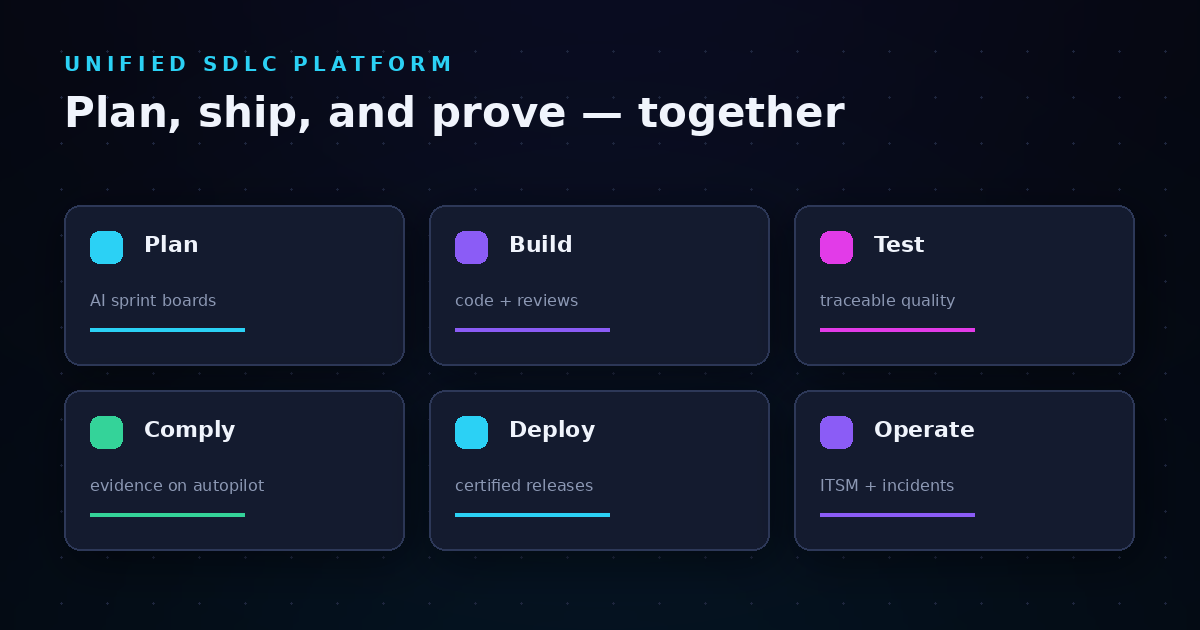
LoopIQ delivers a compliance-first approach to software delivery by unifying planning, testing, DevOps, ITSM, and audit management into a single workspace. Instead of chasing evidence across disconnected tools, your team works in one place while LoopIQ automatically captures approvals, test results, and release decisions as they happen.

This means you're always audit-ready without stopping to document what you did last sprint. LoopIQ connects every decision to its context—so when an auditor asks why a release was approved, you can show them the linked requirements, test coverage, and sign-offs in seconds.

For enterprise engineering leaders, LoopIQ eliminates the compliance tax that slows down delivery. Your teams ship faster because governance runs in the background, not as a last-minute scramble before release.

LoopIQ features

  • Automated compliance evidence collection: LoopIQ captures approvals, test results, and deployment records as your team works—no manual documentation required
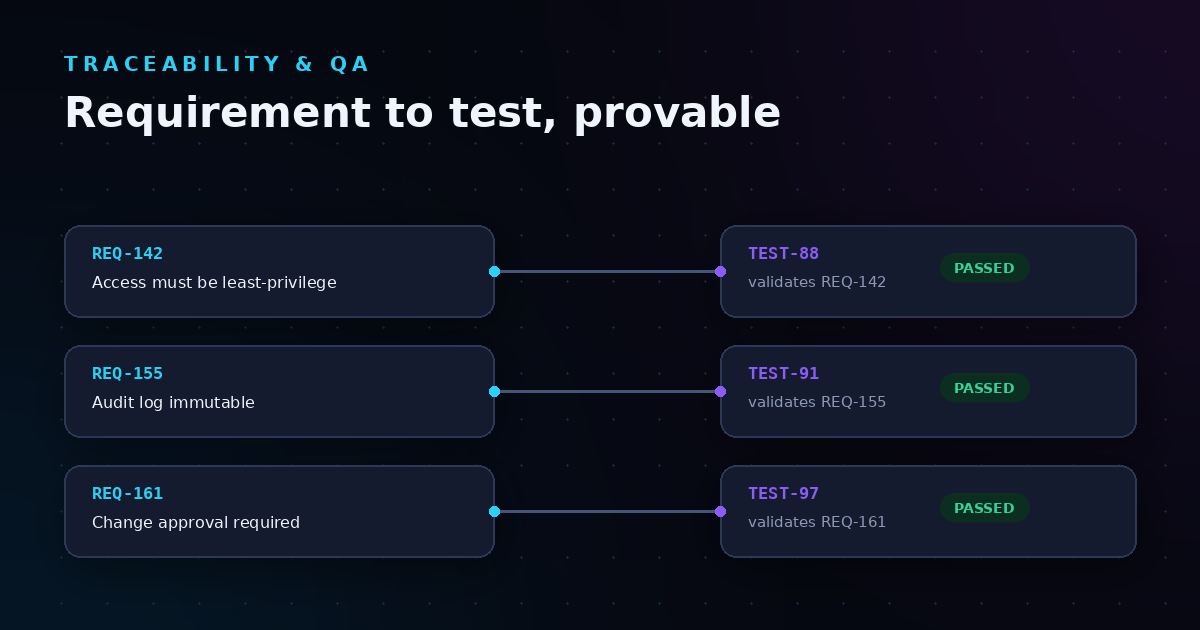
  • End-to-end decision traceability: Every release connects back to its requirements, discussions, and approvals, giving you a complete audit trail
  • Unified SDLC workspace: Plan, test, deploy, and govern releases in one platform, reducing context-switching and tool sprawl
  • AI-assisted compliance preparation: LoopIQ helps draft audit responses, flags missing evidence, and surfaces risks before they become findings
  • Release certification workflows: Define approval policies once, then let LoopIQ enforce them automatically across all releases
  • Real-time compliance dashboards: See your audit readiness score and outstanding items at a glance, without running reports manually

LoopIQ pros and cons

Pros:

  • Consolidates planning, testing, ITSM, and compliance into one platform
  • Captures audit evidence automatically as work happens
  • Connects every release decision to traceable context

Cons:

  • Teams adopting from multiple legacy tools need time to migrate historical data
  • Full value comes from using multiple modules together
  • Custom integrations may require initial configuration effort

2. Automated evidence collection: Captures artifacts as work happens

Automated evidence collection removes the manual work of gathering compliance artifacts. When your CI/CD pipeline runs a security scan, that result gets captured and linked to the release automatically. When a code review gets approved, the approval record attaches to the relevant work item.

This capability matters because manual evidence collection doesn't scale. According to research from Anecdotes, organizations that automate evidence collection significantly reduce audit preparation time while improving accuracy.

Automated evidence collection features

  • Pipeline integration: Connects to CI/CD tools to capture test results, scan outputs, and deployment records
  • Approval capture: Records who approved what and when, with timestamps and context
  • Configuration snapshots: Automatically documents system states for compliance verification

Automated evidence collection pros and cons

Pros:

  • Removes manual documentation burden from development teams
  • Captures evidence in real-time, avoiding gaps
  • Reduces errors from copy-paste and manual entry

Cons:

  • Requires integration setup with existing toolchains
  • Not all legacy systems support automated capture
  • Initial configuration takes planning to map evidence to controls

3. Centralized audit trails: One source of truth for releases

Centralized audit trails store all release-related evidence in a single, searchable repository. Instead of hunting through email threads, ticket systems, and chat logs to reconstruct what happened, you have one place where every action is recorded with its timestamp and actor.

This capability addresses one of the biggest pain points in SDLC audits: reconstructing evidence from disparate sources. When audit trails are centralized, responding to auditor questions takes minutes instead of days.

Centralized audit trails features

  • Immutable event logging: Records cannot be altered after creation, ensuring integrity
  • Cross-module visibility: Shows activities from planning through deployment in one view
  • Search and filter: Finds specific events by date, actor, release, or control

Centralized audit trails pros and cons

Pros:

  • Eliminates time spent reconstructing release history
  • Gives auditors a single place to review evidence
  • Supports faster incident investigation

Cons:

  • Data migration from legacy systems can be time-intensive
  • Storage requirements grow with release volume
  • Access controls need careful configuration to protect sensitive data

4. Approval workflow orchestration: Routes sign-offs by policy

Approval workflow orchestration automates the routing of sign-offs based on predefined rules. When a release moves to a stage requiring security review, the right approver gets notified automatically. When all required approvals are collected, the release proceeds.

This capability ensures that governance happens consistently without relying on individuals to remember who needs to sign off on what. It also creates a clear record of the approval chain for audit purposes.

Approval workflow orchestration features

  • Policy-based routing: Defines approval rules by release type, risk level, or team
  • Escalation paths: Automatically escalates when approvals are delayed
  • Approval records: Captures each sign-off with timestamp and approver identity

Approval workflow orchestration pros and cons

Pros:

  • Ensures consistent governance across all releases
  • Reduces bottlenecks with automated notifications
  • Creates clear audit trail of approval decisions

Cons:

  • Requires upfront work to define approval policies
  • Overly complex rules can slow releases unnecessarily
  • Changes to organizational structure need policy updates

5. Real-time compliance dashboards: Audit readiness at a glance

Real-time compliance dashboards show your current audit readiness status without requiring manual report generation. You see outstanding approvals, missing evidence, and control status across releases in one view.

For engineering leaders, this visibility matters because it surfaces problems early. Instead of discovering gaps during audit fieldwork, you spot and fix them during normal operations.

Real-time compliance dashboards features

  • Compliance scoring: Shows overall readiness as a percentage or score
  • Gap identification: Highlights missing evidence or incomplete approvals
  • Trend tracking: Shows compliance status changes over time

Real-time compliance dashboards pros and cons

Pros:

  • Surfaces compliance gaps before audits begin
  • Gives executives visibility into program health
  • Reduces surprise findings during external reviews

Cons:

  • Dashboard accuracy depends on data completeness
  • Information overload possible without proper filtering
  • Custom metrics may require configuration

6. Release certification tracking: Connects approvals to deployments

Release certification tracking links approval records directly to production deployments. When a release goes live, you can trace back to every required sign-off, test result, and compliance check that authorized it.

This capability closes the loop between governance decisions and actual deployments—something auditors specifically look for when evaluating change management controls.

Release certification tracking features

  • Certification status: Shows whether a release has all required approvals
  • Deployment linking: Connects certification records to production deployments
  • Rollback tracking: Documents rollback decisions and their justifications

Release certification tracking pros and cons

Pros:

  • Gives auditors clear evidence of release governance
  • Prevents unauthorized deployments
  • Supports post-incident analysis

Cons:

  • Requires integration with deployment systems
  • Emergency release processes need separate handling
  • Historical releases may lack certification data

7. Cross-environment traceability: Links code to production

Cross-environment traceability tracks changes from development through staging to production. You can follow a code commit through its test runs, approvals, and deployments—giving you a complete chain of custody for every change.

This capability is critical for regulated industries where auditors need to verify that what was tested is exactly what was deployed.

Cross-environment traceability features

  • Artifact tracking: Follows builds through environments with versioning
  • Environment comparison: Shows differences between deployed versions
  • Deployment history: Records every deployment with timing and actor

Cross-environment traceability pros and cons

Pros:

  • Confirms that tested code matches production code
  • Supports incident investigation with deployment history
  • Meets regulatory requirements for change tracking

Cons:

  • Complex multi-environment setups need careful configuration
  • Legacy deployment processes may not support full traceability
  • Volume of data can make searching difficult without good tooling

8. Policy-as-code enforcement: Compliance in CI/CD pipelines

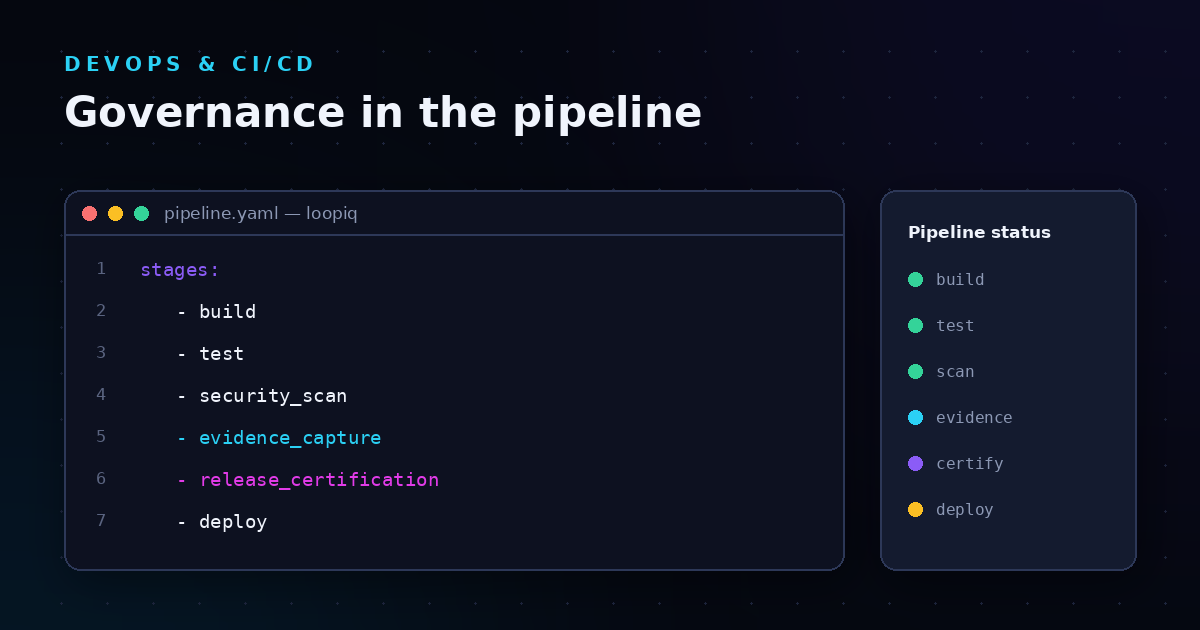
Policy-as-code enforcement embeds compliance rules directly into your CI/CD pipelines. Instead of checking compliance after the fact, violations get caught during the build process—before code reaches production.

According to research published in the MDPI journal, organizations implementing policy-as-code achieve full policy lifecycle enforcement with minimal pipeline overhead.

Policy-as-code enforcement features

  • Automated policy checks: Runs compliance validations during builds
  • Version-controlled rules: Treats policies like code with change history
  • Pipeline integration: Works with existing CI/CD tools

Policy-as-code enforcement pros and cons

Pros:

  • Catches compliance issues early in the development cycle
  • Treats policies as versionable, reviewable artifacts
  • Reduces gap between compliance and development teams

Cons:

  • Requires technical expertise to write and maintain policies
  • Overly strict rules can block legitimate releases
  • Initial implementation takes development effort

9. Integrated test management: Quality signals for releases

Integrated test management connects your testing activities directly to release decisions. Test plans, execution results, and coverage metrics all link to the releases they validate—giving auditors clear evidence that quality gates were enforced.

This capability matters because auditors increasingly want to see not just that testing happened, but how test results influenced go/no-go decisions.

Integrated test management features

  • Test plan linking: Connects test plans to requirements and releases
  • Execution tracking: Records test runs with pass/fail status and timing
  • Coverage reporting: Shows what percentage of requirements have test coverage

Integrated test management pros and cons

Pros:

  • Shows auditors that releases met quality standards
  • Identifies testing gaps before releases
  • Connects quality metrics to release decisions

Cons:

  • Migration from standalone test tools takes effort
  • Teams need discipline to maintain test-to-requirement links
  • Coverage metrics only measure what's tested, not quality

10. ITSM and DevOps unification: Bridging change management

ITSM and DevOps unification connects IT service management workflows with software delivery pipelines. Change requests, incident records, and release activities all live in the same system—eliminating the disconnect that causes audit findings.

This capability addresses a common problem: development teams use one set of tools while operations uses another, creating gaps that auditors notice.

ITSM and DevOps unification features

  • Change request integration: Links change tickets to actual deployments
  • Incident correlation: Connects incidents to the releases that caused them
  • Unified workflows: Moves work through approval and deployment in one system

ITSM and DevOps unification pros and cons

Pros:

  • Eliminates gaps between change management and deployment
  • Gives complete picture of release-related activities
  • Reduces duplicate data entry across systems

Cons:

  • Organizational silos may resist tool consolidation
  • Process alignment takes change management effort
  • Some specialized ITSM features may not be replicated

11. AI-assisted compliance preparation: Flags gaps and drafts responses

AI-assisted compliance preparation uses machine learning to identify gaps in your audit evidence and help draft responses to auditor questions. Instead of manually reviewing hundreds of controls, the AI surfaces the items that need attention.

This capability accelerates audit preparation by focusing human effort on the work that matters—fixing gaps rather than finding them.

AI-assisted compliance preparation features

  • Gap detection: Identifies missing evidence before auditors do
  • Response drafting: Helps create audit responses based on available evidence
  • Risk prioritization: Surfaces the highest-risk items first

AI-assisted compliance preparation pros and cons

Pros:

  • Reduces time spent identifying compliance gaps
  • Helps teams focus on highest-priority items
  • Accelerates audit response preparation

Cons:

  • AI suggestions require human review and validation
  • Accuracy depends on quality of underlying data
  • Teams need to understand AI limitations

Comparison table: SDLC audit automation capabilities

Capability Unified Platform Auto Evidence Real-Time Dashboards
LoopIQ
Automated Evidence Collection
Centralized Audit Trails
Approval Workflow Orchestration
Policy-as-Code Enforcement

What should you look for in a secure SDLC audit process?

A secure SDLC audit process should capture evidence at each development phase without requiring manual documentation. From requirements through deployment, every decision needs a traceable record that auditors can follow.

According to guidance from ISMS Online on ISO 27001 Annex A 8.25, audit resilience comes from active evidence management—not just documentation. Your SDLC should handle every handoff like a relay race where compliance evidence never drops.

Look for processes that embed security considerations into planning, capture approval records during reviews, and link test results to release decisions. The goal is traceability that survives scrutiny without requiring your team to reconstruct history manually.

How do you reduce tool sprawl in enterprise SDLC compliance?

Reducing tool sprawl starts with consolidating work into fewer systems that share data natively. When planning, testing, deployment, and compliance tracking all happen in one platform, you eliminate the integration gaps where audit evidence gets lost.

The challenge with point solutions is that each one captures its own slice of the story. Piecing together that story for auditors means exporting data, matching timestamps, and hoping nothing got missed in translation.

A unified platform like LoopIQ addresses this by keeping everything connected. LoopIQ captures compliance evidence as your team works, so the complete picture exists without manual assembly. This approach reduces the number of systems your team needs to maintain while improving the quality of audit evidence.

Why LoopIQ is the best platform for enterprise SDLC audit automation

LoopIQ stands out because it treats compliance as a built-in capability rather than an add-on. While other tools require you to integrate separate systems for planning, testing, deployment, and audit tracking, LoopIQ unifies these functions in one workspace.

This unification matters for audit automation because evidence collection happens naturally as work progresses. Your team doesn't need to stop and document—LoopIQ captures approvals, test results, and deployment records automatically. When auditors ask questions, the answers are already there.

For engineering leaders managing enterprise SDLC compliance, LoopIQ eliminates the trade-off between shipping fast and staying audit-ready. Your teams can focus on building software while LoopIQ handles the governance overhead that usually slows them down.

Ready to see how LoopIQ automates your SDLC audit evidence? Request a demo and discover why enterprise teams choose LoopIQ for compliance-first software delivery.

FAQs about SDLC audit automation capabilities

What is SDLC audit automation?

SDLC audit automation captures compliance evidence automatically as software moves through development, testing, and deployment. Instead of manually documenting approvals and test results, automated systems record these events in real time.

LoopIQ automates this evidence collection by tracking decisions, approvals, and quality signals as your team works—so you're always audit-ready without extra effort.

How do you automate evidence collection for compliance?

You automate evidence collection by integrating your compliance platform with development tools like source control, CI/CD pipelines, and test management systems. These integrations capture events as they happen and link them to the relevant work items.

LoopIQ makes this simpler by unifying these tools in one platform, so evidence collection doesn't require separate integrations or manual data mapping.

What audit capabilities matter most for enterprise SDLC?

The capabilities that matter most are automated evidence collection, centralized audit trails, approval workflow orchestration, and real-time compliance dashboards. Together, these ensure you can demonstrate compliance quickly and accurately when auditors ask.

How does LoopIQ help with release governance audits?

LoopIQ connects every release to its approval chain, test results, and deployment records. When auditors want to verify that a release followed proper governance, LoopIQ shows the complete trail from requirements through production deployment.

This traceability eliminates the scramble to reconstruct evidence that typically happens during audit season.

Can you achieve compliance without slowing software delivery?

Yes—when compliance runs in the background rather than as a separate process. Platforms that capture evidence automatically and enforce policies through automation let teams ship at speed while maintaining audit readiness.

LoopIQ is designed for exactly this: compliance-first SDLC that doesn't sacrifice delivery velocity for governance.
Share this post