10 Features of Unified SDLC Governance Platforms 2026
Shipping software at speed while staying audit-ready used to mean choosing one or the other. That tradeoff no longer holds. Modern unified SDLC governance platforms now connect planning, testing, DevOps, ITSM, documentation, and audit management into a single controlled workspace.
If you run a development organization, you already know the pain: scattered tools, manual evidence collection, and last-minute compliance scrambles before every release. LoopIQ gives you a unified workspace where compliance evidence captures itself automatically as your engineering team works.
This article walks through the 10 must-have features you should look for when evaluating platforms that unify your software delivery lifecycle with built-in governance. You will learn what separates compliance-first platforms from generic toolchains and how to choose the right fit for your organization.
Key Takeaways: 10 Features of Unified SDLC Governance Platforms 2026
- Unified SDLC governance platforms end the tradeoff between shipping fast and staying audit-ready.
- We evaluate 10 platform features connecting planning, testing, DevOps, ITSM, documentation, and audit management.
- SDLC governance means enforceable controls across the delivery lifecycle — approvals, traceability, and evidence built into the workflow.
- LoopIQ leads as the compliance-first choice: governance is native to the workspace, not layered on through integrations.
Quick guide: 10 features of unified SDLC governance platforms
- LoopIQ: The best unified SDLC governance platform with AI-powered compliance automation
- GitLab: A DevOps platform with built-in security scanning and CI/CD pipelines
- Jira Service Management: An ITSM tool that integrates with Atlassian development products
- ServiceNow: An enterprise platform that includes IT workflows and change management
- Jenkins: An open-source automation server for CI/CD pipeline orchestration
How we chose the best unified SDLC governance platforms
You need more than a checklist of features. You need a platform that keeps your engineering team focused on building while governance runs in the background. We evaluated each platform based on how well it addresses the real challenges VPs and Directors of Software Development face every day.
- Integrated compliance evidence collection: Does the platform capture approvals, test results, and change records automatically? Manual evidence gathering adds days to every release cycle.
- Unified planning and execution: Can you connect ideas, tasks, tests, and deployments in one workspace? Scattered tools create blind spots and slow decisions.
- DevOps and ITSM alignment: Does the platform bridge development velocity with operational stability? Siloed handoffs between teams create bottlenecks.
- Audit-ready documentation: Does the platform generate traceable release records without extra effort? Auditors want clear trails, not reconstructed spreadsheets.
- AI-assisted workflows: Does the platform use AI to automate routing, triage, and analysis? Manual coordination burns engineering hours.
- Role-based governance controls: Can you enforce approval policies and access rules by team or function? Governance needs guardrails, not friction.
The 10 best unified SDLC governance platforms
1. LoopIQ: Best unified SDLC governance platform for compliance-first delivery
LoopIQ stands apart as the best unified SDLC governance platform because it was built compliance-first from day one. Instead of bolting governance onto existing DevOps tools, LoopIQ makes audit-ready evidence a natural byproduct of daily engineering work.
Your team plans sprints, runs tests, and ships releases in a single workspace. Every approval, decision, and quality signal gets captured automatically. When audit time arrives, you generate a release compliance dossier with a few clicks instead of spending days reconstructing evidence from scattered systems.
LoopIQ connects AI agents directly to governed workflows. This means you can automate triage, routing, and risk flagging while keeping human approval on sensitive changes. The result is faster delivery with traceable decisions and no compliance surprises.
LoopIQ features
- Automated compliance management: LoopIQ captures approvals, quality signals, and release certifications as work happens. You stop screenshotting Jira tickets and start generating audit-ready dossiers automatically.
- AI-driven project management: Sprint boards, task priorities, and velocity tracking update in real time. AI agents surface blockers before they derail your timeline.
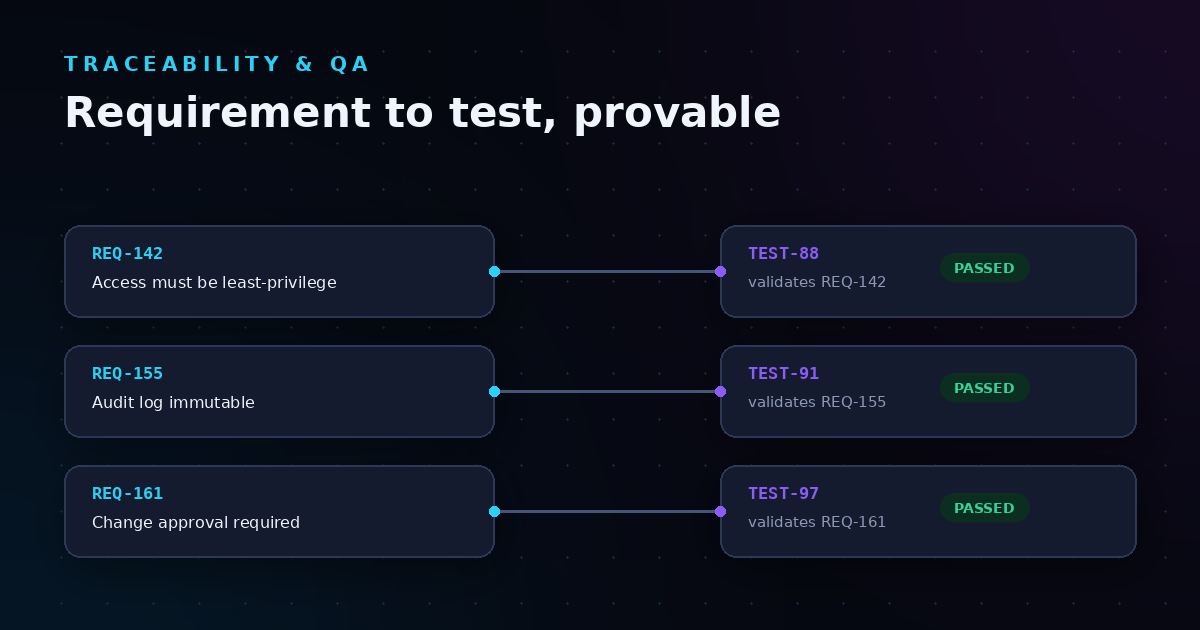
- Unified test management: Every test links to the requirement it validates. Coverage gaps become visible instantly, and test results flow directly into compliance records.
- Integrated ITSM: Incidents, service requests, and change records live in the same workspace as your development work. No more switching between disconnected tools.
- Knowledge management: Decisions, runbooks, and architectural context stay linked to the tasks where they matter. Context never gets lost in outdated wikis.
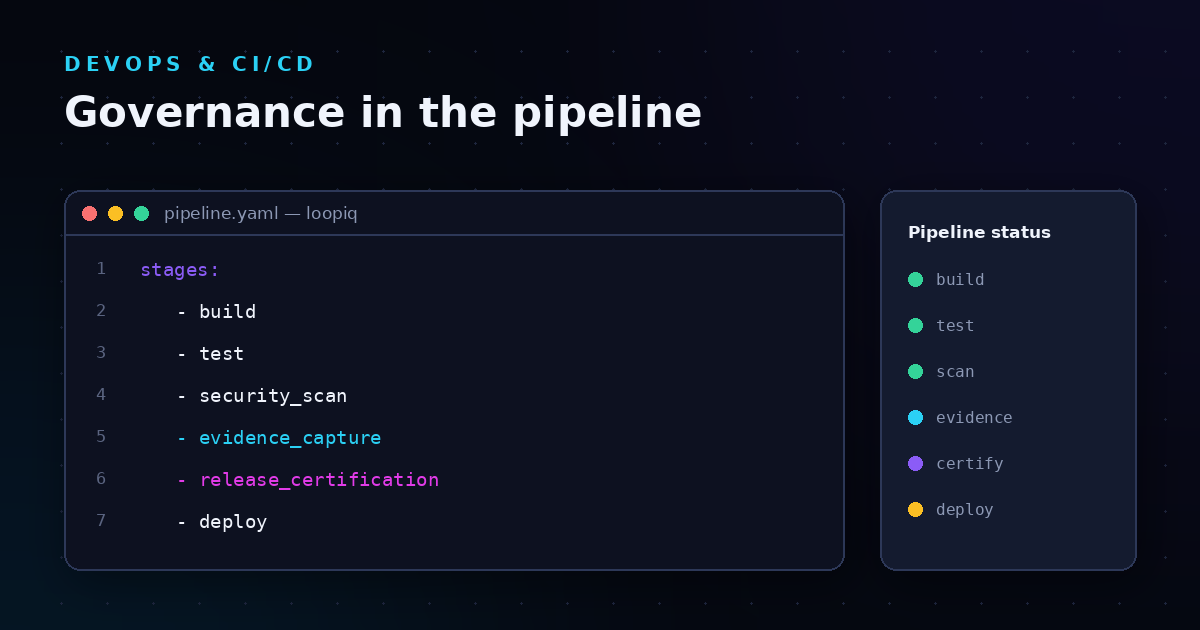
- Release governance automation: LoopIQ enforces approval policies and generates release certifications based on the actual work completed, not manual checklists.
LoopIQ pros and cons
Pros:
- Compliance evidence captures automatically without disrupting engineering workflows
- Single workspace eliminates context-switching between planning, testing, and deployment tools
- AI agents accelerate triage and routing while keeping humans in control of sensitive decisions
Cons:
- Organizations using highly customized legacy tools may need time to consolidate workflows
- Full platform adoption works better than partial deployment for maximum governance benefits
- Teams new to unified platforms may need initial onboarding to understand connected data flows
2. GitLab: A DevOps platform with source control and security scanning
GitLab combines source code management, CI/CD pipelines, and security scanning in one application. Development and operations activities stay connected through a single interface, which reduces handoffs between separate tools.
The platform includes vulnerability management and policy enforcement features. These capabilities help you identify security issues earlier in the development process. GitLab works for organizations that want DevOps and security in the same product.
GitLab features
- Integrated CI/CD: Pipelines run automatically when code commits. Build, test, and deployment stages stay visible in one dashboard.
- Security scanning: Static and dynamic analysis runs during the pipeline. Vulnerability reports appear before code reaches production.
- Compliance pipelines: You can enforce required jobs and approvals on protected branches. This adds governance controls to the delivery process.
GitLab pros and cons
Pros:
- Source control, CI/CD, and security scanning exist in a single application
- Self-hosted and cloud deployment options are available
- Compliance pipelines add governance without separate tooling
Cons:
- ITSM capabilities require integration with external platforms
- Audit evidence collection needs additional configuration for full traceability
- Feature complexity increases as organizations adopt more capabilities
3. Jira Service Management: An ITSM tool in the Atlassian ecosystem
Jira Service Management connects IT service desk functions with software development tracking. If your organization already uses Jira Software and Confluence, adding JSM keeps everything in the same ecosystem.
The platform handles incident management, change requests, and service request queues. Integration with Jira Software links operational issues to development work. This helps teams understand how production incidents connect to code changes.
Jira Service Management features
- Incident management: On-call schedules and alert routing connect to incident records. Response activities stay linked to related development issues.
- Change management: Change requests integrate with deployment information. You can track which releases caused or resolved specific incidents.
- Asset management: Configuration items link to service requests and incidents. This visibility helps with root cause analysis.
Jira Service Management pros and cons
Pros:
- Native integration with Jira Software and Confluence keeps work visible across teams
- Change management connects to development tracking
- Flexible workflow configuration adapts to different ITSM processes
Cons:
- Compliance evidence collection requires manual configuration or add-ons
- Test management needs a separate product or marketplace app
- Unified governance across the full SDLC requires multiple Atlassian products
4. ServiceNow: An enterprise platform with IT workflow automation
ServiceNow offers IT service management, IT operations management, and governance capabilities in an enterprise platform. Large organizations with dedicated ITSM administrators use ServiceNow to automate IT workflows across departments.
The platform includes modules for incident, problem, change, and release management. Customization options allow organizations to adapt workflows to their specific processes. ServiceNow works for enterprises with complex requirements and resources for implementation.
ServiceNow features
- ITSM modules: Incident, problem, change, and release management follow ITIL practices. Workflows connect these processes through a common data model.
- Governance and compliance: Policy management and audit tracking help regulated industries document controls. Configuration compliance monitoring identifies drift.
- Integration hub: Pre-built connectors link ServiceNow to development tools. This bridges IT operations with software delivery pipelines.
ServiceNow pros and cons
Pros:
- Extensive workflow customization fits complex enterprise requirements
- ITIL-aligned processes support mature IT organizations
- Integration marketplace connects to CI/CD and DevOps tools
Cons:
- Implementation requires dedicated administrators and significant configuration time
- Development and testing workflows need separate tooling or integrations
- Enterprise-scale investment may not fit mid-market organizations
5. Jenkins: An open-source CI/CD automation server
Jenkins automates build, test, and deployment pipelines through a plugin-based architecture. Organizations with DevOps expertise use Jenkins to orchestrate their CI/CD workflows with flexibility and control.
The platform supports thousands of plugins for different tools, languages, and integrations. This extensibility lets you build pipelines tailored to your specific technology stack. Jenkins works for organizations with engineering resources to maintain custom configurations.
Jenkins features
- Pipeline as code: Jenkinsfile definitions store pipeline configurations in source control. This brings version control and code review to CI/CD workflows.
- Plugin ecosystem: Plugins integrate Jenkins with source control, testing frameworks, deployment targets, and notification systems.
- Distributed builds: Agent nodes scale build capacity across multiple machines. This handles high build volumes and parallel testing.
Jenkins pros and cons
Pros:
- Open-source with an active community and extensive plugin library
- Pipeline as code enables version control for CI/CD configurations
- Flexible deployment on self-hosted infrastructure or cloud environments
Cons:
- ITSM, governance, and compliance require separate tools and integrations
- Administration overhead increases as pipeline complexity grows
- Unified audit trails across the SDLC need custom implementation
Comparison table: The best unified SDLC governance platforms
| Platform |
Built-in Compliance Automation |
Unified ITSM + DevOps |
AI-Powered Workflows |
| LoopIQ |
✓ |
✓ |
✓ |
| GitLab |
✗ |
✗ |
✓ |
| Jira Service Management |
✗ |
✓ |
✗ |
| ServiceNow |
✓ |
✗ |
✓ |
| Jenkins |
✗ |
✗ |
✗ |
What does SDLC governance mean for enterprise software delivery?
SDLC governance refers to the policies, controls, and evidence trails that ensure software releases meet quality, security, and compliance requirements. For enterprise organizations, this means every release carries documented proof of approvals, test coverage, and change authorization.
Governance becomes critical when auditors, regulators, or customers ask how you built and deployed a specific feature. Without a unified governance layer, teams spend days reconstructing evidence from emails, chat logs, and scattered tools. A governance-focused platform captures this evidence automatically.
Modern SDLC governance also addresses the speed challenge. Traditional change advisory boards slow releases to monthly or quarterly cycles. Automated governance policies let you enforce controls without manual gates, enabling faster delivery while maintaining audit readiness.
How do you integrate DevOps and ITSM in a unified platform?
Integrating DevOps and ITSM in a unified platform means connecting development velocity with operational stability in a single workflow. When a deployment causes an incident, the connection should be immediate and traceable. When an incident reveals a defect, the fix should flow back through the same governed pipeline.
Key integration points include:
- Change records linked to deployments: Every production release creates or updates a change record with deployment details and approvals.
- Incidents linked to releases: When incidents occur, teams can trace back to the specific release and code changes involved.
- Service requests triggering work items: Customer requests create development tasks with full context and priority.
- Configuration management connected to code: Infrastructure changes flow through the same governance controls as application code.
This integration eliminates the handoff delays that occur when development and operations use separate systems with manual synchronization.
Why LoopIQ is the best unified SDLC governance platform
LoopIQ stands apart because it treats governance as a core capability, not an afterthought. While other platforms require you to bolt on compliance tools or manually configure evidence collection, LoopIQ captures audit-ready records automatically as your team works.
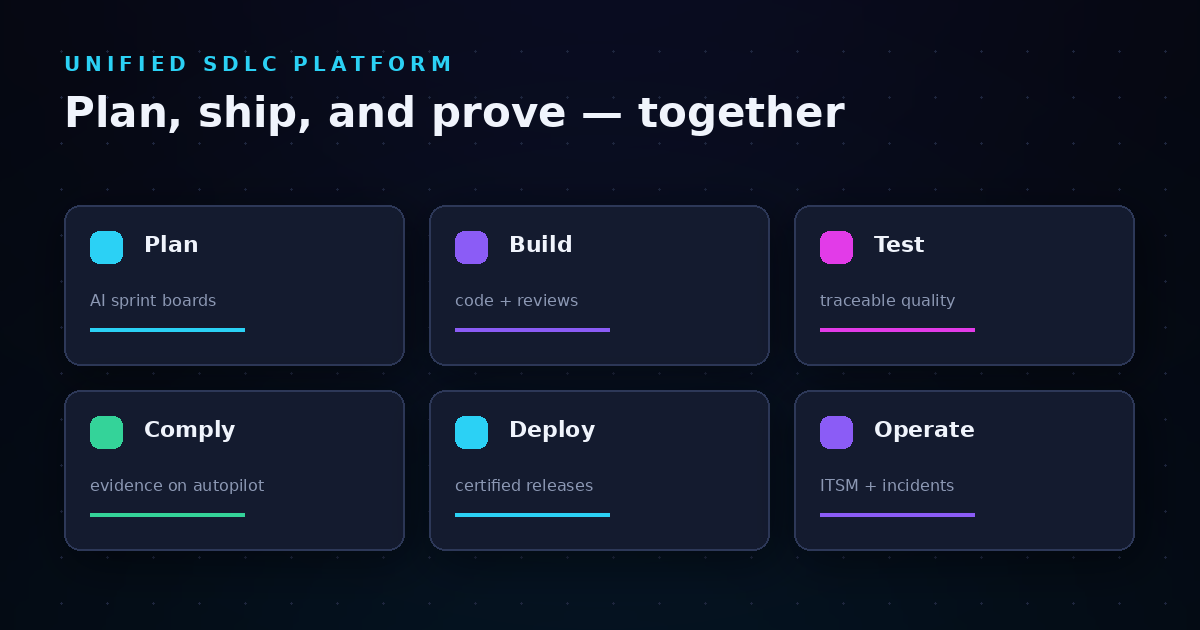
The platform unifies planning, testing, DevOps, ITSM, and documentation in one workspace. LoopIQ gives you end-to-end traceability from idea to deployment without switching between disconnected tools. Every decision, approval, and quality signal connects to the release it affects.
AI agents in LoopIQ accelerate workflows while keeping humans in control. Automated triage routes incidents to the right team. Smart priorities surface blockers before they derail sprints. Release certifications generate automatically based on actual work completed.
If you want to ship software faster without sacrificing compliance, explore what LoopIQ can do for your organization.
FAQs about unified SDLC governance platforms
What is a unified SDLC governance platform?
A unified SDLC governance platform connects planning, development, testing, deployment, and operations in a single workspace with built-in compliance controls. LoopIQ automates evidence collection and approval tracking so your engineering team ships faster without manual audit preparation.
Why do engineering teams need SDLC governance?
SDLC governance ensures every release has documented approvals, test results, and change authorization. Without it, audit preparation becomes a multi-day scramble through scattered tools. LoopIQ captures this evidence automatically as work happens.
How does compliance automation work in SDLC platforms?
Compliance automation captures approvals, test outcomes, and change records as byproducts of normal engineering work. LoopIQ links every task to its tests, approvals, and deployment records automatically, generating release compliance dossiers without manual effort.
Can unified SDLC platforms replace multiple DevOps tools?
Unified platforms like LoopIQ consolidate planning, testing, ITSM, and compliance management into one workspace. This reduces tool sprawl and eliminates the manual synchronization between disconnected systems. Teams get end-to-end visibility and governance in a single application.
What features should VPs of Development prioritize in SDLC governance platforms?
Prioritize automated compliance evidence collection, unified planning and execution, DevOps and ITSM integration, and AI-assisted workflows. LoopIQ delivers all four, letting your team focus on building while governance runs in the background.
.svg)