Skip to content
unified sldc devops loopiq

10 Capabilities for Cross-Environment Audit Trails 2026

John Paul Rowe
John Paul Rowe

10 Capabilities for Cross-Environment Audit Trails 2026

Tracking changes from development through staging to production has become a baseline expectation for software delivery governance. When auditors ask "who approved this change and what exactly moved to production?" you need an answer that goes beyond ticket numbers and timestamps. LoopIQ delivers audit trail governance by capturing evidence automatically as work flows through each environment, giving your team a defensible record without manual reconstruction.

This article breaks down the 10 capabilities you should look for in an audit-trail governance platform for cross-environment change traceability. You'll learn what distinguishes compliance-first platforms from generic DevOps tools, and how to evaluate solutions for your delivery governance needs.

Key Takeaways: 10 Capabilities for Cross-Environment Audit Trails 2026

  • Cross-environment audit trails answer the auditor's core question: who approved this change and what exactly moved to production?
  • We evaluate 10 platform capabilities for tracking changes from development through staging to production.
  • Regulated industries need trails that go beyond ticket numbers — link requirements, approvals, artifacts, and deployment events per release.
  • LoopIQ leads for cross-environment traceability: evidence is captured automatically as work moves through each environment.

Quick guide: 10 audit-trail governance platforms for delivery governance

  1. LoopIQ: The best unified SDLC platform for automated compliance evidence across Dev, Staging, and Prod
  2. ServiceNow DevOps: Change management with ITSM integration for enterprise ticket-driven workflows
  3. GitLab: Code-level audit events for Git-centric development operations
  4. Jira: Work item tracking that connects to CI/CD through third-party plugins
  5. Jenkins: Open-source CI/CD with configurable audit logging through plugins

How we chose audit-trail governance platforms for cross-environment traceability

When evaluating platforms for this guide, we focused on capabilities that help you answer auditor questions with confidence—not just store logs. Here's what mattered most:

  • End-to-end traceability: Can you trace a production change back to its original requirement, approvals, and test results without switching between multiple tools?
  • Automated evidence capture: Does the platform collect compliance artifacts as work happens, or do you need to reconstruct evidence manually before an audit?
  • Cross-environment visibility: Can you see what moved from Dev to Staging to Prod, who approved each promotion, and when it happened?
  • Governed access controls: Does the platform enforce role-based permissions and separation of duties at each environment gate?
  • Audit-ready reporting: Can you export a clear compliance record that auditors can review without needing access to your internal systems?
  • Integration depth: Does the platform connect natively with your existing tools, or does traceability break at integration boundaries?

The 10 audit-trail governance platforms for cross-environment traceability

1. LoopIQ: Best overall platform for cross-environment audit trails

LoopIQ stands apart as a unified SDLC platform built with compliance at its core. Instead of bolting audit capabilities onto a DevOps tool, LoopIQ captures signals, test results, and approvals as work happens—automatically compiling audit-ready compliance evidence from Dev through Staging to Prod.

For VPs and directors overseeing delivery governance, this means your audit trail builds itself. Every decision stays traceable from planning through execution, testing, and release. LoopIQ keeps governance context close to the work, so you never need to reconstruct evidence from disparate sources when auditors come calling.

The platform's AI orchestration handles the operational overhead of compliance. Approvals route automatically, risks get flagged in real time, and evidence collection runs in the background. Your engineering teams focus on delivery while LoopIQ handles the compliance paperwork.

LoopIQ features

  • Built-in compliance evidence capture: LoopIQ records approvals, test outcomes, and quality signals automatically as work moves through your delivery pipeline—no manual evidence gathering required before audits
  • Decision continuity tracking: Every decision stays traceable from planning through execution, testing, and release, so you can show exactly how and why changes reached production
  • AI-powered governance automation: The platform triggers tasks, routes approvals, and flags risks automatically, reducing manual coordination while maintaining audit-ready documentation
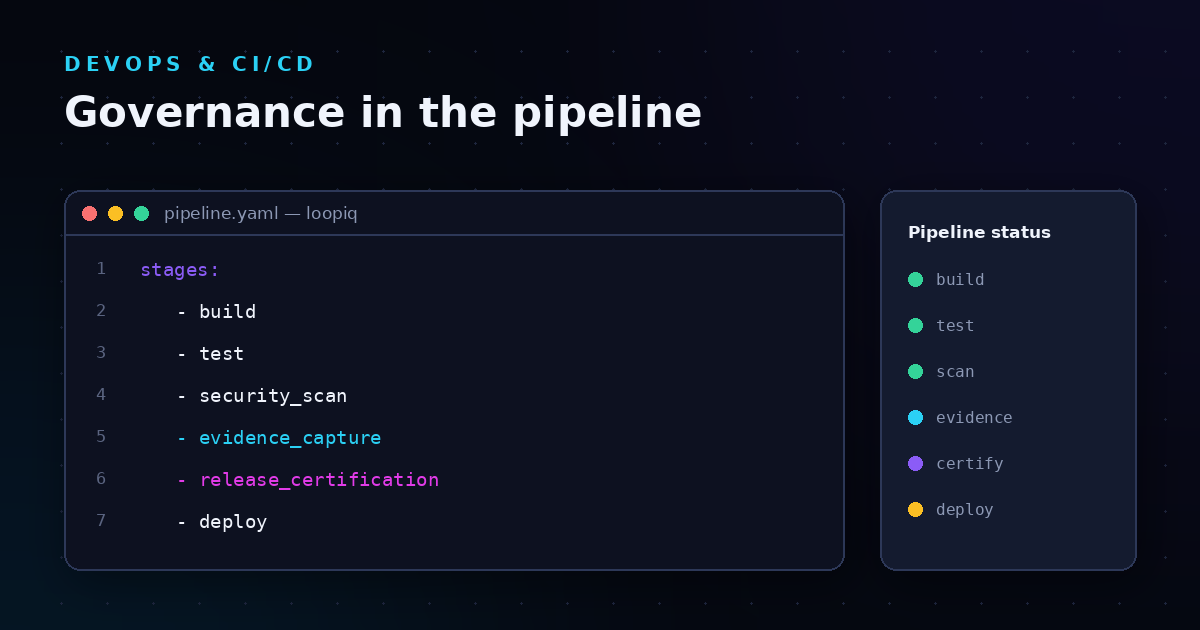
  • Cross-environment release certification: Track release readiness across Dev, Staging, and Prod with certification workflows that capture who approved what at each promotion gate
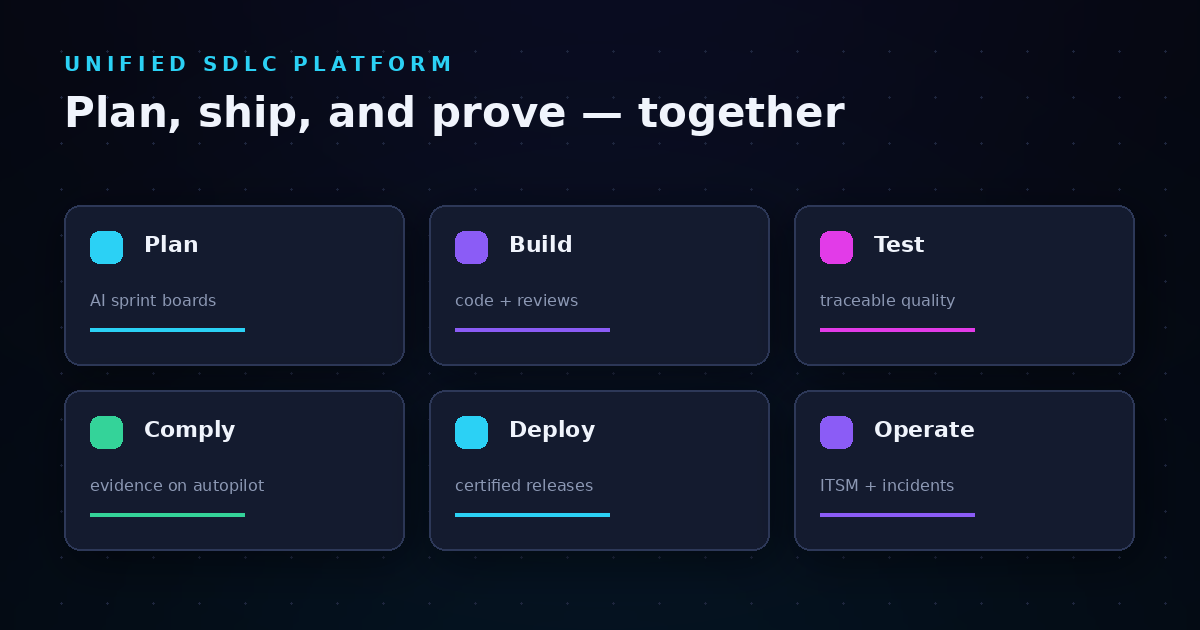
  • Unified SDLC workspace: Planning, testing, ITSM, and compliance management connect in a single workspace, eliminating the gaps where traceability typically breaks
  • Role-based access governance: Enforce separation of duties and permission boundaries at each environment stage, with full visibility into who can approve production changes

LoopIQ pros and cons

Pros:

  • Evidence capture happens automatically during normal workflow, reducing audit preparation time significantly
  • Single workspace eliminates tool sprawl and the traceability gaps that come with fragmented toolchains
  • AI orchestration reduces manual governance overhead while maintaining audit-ready documentation

Cons:

  • Organizations already invested in multiple point solutions may need time to migrate existing workflows
  • Full value comes from using the unified workspace rather than treating it as a standalone audit tool
  • Teams new to compliance-first delivery may need initial onboarding to maximize governance capabilities

2. ServiceNow DevOps: Change management with ITSM integration

ServiceNow DevOps connects your CI/CD pipelines to ServiceNow's change management workflows. The platform tracks activity in your repositories and automates change request creation when deployments reach certain stages. For organizations already running ServiceNow for ITSM, this integration keeps change records close to your existing ticket workflows.

The platform includes DevOps Change Velocity, which can auto-approve changes based on policy criteria you define. This helps reduce the manual approval bottleneck for routine deployments while maintaining records of what moved and when.

ServiceNow DevOps features

  • Automated change request creation: CI/CD pipeline events trigger change tickets in ServiceNow, creating a record trail without manual ticket entry
  • Policy-based auto-approval: Define criteria for changes that can proceed without manual CAB review, speeding up routine deployments
  • Repository activity tracking: Monitor commits and pipeline runs from your connected Git repositories in ServiceNow dashboards

ServiceNow DevOps pros and cons

Pros:

  • Integrates change management with existing ServiceNow ITSM workflows
  • Auto-approval policies can reduce deployment delays for standard changes
  • Familiar interface for organizations already using ServiceNow

Cons:

  • Traceability depends on proper integration configuration; gaps can occur at pipeline boundaries
  • Requires ServiceNow licensing in addition to your DevOps tooling
  • Evidence capture focuses on change tickets rather than full compliance artifact collection

3. GitLab: Code-level audit events for Git-centric teams

GitLab offers audit events that track changes at the repository and project level. You can see who modified permissions, added users, or changed branch protection settings. For teams running their entire delivery pipeline through GitLab, these audit logs cover activity from code commit through CI/CD execution.

The platform includes compliance framework templates for projects that need to map to specific audit protocols. Protected branches let you control who can push to production branches without proper approvals.

GitLab features

  • Audit event logging: Track permission changes, user additions, and configuration modifications at group and project levels
  • Compliance framework templates: Create projects mapped to specific audit protocols like HIPAA to maintain structured audit trails
  • Protected branches: Control unauthorized modifications to production branches without proper permissions or approvals

GitLab pros and cons

Pros:

  • Audit events cover the full GitLab platform from repository to deployment
  • Compliance framework labels help organize projects by audit requirements
  • Indefinite audit event retention means records remain available for future audits

Cons:

  • Audit scope is limited to GitLab platform activity; traceability breaks for external tools
  • Advanced compliance features require Premium or Ultimate tiers
  • Evidence export focuses on audit logs rather than packaged compliance artifacts

4. Jira: Work item tracking with CI/CD connections

Jira tracks work items across your software projects and connects to CI/CD pipelines through integrations. You can link issues to code commits, branches, and deployments, creating a connection between planned work and delivered changes. For audit purposes, this linkage helps answer "what was deployed and why."

The platform's workflow automation can enforce approval steps before issues move to done status. Combined with Jira Align for portfolio planning, larger organizations can track work from strategic initiatives through to deployed code.

Jira features

  • Issue-to-deployment linking: Connect work items to commits, branches, and deployments through native and third-party integrations
  • Workflow automation: Enforce required approval steps and transitions before issues can progress through status changes
  • Audit log access: Review changes to project configurations, permissions, and user management through admin audit logs

Jira pros and cons

Pros:

  • Connects work items to code and deployments through its integration ecosystem
  • Workflow automation can enforce approval requirements at transition points
  • Familiar interface for development teams already using Atlassian products

Cons:

  • Traceability across the full SDLC requires multiple integrations and plugins
  • Compliance evidence lives across Jira and connected tools, requiring manual stitching for audits
  • Change traceability at the environment level requires additional tooling

5. Jenkins: Open-source CI/CD with configurable audit logging

Jenkins offers audit logging through plugins like the Audit Trail plugin, which records who started builds, changed configurations, and modified job definitions. For organizations running Jenkins as their CI/CD backbone, these logs capture pipeline execution history that can support audit requirements.

The platform's flexibility means you can configure audit logging to match your specific requirements. Build artifacts, deployment records, and approval gates can all be captured—though you'll need to set up the logging infrastructure yourself.

Jenkins features

  • Audit Trail plugin: Log user actions including job executions, configuration changes, and credential modifications
  • Build history retention: Store records of pipeline runs, including parameters, artifacts, and execution logs
  • Configurable logging destinations: Send audit records to external systems like Elasticsearch or your SIEM for long-term retention

Jenkins pros and cons

Pros:

  • Open-source with extensive plugin ecosystem for audit capabilities
  • Configurable to match specific audit logging requirements
  • No licensing cost for the core platform

Cons:

  • Audit logging requires plugin installation and configuration—not built-in by default
  • Evidence capture is limited to CI/CD execution; no native work item or requirements traceability
  • Assembling compliance artifacts requires manual effort across Jenkins and other tools

Comparison table: Audit-trail governance platforms for cross-environment traceability

Platform Automated Evidence Cross-Environment Traceability Built-in Compliance
LoopIQ
ServiceNow DevOps
GitLab
Jira
Jenkins

What does cross-environment change traceability actually require?

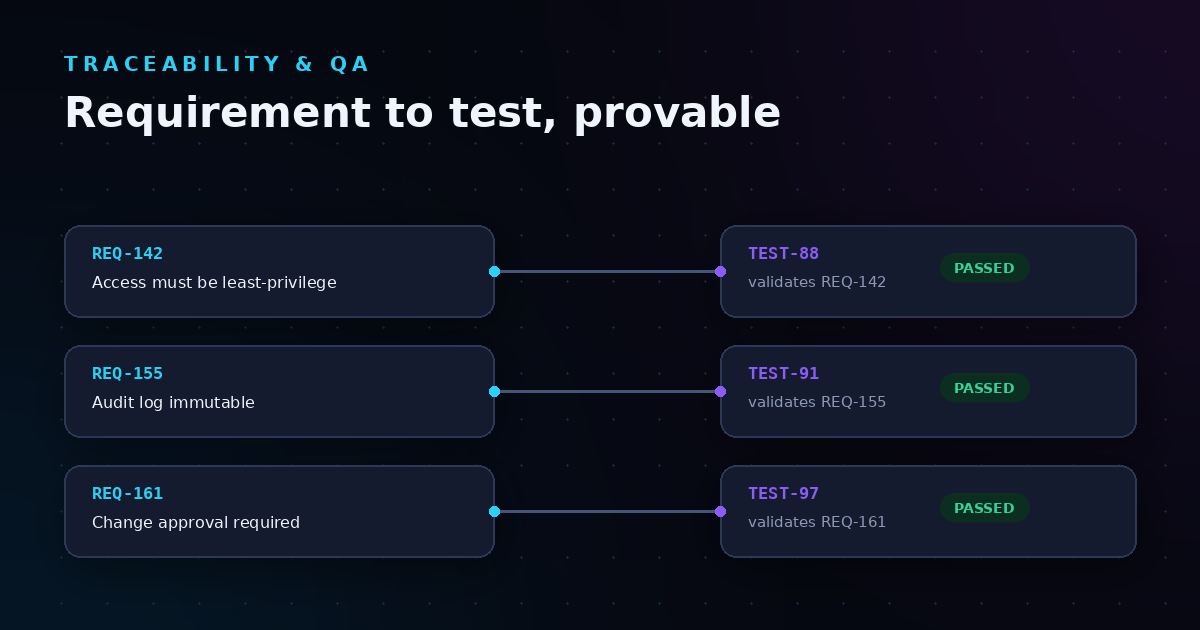
Cross-environment traceability means you can answer a specific set of questions for any change in production: What was the original requirement? Who approved it for each environment? What tests validated it? When did it move from Dev to Staging to Prod?

Most tools capture pieces of this puzzle. Your Git repository has commit history. Your CI/CD tool has deployment records. Your project management tool has approval workflows. The challenge is connecting these fragments into a coherent story that an auditor can follow.

This is where compliance-first platforms differ from assembled toolchains. When evidence capture happens as a byproduct of normal work—rather than as a separate compliance exercise—the audit trail builds itself. You spend less time reconstructing what happened and more time demonstrating that your governance controls actually work.

How do you evaluate audit trail platforms for regulated industries?

Regulated industries face stricter requirements for change documentation. Healthcare organizations need to demonstrate HIPAA-aligned controls. Financial services must show SOX compliance. The common thread is proving that changes went through proper review before reaching production.

When evaluating platforms for regulated environments, start with these questions:

  • Does the platform capture evidence automatically, or does your team need to document compliance manually?
  • Can you export a complete audit package without granting auditors access to your production systems?
  • Does the platform enforce separation of duties at environment promotion gates?
  • Are audit records immutable, or could they be modified after the fact?

The answers determine whether your platform supports compliance or simply logs activity. Logging is necessary but not sufficient. You need evidence that proves controls were followed, not just records that show events occurred.

Why LoopIQ is the best platform for cross-environment audit trails

LoopIQ approaches audit trail governance differently than tools that add compliance as an afterthought. The platform captures evidence automatically because it's built into how work flows through the system. Approvals, test results, and environment promotions create audit records as they happen—not as a separate documentation exercise.

For delivery governance leaders, this changes the audit preparation conversation. Instead of asking "do we have evidence for this change?" you can show a continuous record of how every change moved through your environments. LoopIQ keeps governance context attached to the work, so traceability never depends on someone remembering to update a spreadsheet.

The unified workspace also eliminates a common traceability failure point: tool boundaries. When planning, development, testing, and release management live in separate systems, evidence gets fragmented. LoopIQ connects these stages in a single workspace where the audit trail remains intact from requirement to production deployment. See how LoopIQ automates compliance evidence for your cross-environment delivery workflows.

FAQs about cross-environment audit trail capabilities

What is cross-environment change traceability?

Cross-environment change traceability is the ability to track a change from its origin through every environment—Dev, Staging, and Prod—with a record of who approved each promotion. LoopIQ captures this automatically, connecting requirements to approvals to deployments in a single audit trail.

Why do audit trails matter for software delivery governance?

Audit trails prove that your delivery process follows established controls. When auditors ask how a change reached production, you need evidence of approvals, testing, and proper review—not just a deployment timestamp. LoopIQ records this evidence as work flows through your pipeline.

How is LoopIQ different from adding audit plugins to existing tools?

Plugins add logging to individual tools, but traceability breaks at integration boundaries. LoopIQ unifies the entire SDLC in one workspace, so the audit trail stays intact from planning through production. You get end-to-end evidence without stitching together exports from multiple systems.

What evidence should an audit trail capture for each environment promotion?

A complete record should include who requested the promotion, who approved it, what tests passed, and when the change moved to the next environment. LoopIQ captures all of this automatically through its release certification workflows, creating audit-ready evidence at each gate.

Can compliance-first platforms work with existing DevOps tools?

Yes. LoopIQ integrates with your existing DevOps infrastructure while adding the governance layer that pure CI/CD tools lack. The platform connects delivery work with compliance work, capturing evidence from your pipelines without requiring you to abandon current tooling.
Share this post