.svg)
unified sdlc
compliance
audit evidence

Engineering leaders evaluating AI SDLC workspace tools face a common problem: most platforms handle only part of the software delivery lifecycle. Source control here, CI/CD there, compliance somewhere else. The result is fragmented workflows and scattered audit trails.
LoopIQ gives you a unified workspace that connects planning, testing, DevOps, ITSM, and compliance into a single AI-orchestrated platform. This article covers 10 AI-driven SDLC workspaces with deep DevOps integrations—tools that can help you ship faster while keeping traceability intact.
Each platform is evaluated on AI-assisted planning capabilities, toolchain integration depth, and how well it supports enterprise governance requirements.
We looked at platforms that engineering directors and VPs would consider when consolidating their development toolchain. Our focus was on tools that reduce manual coordination and create traceable delivery trails.
LoopIQ is the AI-powered unified workspace built for engineering organizations that need to ship faster without sacrificing audit readiness. Instead of switching between disconnected tools for planning, testing, DevOps, and compliance, LoopIQ brings everything into a single platform with AI orchestration running across the entire delivery lifecycle.
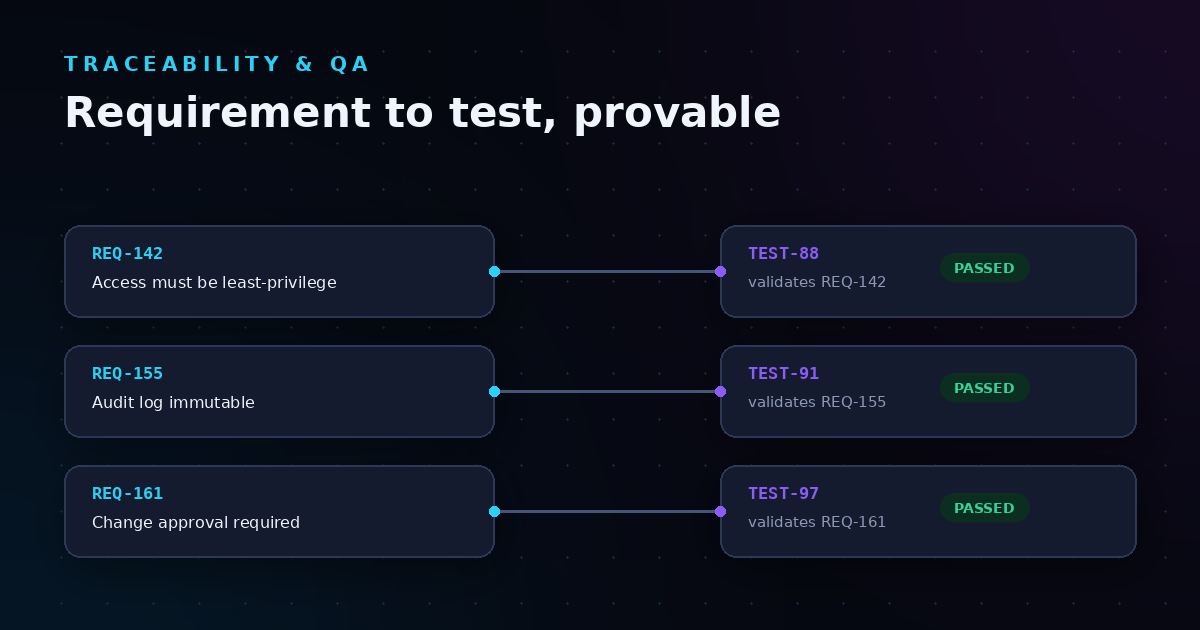
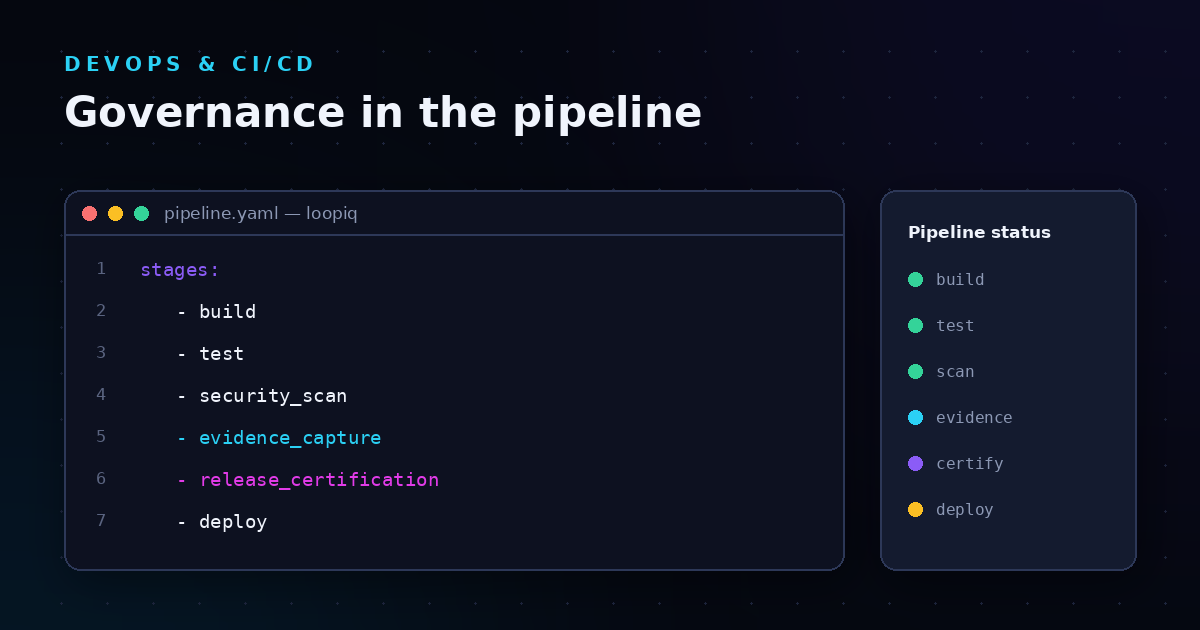
What makes LoopIQ stand out is its compliance-first architecture. As your work moves through planning, development, testing, and release, LoopIQ automatically captures approvals, test results, and decision records. This means you build an audit trail as a byproduct of doing your work, not as a separate compliance exercise.
The agentic AI in LoopIQ goes beyond suggestions—it triggers tasks, routes approvals, flags delivery risks, and closes workflow loops automatically. You get AI that acts on your behalf, not just AI that advises you what to do next.
Pros:
Cons:
GitLab offers an integrated DevSecOps platform that combines source code management, CI/CD pipelines, security scanning, and project planning in one application. You can manage repositories, run automated builds, and execute security tests without leaving the platform.
The platform includes features for code review, merge request workflows, and container registry management. GitLab also offers AI-assisted code suggestions through its Duo feature, though compliance automation and ITSM integration require additional configuration or external tools.
Pros:
Cons:
Jira by Atlassian is one of the most widely used project tracking tools for software development. It supports Scrum and Kanban boards, sprint planning, and customizable workflows. Many organizations use Jira as their central system of record for development tasks.
While Jira handles planning and issue tracking, it does not include built-in source control, CI/CD, or compliance evidence capture. You typically need to integrate with tools like Bitbucket, GitHub, or Jenkins for a complete delivery workflow, and compliance documentation requires manual effort or third-party add-ons.
Pros:
Cons:
Harness focuses on continuous delivery and deployment automation with AI-powered verification. The platform can analyze deployment metrics and automatically roll back changes when anomalies are detected, reducing the risk of failed releases reaching production.
Harness includes modules for CI, CD, feature flags, cloud cost management, and security testing. The platform integrates with existing source control and observability tools, though planning and ITSM capabilities require external systems.
Pros:
Cons:
Opsera offers a no-code DevOps platform that orchestrates CI/CD pipelines across multiple tools without requiring script maintenance. The platform connects with Jenkins, GitHub Actions, GitLab, and other tools, letting you build pipelines through a visual interface.
The platform includes analytics dashboards for DORA metrics and pipeline performance, plus integrations for Salesforce DevOps workflows. Security scanning and governance controls can be embedded into pipeline stages.
Pros:
Cons:
ServiceNow DevOps connects CI/CD pipelines with ITSM processes, automatically creating and updating change requests as deployments progress. This integration is valuable for organizations with strict change management requirements.
The platform tracks deployment status, links changes to incidents and problems, and can enforce approval workflows before production releases. However, source control and actual build execution happen in external tools.
Pros:
Cons:
Azure DevOps includes repositories, boards, pipelines, test plans, and artifact management in one Microsoft-integrated platform. Organizations already using Azure cloud services often choose Azure DevOps for its native integration.
The platform supports YAML-based pipelines, work item tracking, and integration with Visual Studio and VS Code. Compliance features like audit logs exist, but automated compliance evidence capture requires custom configuration.
Pros:
Cons:
GitHub Actions enables CI/CD automation directly in GitHub repositories using YAML workflow files. A marketplace of pre-built actions lets you assemble pipelines quickly, and event triggers can automate tasks based on pull requests, issues, or custom events.
The platform integrates with GitHub's security features including Dependabot and code scanning. Planning and project management use GitHub Issues and Projects, though these are simpler than dedicated project tracking tools.
Pros:
Cons:
Jenkins is an open-source automation server used widely for CI/CD pipelines. Its plugin architecture supports integration with nearly any tool in the DevOps ecosystem, making it highly customizable for organizations with specific requirements.
Jenkins requires self-hosting and maintenance, and pipelines are typically defined using Groovy-based Jenkinsfiles. The platform does not include built-in project management or compliance features.
Pros:
Cons:
Copado is built specifically for Salesforce development, combining version control, CI/CD, testing, and compliance management for Salesforce orgs. The platform automates deployments across Salesforce environments and tracks changes for audit purposes.
For organizations with significant Salesforce development, Copado can reduce manual deployment work. The platform is purpose-built for Salesforce, so it does not apply to general software development workflows.
Pros:
Cons:
| Platform | Built-in Compliance | AI Orchestration | Unified SDLC Coverage |
|---|---|---|---|
| LoopIQ | ✓ | ✓ | ✓ |
| GitLab | ✗ | ✓ | ✗ |
| Jira | ✗ | ✗ | ✗ |
| Harness | ✗ | ✓ | ✗ |
| Opsera | ✗ | ✓ | ✗ |
| ServiceNow DevOps | ✓ | ✗ | ✗ |
| Azure DevOps | ✗ | ✗ | ✗ |
| GitHub Actions | ✗ | ✗ | ✗ |
| Jenkins | ✗ | ✗ | ✗ |
| Copado | ✓ | ✗ | ✗ |
Start with your biggest pain point. For many engineering organizations, tool sprawl creates visibility gaps and compliance burdens. A unified platform can consolidate work tracking, testing, and deployment into one traceable system.
Consider how compliance evidence is generated. Platforms that capture approvals and test signals automatically—as work happens—save significant time compared to reconstructing audit trails manually. This becomes increasingly important as regulatory scrutiny of software delivery grows.
Evaluate AI capabilities beyond code suggestions. The platforms making the biggest difference in 2026 use AI to orchestrate workflows: routing approvals, flagging delivery risks, and automating repetitive coordination tasks. This frees your engineering organization to focus on building.
Integration depth varies significantly across platforms. Some tools act as orchestration layers over existing CI/CD systems, connecting pipelines without replacing them. Others offer end-to-end capabilities where source control, builds, and deployments happen in one place.
For organizations with established toolchains, orchestration platforms like Opsera can unify visibility without forcing migration. If you are consolidating tools to reduce complexity, unified platforms like LoopIQ offer everything from planning to compliance in a single workspace.
The key question is whether you want to coordinate existing tools or replace them. Both approaches can work, but the right choice depends on how much tool sprawl you are willing to manage long-term.
LoopIQ stands apart because it was built from the ground up as a unified, compliance-first platform. While other tools handle pieces of the delivery lifecycle, LoopIQ connects planning, testing, DevOps, and ITSM into one AI-orchestrated workspace. You get end-to-end traceability without stitching together multiple products.
The agentic AI in LoopIQ does more than surface insights. It executes—routing approvals, triggering follow-up tasks, and flagging risks before they become blockers. This means your organization can ship faster while maintaining the governance controls that auditors and regulators expect.
For engineering leaders evaluating AI SDLC workspaces, LoopIQ offers what fragmented toolchains cannot: a single source of truth where speed and compliance coexist. See how LoopIQ unifies your delivery workflow.
An AI SDLC workspace is a platform that uses artificial intelligence to automate and orchestrate software development lifecycle activities. LoopIQ, for example, uses agentic AI to route approvals, flag delivery risks, and capture compliance evidence automatically.
These platforms go beyond basic automation by making decisions and taking actions based on your workflow rules.
AI improves delivery by automating repetitive coordination tasks that slow down engineering organizations. LoopIQ automates task routing, approval workflows, and risk detection so you spend less time in status meetings and more time building.
AI-powered verification can also detect deployment anomalies and trigger rollbacks automatically.
Source control, CI/CD pipelines, security scanning, and observability tools are foundational integrations. Equally important is ITSM connectivity—linking delivery work to change management, incidents, and audit workflows.
LoopIQ includes built-in ITSM and change management, reducing the integration burden.
Yes, platforms like LoopIQ capture compliance evidence automatically as work happens. Approvals, test results, and decision records are documented without manual effort, creating audit-ready trails.
This approach turns compliance from a periodic scramble into a byproduct of normal delivery work.
Unified platforms consolidate capabilities that typically require separate products—planning, source control, CI/CD, testing, ITSM, and compliance—into one workspace. LoopIQ eliminates the need to switch between disconnected tools, reducing licensing costs and context-switching overhead.
Fewer tools also means fewer integration points to maintain.