.svg)
devops
compliance
audit evidence

Collecting test evidence and managing change control in regulated software environments has traditionally meant weeks of preparation before every audit. Your team pulls screenshots, exports logs, reconstructs approval histories, and scrambles to piece together documentation from multiple disconnected tools. This approach is time-consuming, error-prone, and increasingly unsustainable as release velocity accelerates.
LoopIQ unifies planning, testing, DevOps, ITSM, and compliance management into a single workspace, helping you automate evidence collection and maintain audit-ready records at all times. This guide walks you through everything you need to know about automating test evidence and change control for regulated releases in 2026—from foundational concepts to implementation steps that will help you ship faster with full traceability.
You'll learn how to build workflows that generate audit-ready artifacts automatically, configure governed change control processes, and establish release certification dashboards that keep your compliance score high without slowing down your delivery cadence.
Test evidence automation refers to the practice of capturing, organizing, and storing documentation that demonstrates your software meets regulatory and quality requirements—without requiring your team to do this manually. Instead of taking screenshots or exporting reports before audits, automated systems pull data directly from your testing, code management, and deployment tools as work happens.
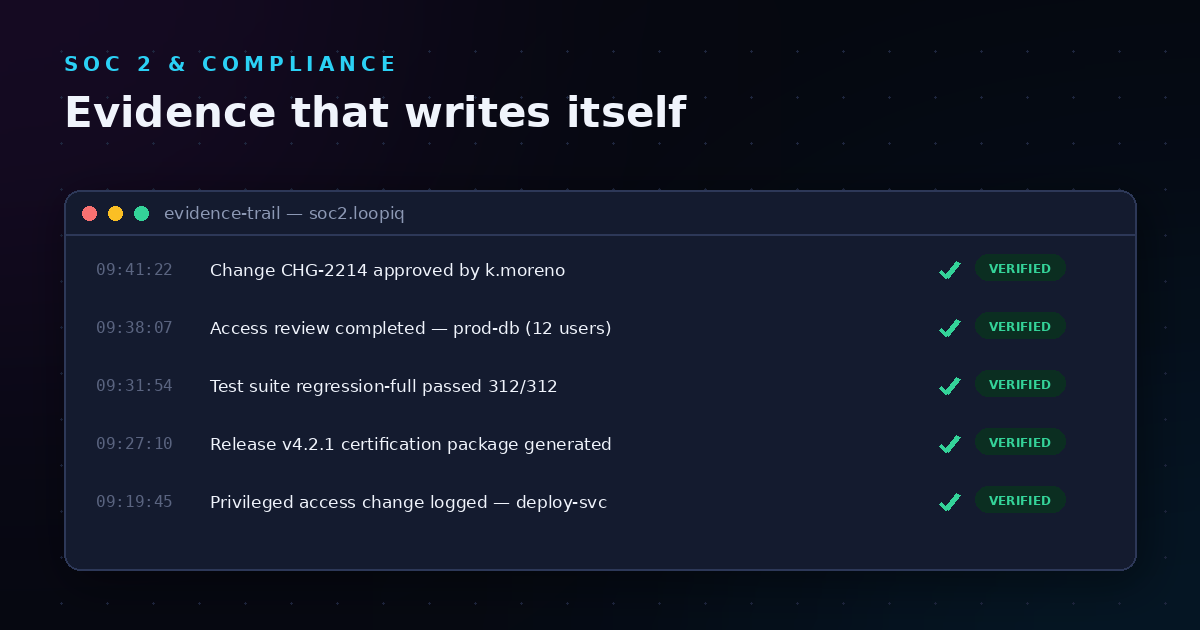
For you, this means evidence is generated as a byproduct of your normal development workflow. Every test run, every code review, every approval, and every deployment creates a timestamped, traceable artifact that auditors can verify later.
In regulated industries such as healthcare, financial services, and aerospace, you must demonstrate that controls are working as intended over time—not just at a single point in time. Automated evidence collection makes this possible by creating a live, ongoing record of your compliance posture.
Change control is the process of evaluating, approving, implementing, and verifying changes to your software or systems before they reach production. In regulated environments, you need more than informal approval processes. You need structured workflows with documented impact assessments, required approvals, implementation tracking, and verification evidence.
When change control is manual, it creates bottlenecks. Requests sit waiting for approvals. Implementation steps get skipped or undocumented. Verification happens inconsistently. And when an auditor asks for evidence of your change management process, you spend days reconstructing what happened.
Automating change control solves these problems by embedding governance directly into your workflows. Approval policies trigger automatically based on the type or risk level of the change. Implementation tasks are assigned and tracked. Verification steps are enforced before closure. Every action is logged and linked to the change record.
Your test evidence begins with test plans that define what you're testing, why, and what constitutes success. When you execute these plans, the results—pass, fail, blocked—become evidence that your software behaves as expected.
Automated systems capture test execution data including test names, execution timestamps, outcomes, linked code commits, and the identity of the person who ran the tests. This creates an unbroken chain connecting requirements to test cases to execution results.
Coverage metrics show you how much of your codebase or requirements are covered by tests. Gaps in coverage represent potential compliance risks because untested code may contain defects or vulnerabilities.
Automated coverage tracking helps you identify these gaps early and prioritize testing efforts accordingly. For auditors, coverage reports demonstrate that your testing approach is systematic rather than ad hoc.
When tests fail, the resulting defects must be tracked through identification, assignment, remediation, and verification. Evidence of this process shows auditors that you have a disciplined approach to handling quality issues.
Linking defects to their originating test runs, to the code changes that fixed them, and to the verification tests that confirmed the fix creates complete traceability. This is essential for demonstrating control effectiveness.
Every change starts with a request that captures what you want to change, why, and what the expected impact is. Classification determines the review and approval path—standard changes may follow a simplified workflow while high-risk changes require additional scrutiny.
Automated classification helps route changes appropriately based on predefined criteria such as affected systems, data sensitivity, or regulatory scope. This ensures that oversight matches risk level without creating unnecessary delays for low-risk changes.
Impact assessment evaluates how a proposed change affects your products, processes, systems, documentation, training requirements, and compliance posture. In regulated environments, this assessment must be documented and reviewed before implementation proceeds.
Approval workflows enforce the required review steps. Different change types may require different approvers—your technical lead, your compliance officer, your security team. Automated workflows ensure the right people review the right changes and that no approvals are skipped.
Once approved, changes must be implemented according to plan. Implementation tracking captures what was done, by whom, and when. This creates the audit trail that connects approval to action.
Verification confirms that the change achieved its intended purpose without introducing new issues. This may include testing, peer review, or operational validation depending on the change type. Evidence of verification completes the change control cycle.
LoopIQ brings your planning, testing, DevOps, ITSM, and compliance workflows into one connected workspace. This means evidence isn't scattered across disconnected tools—it's generated and linked automatically as you work.
When you create a work item in LoopIQ, it can be linked to test cases, code changes, change requests, and release certifications. As each of these linked records progresses, the connections remain intact and auditable.
This end-to-end traceability means you can start from any artifact—a release certification, a failed test, a deployed change—and trace backward to understand the full history. Auditors can follow the same paths to verify your controls.
LoopIQ's automation rules trigger actions based on events in your workflow. When a test plan is marked complete, the system can automatically update the linked release certification. When a change request is approved, implementation tasks can be auto-assigned to the responsible parties.
AI-assisted workflows help with drafting, analysis, and risk review—while keeping governance context close to the work. This means you get productivity benefits from AI without sacrificing the oversight and approval controls that regulated environments require.
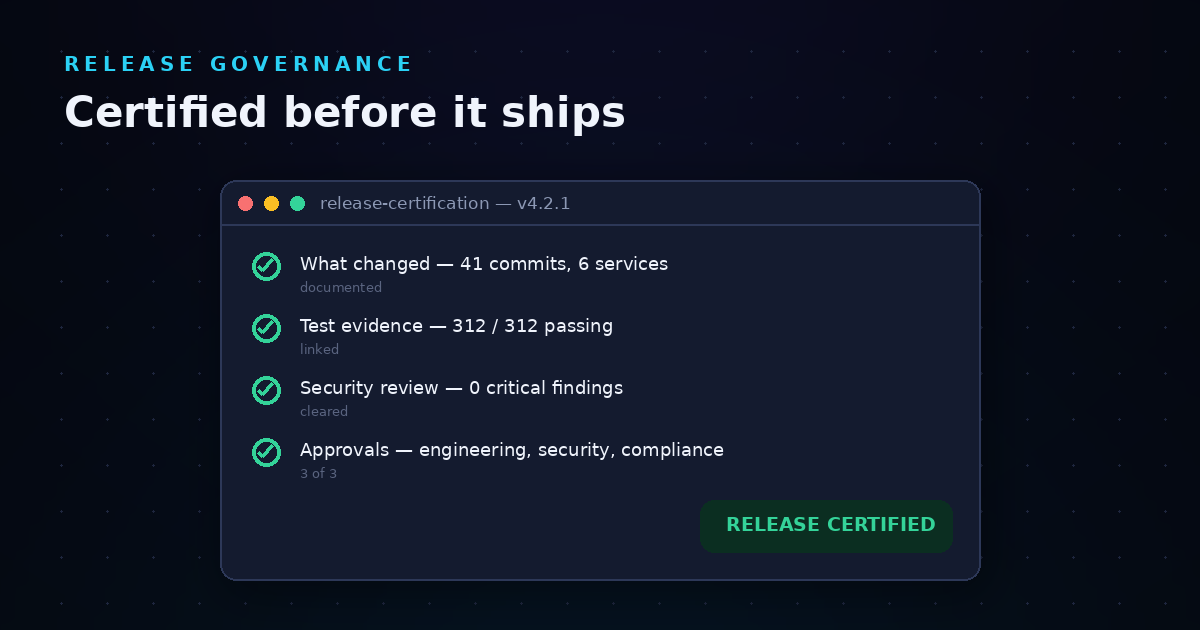
Release certifications in LoopIQ aggregate all the evidence required to demonstrate that a release meets your quality and compliance criteria. The dashboard shows you at a glance which evidence is complete, which is pending, and what blockers remain before certification.
This visibility helps you manage release readiness proactively rather than discovering gaps at the last minute. For auditors, the certification dashboard offers a single location where all release evidence can be reviewed.
Start by identifying what evidence your regulatory framework requires. For SOC 2, this might include access control logs, change management records, and vulnerability scan results. For ISO 27001, you'll need evidence of risk management, security controls, and ongoing monitoring.
Create a matrix that maps each requirement to the evidence type that demonstrates compliance. This becomes your blueprint for automation.
Evidence lives in your existing tools—your test management system, your code repository, your CI/CD pipeline, your ticketing system. Integrating these systems with your compliance platform enables automatic evidence collection.
Focus first on high-impact integrations: the systems where the most valuable evidence originates. Expand from there based on coverage gaps and audit feedback.
Define what triggers evidence capture and what format the evidence should take. For example, every completed test run might generate a timestamped report including test names, outcomes, and linked code commits.
Configure retention policies that align with your regulatory requirements. Some frameworks require evidence retention for specific periods, so your automation must support this.
Automation doesn't eliminate human oversight—it focuses human attention where it matters most. Configure workflows that route evidence for review when required, flag anomalies for investigation, and escalate issues that need management attention.
Regular validation ensures your automation is working as intended. Periodic spot checks compare automated evidence to manual verification.
Dashboards give you real-time visibility into your compliance posture. You can see evidence collection status, identify gaps, and track remediation progress without waiting for audit preparation to surface issues.
Configure reports that support your audit cycle. Pre-formatted exports save time when auditors request documentation.
Not all changes carry the same risk. Classify changes into categories—standard, normal, emergency—with different approval requirements for each. Standard changes that follow pre-approved procedures may need minimal review. Changes to production systems handling sensitive data may require multi-level approval.
Document these categories and their approval requirements. This becomes the policy that your automated workflows enforce.
Build approval policies that match your documented requirements. Specify who can approve each change type, whether sequential or parallel approvals are required, and what happens when approvers are unavailable.
Routing rules ensure changes reach the right approvers based on attributes like affected system, data classification, or requesting department.
Standardize implementation by creating task templates for common change types. Templates ensure that required steps aren't forgotten and that evidence of each step is captured consistently.
Link implementation tasks to the parent change request so the full implementation history is visible in one place.
Define what verification is required before a change can be closed. This might include testing, documentation updates, training delivery, or operational sign-off depending on the change type.
Automated workflows can enforce these criteria by preventing closure until verification evidence is attached.
Some changes warrant review after implementation to assess whether they achieved their objectives and whether any unexpected issues arose. Configure workflows to trigger post-implementation reviews based on change category or outcome.
Capture lessons learned and feed them back into your change management process for ongoing improvement.
Auditors want to see that you can trace from a business requirement through design, development, testing, and deployment. This demonstrates that your software does what it's supposed to do and that you can prove it.
Complete traceability requires linking artifacts across your entire SDLC. Requirements link to user stories. User stories link to code commits. Code commits link to test cases. Test cases link to test runs. Test runs link to releases.
Every significant action in your SDLC should have evidence of appropriate approval. Code reviews, test plan approvals, change authorizations, and release go-decisions all require documented sign-off from authorized individuals.
Automated workflows capture this approval evidence as part of normal operations. The approver, the action taken, the timestamp, and the context are all recorded.
Testing evidence demonstrates that your software has been validated against its requirements. This includes test plans, test cases, execution results, defect reports, and resolution records.
For regulated environments, you typically need evidence of multiple testing types: unit testing, integration testing, system testing, user acceptance testing, and potentially performance and security testing.
A complete change history shows every modification to your software from initial development through current production. Impact documentation demonstrates that you assessed risks before making changes.
This evidence becomes especially important when investigating issues. You can trace back through the change history to identify when and how problems were introduced.
Automation enforces your processes—it doesn't define them. Before implementing automation, you need clear policies for change control, testing requirements, and approval authority. Automation without clear process just creates automated chaos.
Start with well-defined processes, then automate to enforce them consistently. Periodically review whether your processes still meet your needs before adjusting your automation.
Evidence without context isn't useful for audits. A test result that shows "passed" doesn't demonstrate control effectiveness unless it's linked to the requirement it validates, the code it tested, and the approval that authorized the test approach.
Configure your automation to capture context along with outcomes. Every piece of evidence should answer: what was done, why, by whom, when, and how it connects to the broader picture.
Evidence that can't be found might as well not exist. Configure your systems to retain evidence for required periods and organize it for easy retrieval. Consider how auditors will search for evidence and optimize your organization accordingly.
Test your retrieval capabilities periodically. Can you find the evidence you need quickly? If not, improve your organization and search capabilities before audit pressure makes this difficult.
Automation handles routine evidence collection, but humans must still review, validate, and act on what's collected. Don't design systems that generate evidence no one reviews or that flag issues no one investigates.
Assign clear ownership for evidence review. Build accountability into your workflows. Ensure your team understands what automation is doing and their role in making it effective.
Before automation, how long did audit preparation take? After automation, measure the reduction. Leading indicators suggest that well-implemented automation can cut audit preparation time by more than half.
Track not just time but effort. How many people are involved in audit preparation? How much of their work is collecting versus analyzing evidence?
Are auditors finding gaps in your evidence? Are they questioning evidence quality or context? Track audit findings related to evidence deficiencies and monitor improvement over time.
Completeness metrics might include percentage of controls with automated evidence collection, percentage of changes with full documentation, or percentage of releases with complete certification evidence.
If your compliance platform generates compliance scores, track these over time. Automation should help you maintain consistent compliance rather than cycling between audit-ready and audit-scramble modes.
Investigate score drops promptly. Automation gives you visibility to catch and address issues before they become audit findings.
Evidence automation should free your team from tedious collection work, allowing them to focus on higher-value activities like risk analysis, process improvement, and strategic initiatives.
Survey your team about time spent on compliance activities. Are they spending less time on evidence gathering? Are they experiencing less stress around audits?
AI is moving beyond simple automation into intelligent analysis. Future compliance systems will detect unusual patterns in your evidence—test results that deviate from historical norms, change volumes that spike unexpectedly, approval patterns that suggest process issues.
This shifts compliance from reactive evidence collection to proactive risk identification. You'll address potential issues before they become audit findings.
As regulations evolve, your compliance workflows must adapt. Future systems will monitor regulatory changes and suggest workflow adjustments to maintain compliance.
This reduces the burden of manually tracking regulatory updates and reconfiguring your systems each time requirements change.
Software delivery increasingly spans organizational boundaries—vendors, contractors, partners, cloud providers. Future compliance automation will extend evidence collection across these boundaries, creating unified compliance records even when multiple organizations contribute to the SDLC.
Standards for evidence exchange will emerge, enabling auditors to verify end-to-end compliance even in complex, multi-party delivery environments.
Automating test evidence collection and change control isn't a one-time project—it's an ongoing capability that matures over time. Start with your highest-impact compliance requirements and most valuable evidence sources. Build integrations and workflows that capture evidence automatically. Configure dashboards that give you visibility into compliance posture.
As your automation matures, expand coverage, refine your processes, and continuously improve based on audit feedback and team experience. The goal is a state where compliance evidence is a natural byproduct of good engineering practices—not a separate, burdensome activity.
With the right approach, you can ship software faster while maintaining full traceability and audit readiness. Your compliance efforts become an enabler of delivery velocity rather than a brake on it.
Manual evidence collection requires your team to gather screenshots, export logs, and compile documentation before audits. Automated collection captures this evidence continuously as work happens.
LoopIQ automates evidence collection by linking your planning, testing, and deployment activities into one traceable system. This means evidence is always current and audit-ready.
Implementation timelines vary based on your current tooling and compliance requirements. Organizations typically see initial results from high-impact integrations in weeks, with full automation maturing over several months.
LoopIQ accelerates implementation by offering a unified workspace that reduces integration complexity. Your team spends less time connecting tools and more time configuring workflows.
Yes. Evidence automation platforms connect to your existing test management, code repository, CI/CD, and ticketing systems through integrations and APIs.
LoopIQ connects work activity, operational records, AI assistance, and compliance evidence in one platform while integrating with your existing toolchain. This reduces disruption while improving traceability.
Evidence automation supports any framework requiring documented proof of control effectiveness, including SOC 2, ISO 27001, HIPAA, PCI DSS, FDA 21 CFR Part 11, and GDPR.
The key is mapping your framework's requirements to evidence types and configuring automation accordingly. Most platforms support multiple frameworks simultaneously.
Automated change control enforces approval policies before changes can proceed. Without required approvals, the workflow blocks implementation.
LoopIQ's approval policies and workflow automation ensure the right people review and authorize changes before they affect your production systems. Every approval is logged with full audit trail.
Well-designed automation includes monitoring and alerting for collection failures. When evidence isn't captured as expected, your team is notified to investigate and resolve the issue.
Regular validation ensures your automation is working correctly. Periodic spot checks compare automated evidence to expected results and identify any gaps requiring attention.
Legacy systems may require manual evidence collection or custom integration development. Prioritize automation for modern systems while documenting manual procedures for legacy components.
Consider whether legacy system modernization or replacement makes sense as part of your compliance strategy. The ongoing cost of manual evidence collection may justify investment in more automatable alternatives.