Skip to content
unified sldc devops loopiq

9 Red Flags You Need a Unified SDLC Workspace

John Paul Rowe
John Paul Rowe

9 Red Flags You Need a Unified SDLC Workspace

Your team is shipping code. Tickets move across boards. Tests run somewhere. But if every release feels heavier than the last, something deeper is off. A fragmented toolchain quietly drains velocity and creates audit chaos that nobody signed up for. Platforms like LoopIQ help teams consolidate planning, code review, testing, and deployment into one governed workspace—so you can spot problems before they snowball.

This article walks through nine measurable warning signs that your team has outgrown its current stack. If two or more of these apply to you, it may be time to rethink how your software gets built, tested, and shipped.

Each red flag below points to a pattern that slows delivery or creates compliance headaches. Recognizing them early saves time, money, and plenty of late nights before your next audit.

Key Takeaways: 9 Red Flags You Need a Unified SDLC Workspace

  • Nine red flags signal your team has outgrown its fragmented toolchain: heavier releases, audit chaos, and quiet velocity loss.
  • Tool sprawl grows organically — each team picks its own tools until no one can trace work across the delivery lifecycle.
  • Compliance automation gives engineering teams time back: evidence assembles automatically instead of through manual reconstruction.
  • LoopIQ consolidates planning, code review, testing, and deployment into one compliance-first workspace with built-in traceability.

Quick guide: 9 red flags for SDLC workspace consolidation

  1. Tool sprawl: Your team uses more than five disconnected tools to ship a single feature
  2. Missing traceability: You cannot link a deployed change back to the original requirement
  3. Manual compliance evidence: Audit prep requires days of screenshots and spreadsheet assembly
  4. Approval bottlenecks: Releases stall waiting for sign-offs scattered across email and chat
  5. Inconsistent workflows: Each team follows different processes for similar work
  6. Context switching overhead: Engineers spend more time navigating dashboards than writing code
  7. Release governance gaps: Nobody owns the checklist that proves a release was properly cleared
  8. Test coverage blind spots: You cannot answer "was this tested?" with linked evidence
  9. Audit reconstruction: You rebuild compliance records from memory instead of automated capture

How we evaluated these warning signs

We reviewed common pain points reported by VPs and Directors of Software Development at mid-market and enterprise organizations. These red flags surfaced repeatedly in conversations about delivery friction, audit readiness, and engineering burnout.

  • Measurability: Can you count or observe this issue in your current workflow?
  • Impact on delivery: Does it slow down releases or create rework?
  • Compliance risk: Could this cause audit findings or evidence gaps?
  • Team productivity: Does it add cognitive load or context switching?
  • Scalability: Will the problem get worse as your team grows?
  • Fix clarity: Is there a path to resolve it with consolidation?

The 9 red flags your team needs a unified SDLC workspace

1. Tool sprawl: Your team uses more than five disconnected tools to ship a feature

When shipping a single feature requires logging into a project tracker, a separate repository host, a standalone CI system, a test management platform, and a documentation wiki, something has gone sideways. Each tool adds a login, a dashboard, and a mental model your team has to maintain.

The real cost shows up in onboarding. New engineers spend their first weeks learning where things live instead of contributing code. According to a 2025 survey of over 135 engineers, 44% of respondents cited tool sprawl as a top pain point.

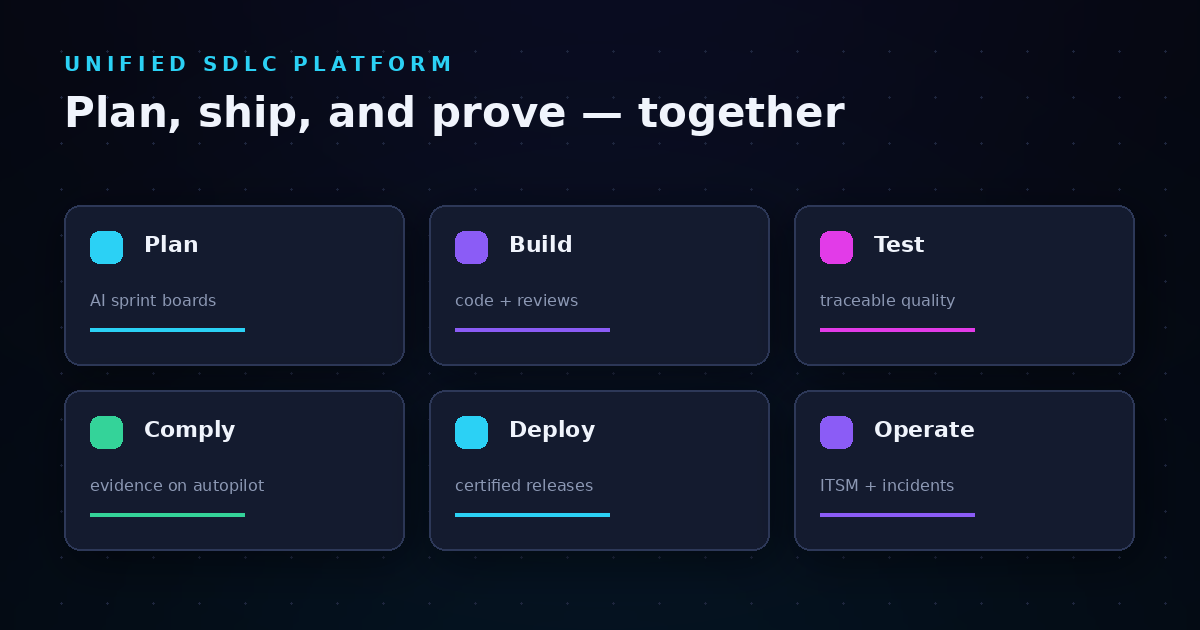
LoopIQ consolidates planning, testing, ITSM, and compliance into one workspace. That means fewer logins, faster onboarding, and less time spent hunting for the right dashboard.

Tool sprawl warning signs

  • Subscription creep: Your SaaS bill keeps growing, but nobody can list all the active tools
  • Integration maintenance: Engineers spend hours connecting tools that don't talk to each other natively
  • Data silos: The same information gets entered in multiple places because systems don't sync
  • Alert fatigue: Notifications arrive from so many sources that important ones get missed
  • Shadow tooling: Teams adopt their own tools because the official stack doesn't meet their needs

Tool sprawl pros and cons

Pros of recognizing this red flag:

  • You can map your current toolchain and identify overlapping functionality
  • Consolidation creates immediate cost savings and reduces license overhead
  • A unified workspace cuts onboarding time and helps new hires contribute faster

Cons of ignoring this red flag:

  • Integration debt compounds as more tools get added to the stack
  • Context switching drains engineering hours that could go toward building features
  • Audit evidence gets scattered across systems, making compliance prep harder

2. Missing traceability: You cannot link a deployed change to the original requirement

Traceability connects the dots from a feature request through implementation to production. When those links are missing, nobody can answer "why did we build this?" or "what requirement does this code satisfy?" with confidence.

This gap becomes painful during audits. Auditors ask for evidence that changes followed a controlled process. Without end-to-end traceability, you reconstruct that story from commit messages, ticket comments, and team memory. LoopIQ connects every work item to its related tests, approvals, and deployments automatically.

Missing traceability features

  • Requirement-to-code linking: Every story or task connects to the commits and pull requests that implement it
  • Test-to-requirement mapping: Test cases link to the requirements they validate, so coverage gaps are visible
  • Approval chain visibility: You can see who approved what and when, without digging through email

Missing traceability pros and cons

Pros of addressing this red flag:

  • Auditors get clear evidence trails without manual assembly
  • Engineering leads can trace production issues back to the originating change
  • Compliance teams spend less time chasing approvals across disconnected systems

Cons of ignoring this red flag:

  • Audit prep becomes a multi-day project of screenshot collection
  • Root cause analysis takes longer because change history is fragmented
  • Regulatory requirements like SOC 2 become harder to satisfy with incomplete records

3. Manual compliance evidence: Audit prep requires days of screenshots and spreadsheets

If your team spends the week before an audit exporting screenshots from five different tools and pasting them into a shared drive, you are doing compliance the hard way. That manual assembly is error-prone and takes engineers away from building features.

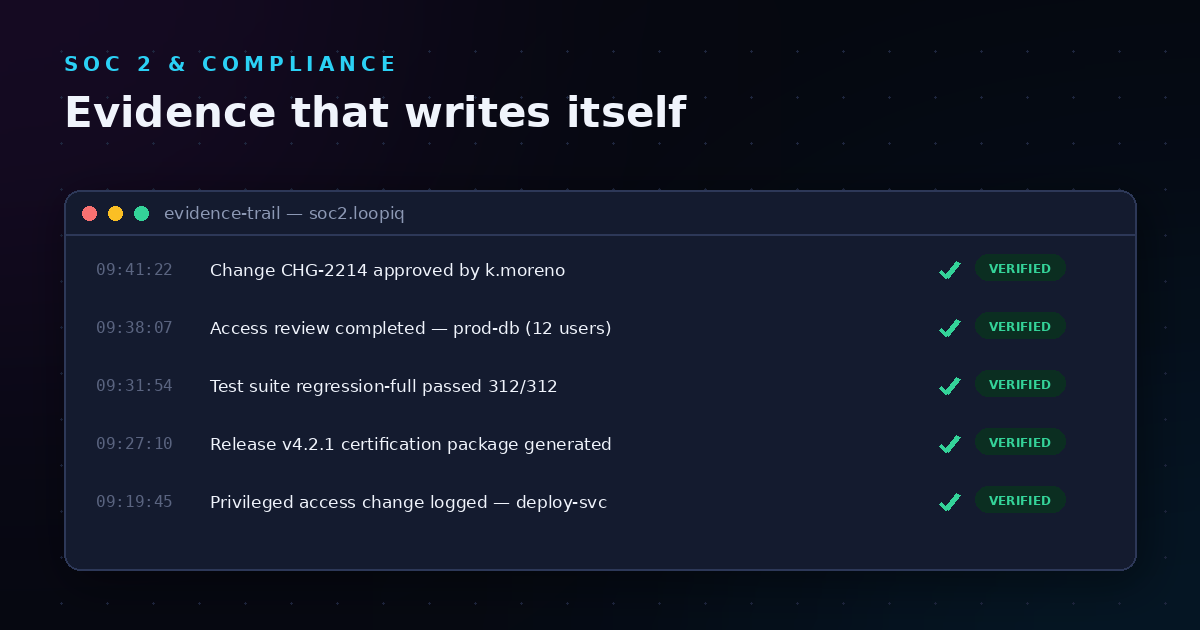
Automated evidence collection changes this completely. LoopIQ captures approvals, test results, and quality signals as work happens. By the time a release ships, the compliance record already exists. No scramble required.

Manual compliance evidence features

  • Auto-captured approvals: Every sign-off gets logged the moment it happens, with timestamps and reviewer context
  • Linked test evidence: Test execution results attach to the requirements they validate
  • Release certification packages: Each release generates a dossier of what changed, who approved it, and what was validated

Manual compliance evidence pros and cons

Pros of automating compliance:

  • You reclaim engineering hours currently spent on audit prep busywork
  • Evidence quality improves because capture is consistent and timestamped
  • Auditors see complete records instead of reconstructed summaries

Cons of ignoring this red flag:

  • Pre-audit scrambles become a recurring quarterly disruption
  • Human error in evidence assembly can lead to audit findings
  • Compliance costs scale with team size because evidence collection stays manual

4. Approval bottlenecks: Releases stall waiting for scattered sign-offs

Release readiness should not depend on hunting down approvers across email, Slack, and a project tracker. When approvals live in multiple places, releases stall while someone waits for a thumbs-up that got buried in a message thread.

Centralized approval workflows route requests to the right reviewers and track status in one place. LoopIQ keeps governance close to the work, so approvals happen in context instead of getting lost in notification noise.

Approval bottleneck features

  • Automated routing: Approval requests go to the right reviewer based on role and scope
  • Status visibility: You can see pending approvals in a dashboard instead of chasing people
  • Audit trail: Every approval decision is logged with timestamp and rationale

Approval bottleneck pros and cons

Pros of fixing approval workflows:

  • Releases ship faster because sign-offs don't get stuck in inboxes
  • Compliance teams see clear approval chains without manual reconstruction
  • Accountability improves when approval decisions are visible and recorded

Cons of ignoring this red flag:

  • Release schedules slip while teams wait for sign-offs
  • Engineers bypass approval processes to meet deadlines, creating compliance risk
  • Audit findings increase when approval evidence is incomplete or missing

5. Inconsistent workflows: Each team follows different processes for similar work

When one team tracks bugs in a spreadsheet, another uses a dedicated issue tracker, and a third logs everything in chat threads, comparing velocity or quality across groups becomes impossible. Inconsistent workflows also make it harder to enforce governance policies organization-wide.

A unified platform gives every team the same foundation while allowing flexibility for specific needs. LoopIQ supports configurable workflows so teams can adapt without fragmenting the overall process.

Inconsistent workflow features

  • Shared workflow templates: Teams start from a common baseline and customize as needed
  • Cross-team visibility: Dashboards show work status across multiple teams in one view
  • Policy enforcement: Governance rules apply consistently regardless of which team owns the work

Inconsistent workflow pros and cons

Pros of standardizing workflows:

  • Reporting becomes meaningful when all teams use the same definitions
  • Onboarding is faster because processes are documented in one place
  • Compliance policies apply uniformly instead of per-team exceptions

Cons of ignoring this red flag:

  • Metrics lose credibility because teams measure work differently
  • Knowledge silos form when each team invents its own process
  • Governance gaps appear when policies don't translate across team boundaries

6. Context switching overhead: Engineers spend more time in dashboards than in code

Every time an engineer switches tools, there is a cognitive cost. Studies suggest it takes about 15-20 minutes to regain focus after an interruption. When your workflow requires bouncing between five dashboards to understand a single feature, those minutes add up.

A unified workspace keeps context in one place. LoopIQ surfaces relevant information—test status, approvals, documentation—without forcing you to leave the work item you are focused on.

Context switching features

  • Embedded context: Documentation, test results, and approvals appear alongside the work item
  • Unified search: Find any record across planning, testing, and compliance from one search bar
  • Reduced tool switching: Core SDLC activities happen in one workspace instead of scattered systems

Context switching pros and cons

Pros of reducing context switches:

  • Engineers spend more time in flow states writing code
  • Debugging is faster when all relevant context is in one place
  • Team velocity improves as overhead drops

Cons of ignoring this red flag:

  • Engineering hours leak into navigation and tool management
  • Information gets lost when context lives in multiple systems
  • Burnout risk increases as cognitive load stays high

7. Release governance gaps: Nobody owns the checklist that proves a release was cleared

Release governance means having a clear answer to "was this release properly approved and validated before it shipped?" When that checklist lives in someone's head or a shared doc nobody updates, governance becomes theater.

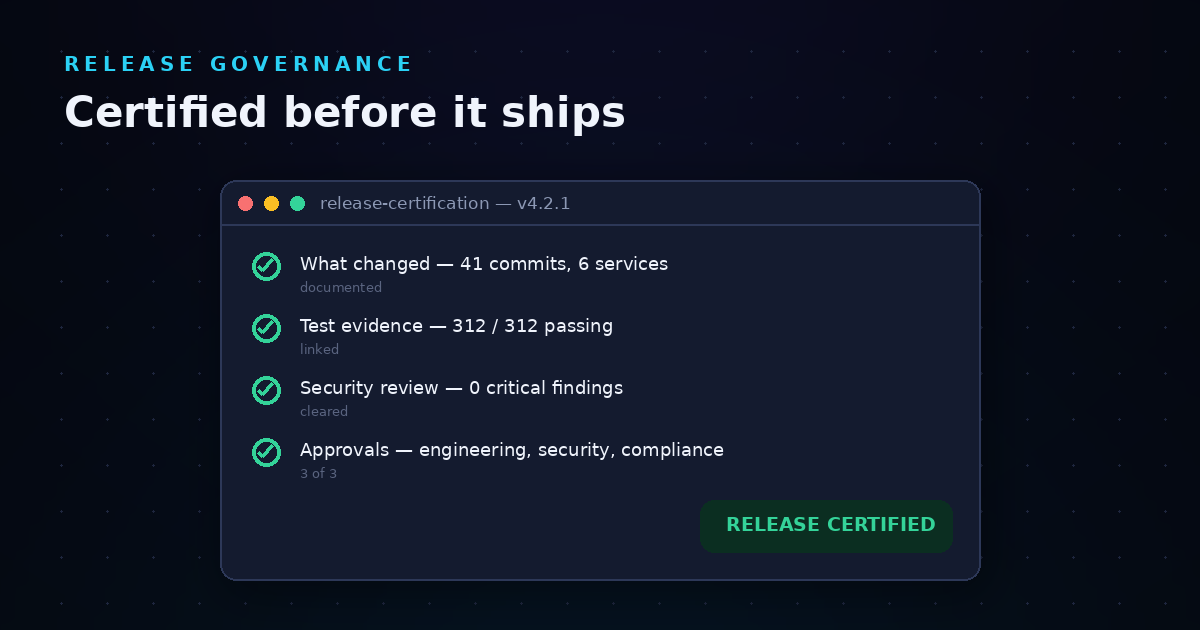
LoopIQ automates release governance with certification workflows. Every release generates a record of what changed, what was tested, and who signed off—before the code reaches production.

Release governance features

  • Release certification: Each deployment triggers a governance checklist with required approvals
  • Quality gates: Releases cannot proceed until defined criteria are met
  • Dossier generation: A complete audit package is created automatically at release time

Release governance pros and cons

Pros of structured governance:

  • Auditors see consistent release records without reconstruction
  • Risk reduces because releases follow a verified checklist
  • Accountability is clear when governance roles are defined in the system

Cons of ignoring this red flag:

  • Production incidents trace back to ungoverned changes
  • Audit findings cite missing or inconsistent release evidence
  • Engineering trust erodes when releases lack clear ownership

8. Test coverage blind spots: You cannot answer "was this tested?" with linked evidence

Knowing that tests exist is not the same as knowing that a specific feature was tested before release. When test management lives in a separate tool from planning and development, the link between requirements and test coverage breaks.

LoopIQ connects test cases to requirements and execution results to releases. You can see coverage gaps before shipping instead of discovering them in production.

Test coverage features

  • Requirement-linked tests: Every test case ties to the requirement it validates
  • Execution history: You can see when tests ran and what the results were for each release
  • Coverage dashboards: Visual reports highlight untested requirements before release

Test coverage pros and cons

Pros of closing coverage gaps:

  • Release confidence increases when test evidence is linked and visible
  • Compliance audits pass faster with traceable test records
  • Quality improves as teams spot untested areas early

Cons of ignoring this red flag:

  • Production defects trace to features that were never validated
  • Auditors flag missing test evidence as a control weakness
  • Engineering teams lose trust in the test suite when coverage is unclear

9. Audit reconstruction: You rebuild compliance records from memory instead of automated capture

When audit season arrives and your team starts asking "who approved this change three months ago?" you have a reconstruction problem. Rebuilding compliance records from Slack threads, email approvals, and ticket comments is slow and unreliable.

Automated capture solves this by recording evidence as work happens. LoopIQ keeps audit-ready records throughout the development cycle, so you never have to reconstruct history from fragments.

Audit reconstruction features

  • Real-time evidence capture: Approvals, test results, and decisions are logged the moment they occur
  • Immutable records: Evidence cannot be altered after the fact, which auditors trust
  • Release dossiers: Each release includes a complete package of supporting evidence

Audit reconstruction pros and cons

Pros of automated evidence:

  • Audit prep shrinks from days to hours
  • Evidence quality improves because capture is systematic
  • Compliance teams focus on governance instead of evidence chasing

Cons of ignoring this red flag:

  • Audit findings increase when records are incomplete or reconstructed
  • Engineering time drains into compliance busywork before every audit
  • Regulatory risk grows as teams cannot prove controls operated effectively

Comparison table: Unified SDLC workspace capabilities

Capability LoopIQ Point Tool Stack Legacy All-in-One
Automated compliance evidence
End-to-end traceability Partial
AI-powered workflow automation

What causes tool sprawl in software development teams?

Tool sprawl typically starts with good intentions. A team adopts a specialized tool to solve a specific problem—maybe better test automation or a dedicated incident tracker. Over time, these point solutions accumulate without a plan for how they connect.

Growth amplifies the problem. As organizations scale, different teams adopt their own tools based on local preferences. Without governance over the tech stack, the number of active SaaS subscriptions balloons. Integration debt compounds as each new tool needs connectors to the existing ecosystem.

The fix is not necessarily fewer tools, but better consolidation around core workflows. A unified SDLC workspace like LoopIQ handles planning, development tracking, test management, ITSM, and compliance in one place—reducing the surface area for sprawl.

How does compliance automation help engineering teams?

Compliance automation captures evidence as a byproduct of daily work instead of as a separate project. When approvals, test results, and deployment records log themselves, your team no longer scrambles to assemble proof before audits.

The benefits extend beyond audit prep:

  • Engineering hours stay focused on building features, not chasing documentation
  • Evidence quality improves because capture is consistent and timestamped
  • Audit cycles shorten when auditors receive complete, organized records

LoopIQ automates compliance evidence collection across the SDLC. Every decision, approval, and quality signal is captured as work happens—so compliance is an outcome, not an afterthought.

Why LoopIQ is the best unified SDLC workspace for compliance-first teams

If your team faces two or more of these red flags, the underlying issue is usually the same: your tools are working against you instead of for you. A fragmented stack creates overhead, drains engineering time, and makes audit readiness harder than it should be.

LoopIQ addresses these problems at the source. It unifies planning, testing, ITSM, and compliance into one AI-powered workspace. Compliance evidence captures itself from the work your team already does. Approvals route automatically. Test results link to requirements. Release governance happens before code ships, not in a post-mortem scramble.

The result is faster delivery with built-in traceability. LoopIQ gives you a single source of truth across the SDLC—so audits become routine instead of chaotic. If your current stack is holding you back, explore how LoopIQ can help your team ship with confidence.

FAQs about unified SDLC workspace red flags

What is a unified SDLC workspace?

A unified SDLC workspace is a platform that consolidates planning, development, testing, deployment, and compliance into one connected system. Instead of switching between five or more tools, your team works in a single environment where data flows automatically.

LoopIQ is an example of this approach—combining project management, test management, ITSM, and automated compliance in one workspace.

How do I know if my team has tool sprawl?

Count the tools your team touches to ship a single feature. If the number exceeds five, and those tools don't share data natively, you likely have tool sprawl. Other signs include long onboarding times, duplicated data entry, and integration maintenance that consumes engineering hours.

What is end-to-end traceability in software development?

End-to-end traceability connects every work item—from initial requirement through development, testing, and deployment—with linked records. LoopIQ maintains these connections automatically, so you can trace any production change back to its origin and approval chain.

How does LoopIQ automate compliance evidence collection?

LoopIQ captures approvals, test results, and quality signals as work happens. Every decision is logged with timestamps and context. By the time a release ships, the compliance record already exists—no screenshot assembly required.

What compliance frameworks does automated evidence help with?

Automated evidence collection supports audits for SOC 2, ISO 27001, HIPAA, and other frameworks that require proof of controlled processes. LoopIQ captures the five categories auditors typically examine: change authorization, access governance, test validation, release certification, and incident response.

Can I migrate from Jira or ServiceNow to a unified workspace?

Yes. LoopIQ supports data migration from existing tools so you can preserve historical records. The platform is designed to work alongside or replace fragmented stacks depending on your consolidation goals.
Share this post