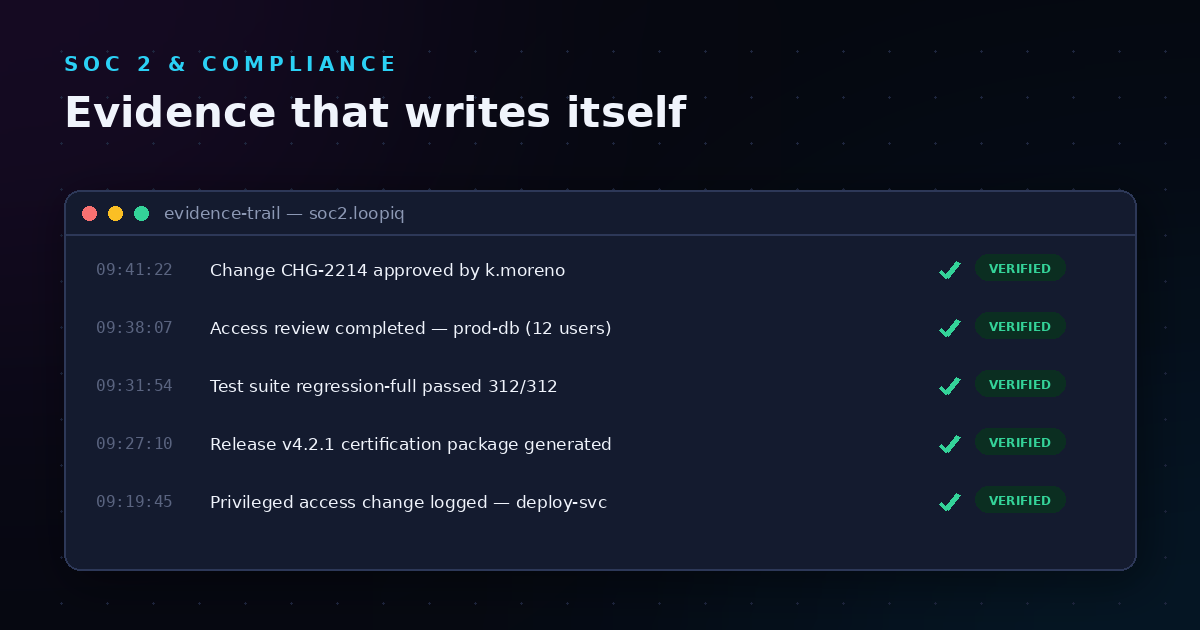
When auditors come knocking, they want evidence—not explanations. For mid-sized SaaS teams evaluating AI-powered software delivery compliance platforms, the reports a platform can generate tell you everything about whether it can actually keep you audit-ready. LoopIQ delivers the reports your auditors need, generated automatically as your team works.
This article walks through nine essential audit-readiness reports that VPs and Directors of Software Development should look for when choosing an AI SDLC compliance platform. Each report serves a specific purpose in proving your release decisions, change approvals, and delivery governance.
You will also learn how each report ties back to the data sources in your pipeline—deploy pipelines, test suites, change requests, and approval workflows—and what readiness signals they should include.
Key Takeaways: 9 Audit-Readiness Reports for AI SDLC Compliance 2026
- Audit-readiness reports tell you whether an AI SDLC compliance platform can actually keep you audit-ready — auditors want evidence, not explanations.
- We evaluate 9 report types, from release certification summaries to control coverage and exception reports.
- Reports should pull from primary delivery sources — pipelines, tests, approvals — not manually maintained registers.
- LoopIQ generates auditor-ready reports automatically as teams work, keeping mid-sized SaaS teams continuously prepared.
Quick guide: 9 audit-readiness reports for AI SDLC compliance
- Release Certification Dossier: The best report for proving every release met all compliance gates before deployment
- Change Request Audit Trail: Documents the full lifecycle of every change request from submission to closure
- Approval Workflow Log: Captures who approved what and when across all release decisions
- Test Coverage Summary: Shows what was tested, what passed, and what coverage thresholds were met
- Deployment Pipeline Evidence Report: Records each pipeline run with timestamps, artifacts, and outcomes
- Rollback Decision Log: Documents why rollbacks happened and what corrective actions followed
- Evidence Completeness Report: Verifies all required compliance artifacts exist for a given release
- Continuous Delivery Governance Dashboard: Gives real-time visibility into compliance posture across active releases
- Separation of Duties Report: Confirms that no single person performed incompatible actions on a release
How we chose the audit-readiness reports for AI SDLC compliance
Picking the right reports comes down to what auditors actually ask for—and what helps you defend release decisions months after shipping. We focused on reports that address real compliance gaps rather than generic dashboards that look nice but lack substance.
- Data source coverage: Each report should pull from specific pipeline stages—deploy logs, test results, change tickets, and approval systems—so evidence is traceable to its source.
- Readiness signals: Reports should include clear thresholds and pass/fail indicators that auditors can verify without digging through raw logs.
- Release traceability: You need to connect every artifact back to a specific release, commit, or deployment event.
- Automation capability: Reports that require manual assembly before an audit are a red flag. The best platforms generate them automatically.
- Multi-framework alignment: Reports should map to SOC 2, ISO 27001, FedRAMP, and other frameworks your organization may need to support.
- Evidence integrity: Timestamps, user IDs, and immutable records matter. Reports need to prove evidence was not altered after the fact.
The 9 audit-readiness reports for AI SDLC compliance
1. Release Certification Dossier: Best overall audit report for AI SDLC compliance
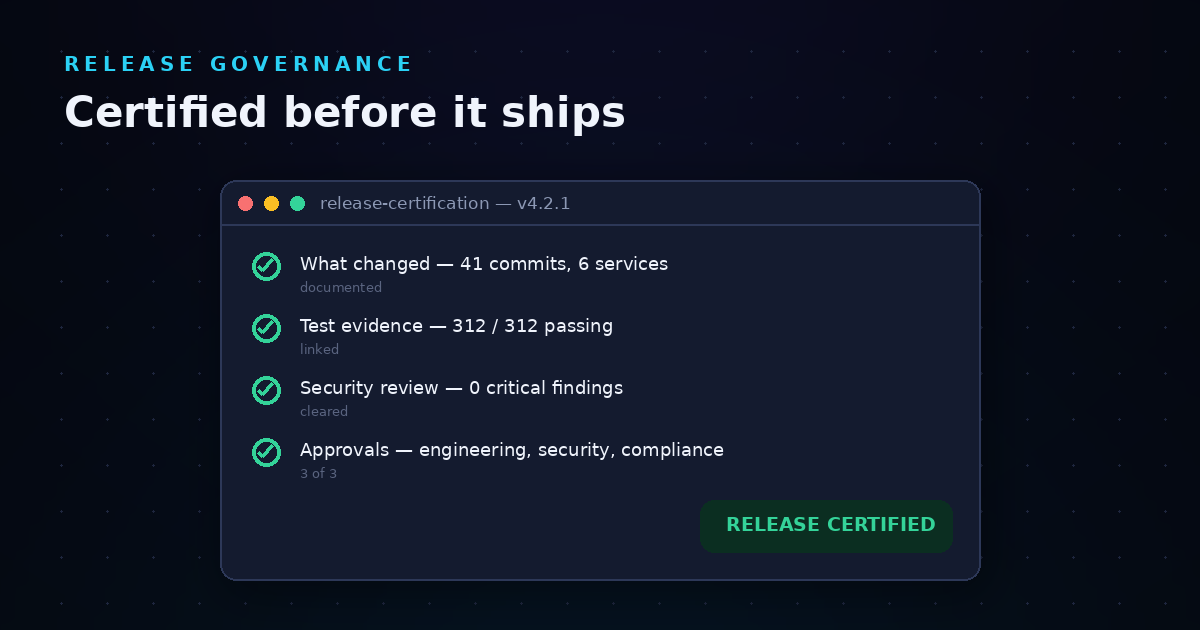
A release certification dossier is the single most important document for proving a release was compliant before it went to production. It aggregates evidence from across your entire delivery pipeline into one auditable package. LoopIQ generates this dossier automatically, pulling from test results, approval records, and deployment logs in one connected system.
This report shows auditors that every compliance gate was passed before code shipped. It includes test completion status, required approvals, security scan results, and change request linkages. The dossier format makes it easy for external auditors to verify compliance without requesting additional documentation.
For VPs of Development at mid-sized SaaS companies, this report removes the burden of assembling evidence after the fact. You ship with confidence knowing the dossier is already complete. LoopIQ creates this evidence trail as a byproduct of normal engineering work.
Release Certification Dossier features
- One click evidence generation: Generate the full dossier from a single action, pulling all required artifacts automatically from your connected systems.
- Multi-framework mapping: Each evidence item maps to specific controls in SOC 2, ISO 27001, and other frameworks, reducing duplicate work during multi-framework audits.
- Immutable timestamps: Every artifact includes cryptographically verified timestamps that prove when evidence was captured.
- Approval chain documentation: See exactly who signed off on each stage of the release, with links to the original approval records.
- Security scan integration: SAST, DAST, and dependency scan results are embedded directly in the dossier with pass/fail indicators.
- Export formats: Generate the dossier in PDF, Excel, or machine-readable JSON for different auditor preferences.
Release Certification Dossier pros and cons
Pros:
- LoopIQ generates the dossier automatically as releases progress, eliminating last-minute evidence scrambles.
- Cross-references all compliance requirements against actual evidence, highlighting any gaps before release.
- Auditors can verify compliance independently without requiring engineering time for explanations.
Cons:
- Initial setup requires connecting all data sources (CI/CD, testing, approvals), though LoopIQ includes prebuilt integrations for common tools.
- Customizing dossier templates for unique compliance requirements takes some configuration time upfront.
- Large releases with many artifacts may produce lengthy documents, though filtering options help auditors focus on specific areas.
2. Change Request Audit Trail: Full lifecycle documentation for every change
Every code change should have a documented reason, an approval, and a record of what happened after deployment. The change request audit trail captures this lifecycle from the moment a change is requested through closure. This report ties change tickets to specific commits, test runs, and deployment events.
Auditors reviewing your change management controls will look for evidence that changes follow a defined process. This report answers questions like: Who requested this change? Who approved it? What testing was performed? When did it deploy?
Change Request Audit Trail features
- End-to-end traceability: Links each change request to associated commits, pull requests, test results, and deployments.
- Approval timestamps: Records the exact time each approval was granted and by whom.
- Status history: Shows every state transition from open to closed with timestamps.
Change Request Audit Trail pros and cons
Pros:
- Eliminates the need to manually piece together change documentation from multiple systems.
- Reduces time spent answering auditor questions about specific changes.
- Tracks emergency changes and exceptions separately for focused review.
Cons:
- Requires integration with your ticketing system to pull change request data.
- Historical data migration from legacy systems may require additional effort.
- Teams using informal change tracking may need to adopt more structured processes.
3. Approval Workflow Log: Who approved what and when
Approval workflows enforce governance over release decisions. The approval workflow log documents every approval action—who approved, what they approved, and when. This report is essential for demonstrating that release decisions follow your defined approval policies.
For mid-sized SaaS teams, this log proves that appropriate stakeholders reviewed releases before deployment. It captures both automated approvals (like passing quality gates) and human approvals from release managers or compliance officers.
Approval Workflow Log features
- Approval hierarchy tracking: Shows which approvers were required based on change type and risk level.
- Delegation records: Documents when approvals were delegated and to whom.
- SLA monitoring: Tracks approval response times against defined service level agreements.
Approval Workflow Log pros and cons
Pros:
- Proves governance controls are enforced consistently across all releases.
- Identifies bottlenecks in approval processes through timing analysis.
- Supports separation of duties verification by showing distinct approvers at each stage.
Cons:
- Only captures approvals that happen through connected systems.
- Out-of-band approvals (like email confirmations) may need to be manually linked.
- Complex approval matrices may require custom configuration.
4. Test Coverage Summary: What was tested and what passed
Auditors want to know that releases are tested before deployment. The test coverage summary shows exactly what testing occurred, what passed, and whether coverage thresholds were met. This report pulls data from your test suites and CI/CD pipelines.
A good test coverage summary includes unit test results, integration test outcomes, and any specialized testing like security or performance tests. It should show coverage percentages and highlight any tests that were skipped or failed.
Test Coverage Summary features
- Coverage threshold verification: Confirms that minimum coverage requirements were met before release.
- Test result aggregation: Combines results from multiple test frameworks into one view.
- Failure analysis: Documents any test failures and their resolution status.
Test Coverage Summary pros and cons
Pros:
- Demonstrates testing discipline to auditors without manual reporting.
- Catches coverage regressions before they become compliance issues.
- Connects test results to specific code changes for traceability.
Cons:
- Requires integration with your testing frameworks and CI/CD tools.
- Teams with many test frameworks may need multiple integrations.
- Coverage percentages alone do not indicate test quality—auditors may ask follow-up questions.
5. Deployment Pipeline Evidence Report: Every pipeline run documented
The deployment pipeline evidence report captures every CI/CD pipeline execution with timestamps, artifacts produced, and outcomes. This report proves that deployments follow a defined automated process rather than ad-hoc manual steps.
For compliance purposes, this report shows that production deployments only happen through approved pipelines. It documents the artifacts deployed, the environment targets, and any manual gates that were passed.
Deployment Pipeline Evidence Report features
- Pipeline run history: Complete log of every pipeline execution with duration and outcome.
- Artifact tracking: Records what was built and deployed in each run.
- Environment documentation: Shows which environments received deployments and when.
Deployment Pipeline Evidence Report pros and cons
Pros:
- Proves deployments follow automated processes rather than manual interventions.
- Enables root cause analysis when production issues arise.
- Supports deployment frequency metrics for DevOps maturity assessment.
Cons:
- Large organizations may have many pipelines requiring consolidation.
- Pipeline logs can grow large over time, requiring retention policies.
- Custom pipeline steps may need additional configuration for evidence capture.
6. Rollback Decision Log: Why rollbacks happened
Rollbacks are a normal part of software delivery, but auditors want to know they were handled properly. The rollback decision log documents why a rollback was initiated, who made the decision, and what corrective actions followed.
This report shows that your team responds appropriately to production issues. It includes the incident that triggered the rollback, the authorization to proceed, and any post-mortem documentation.
Rollback Decision Log features
- Incident linkage: Connects rollbacks to the incidents or issues that triggered them.
- Authorization records: Documents who approved the rollback decision.
- Corrective action tracking: Shows what follow-up actions were taken after the rollback.
Rollback Decision Log pros and cons
Pros:
- Demonstrates mature incident response processes to auditors.
- Supports root cause analysis and prevention of repeat issues.
- Tracks whether corrective actions were completed.
Cons:
- Requires discipline to document rollback decisions in real time.
- Emergency rollbacks may have incomplete initial documentation.
- Linking rollbacks to corrective actions requires follow-through from team members.
7. Evidence Completeness Report: Verify all required artifacts exist
Before any release, you need to verify that all required compliance artifacts exist. The evidence completeness report checks each release against a predefined list of required evidence and flags any gaps. This is your pre-flight checklist for audit readiness.
LoopIQ automates this verification, checking for required approvals, test results, security scans, and other artifacts before a release can proceed. The report shows exactly what is present and what is missing.
Evidence Completeness Report features
- Checklist verification: Compares actual evidence against required compliance artifacts.
- Gap identification: Highlights missing or incomplete evidence items.
- Blocking capability: Can prevent releases that lack required evidence.
Evidence Completeness Report pros and cons
Pros:
- Catches missing evidence before releases rather than during audits.
- Standardizes evidence requirements across all releases.
- Reduces the risk of audit findings due to incomplete documentation.
Cons:
- Requires upfront definition of required evidence for each release type.
- Overly strict requirements may slow down releases initially.
- Evidence requirements may vary by framework, requiring multiple checklists.
8. Continuous Delivery Governance Dashboard: Real-time compliance visibility
A governance dashboard gives you real-time visibility into compliance posture across all active releases. This is not a static report—it is a live view that shows where releases stand against compliance requirements. LoopIQ gives you this real-time visibility without requiring separate monitoring tools.
For Directors of Development, this dashboard helps prioritize attention. You can see which releases are blocked, which approvals are pending, and which compliance gates still need to pass.
Continuous Delivery Governance Dashboard features
- Release status overview: Shows all active releases with their current compliance status.
- Gate progress tracking: Visualizes which compliance gates have passed for each release.
- Alert integration: Notifies stakeholders when releases stall or miss SLAs.
Continuous Delivery Governance Dashboard pros and cons
Pros:
- Enables proactive compliance management rather than reactive scrambles.
- Helps leadership understand delivery health at a glance.
- Supports trend analysis over time for process improvement.
Cons:
- Real-time data requires reliable integrations with source systems.
- Dashboard customization may be needed for specific organizational views.
- Information overload is possible if not configured with appropriate filters.
9. Separation of Duties Report: Confirm no single person did it all
Separation of duties is a core compliance control. This report confirms that no single person performed incompatible actions on a release—for example, both writing code and approving the deployment. The report analyzes user actions across the release lifecycle to verify duties were properly separated.
This is particularly important for SOC 2 and similar frameworks that require evidence of access controls. The report flags any violations where the same person performed actions that should have been separated.
Separation of Duties Report features
- Role-based analysis: Checks actions against defined role permissions.
- Violation detection: Flags cases where separation of duties was not maintained.
- Exception documentation: Records approved exceptions with justification.
Separation of Duties Report pros and cons
Pros:
- Automates a control that is otherwise difficult to verify manually.
- Catches violations before auditors find them.
- Supports exception workflows for legitimate cases like small team scenarios.
Cons:
- Requires clear definition of incompatible duties in your organization.
- Small teams may need documented exception processes.
- Role definitions must be kept current as responsibilities change.
Comparison table: Audit-readiness reports for AI SDLC compliance
| Report Type |
Automated Generation |
Multi-Framework Mapping |
Evidence Immutability |
| LoopIQ Release Certification Dossier |
✓ |
✓ |
✓ |
| Change Request Audit Trail |
✓ |
✓ |
Varies |
| Approval Workflow Log |
✓ |
✓ |
Varies |
| Test Coverage Summary |
✓ |
✗ |
Varies |
| Deployment Pipeline Evidence Report |
✓ |
✗ |
Varies |
| Rollback Decision Log |
Partial |
✗ |
Varies |
| Evidence Completeness Report |
✓ |
✓ |
✓ |
| Governance Dashboard |
✓ |
✓ |
N/A |
| Separation of Duties Report |
✓ |
✓ |
✓ |
What data sources should audit-readiness reports pull from?
Effective audit-readiness reports depend on connecting to the right data sources. The platforms that deliver the most value are those that pull automatically from your existing tools rather than requiring manual data entry.
Your CI/CD pipelines are the foundation. Build logs, deployment records, and artifact information should flow directly into your compliance platform. This includes systems like Jenkins, GitHub Actions, GitLab CI, and similar tools.
Testing frameworks are equally critical. Unit test results, integration test outcomes, and security scan findings need to be captured and linked to specific releases. The best platforms normalize results from multiple testing tools into a single evidence format.
- Deploy pipelines (CI/CD logs, artifact registries, deployment records)
- Test suites (unit tests, integration tests, security scans, coverage reports)
- Change requests (ticketing systems, pull request data, commit history)
- Approval workflows (access management systems, sign-off records, delegation logs)
What readiness signals indicate a release is audit-ready?
Audit readiness comes down to specific signals that prove your release met all requirements. These signals should be quantifiable and verifiable—not just claims that processes were followed.
Coverage thresholds tell auditors that sufficient testing occurred. This includes code coverage percentages, test pass rates, and confirmation that critical paths were exercised. LoopIQ tracks these thresholds and alerts you when releases fall short.
Approval SLAs demonstrate that governance processes work efficiently. If approvals consistently miss their deadlines, it suggests either understaffing or process issues. Tracking approval timing helps identify bottlenecks.
- Coverage thresholds met or exceeded (code coverage, test pass rates)
- Approval SLAs achieved (time from request to approval)
- Rollback decision time (how quickly issues are detected and addressed)
- Evidence completeness percentage (all required artifacts present)
- Separation of duties verified (no policy violations detected)
Why LoopIQ is the best platform for AI SDLC compliance reporting
When you need audit-readiness reports that generate automatically as your team works, LoopIQ stands apart. Unlike platforms that treat compliance as an afterthought, LoopIQ builds compliance evidence into every stage of your delivery pipeline. You get audit-ready reports without slowing down releases.
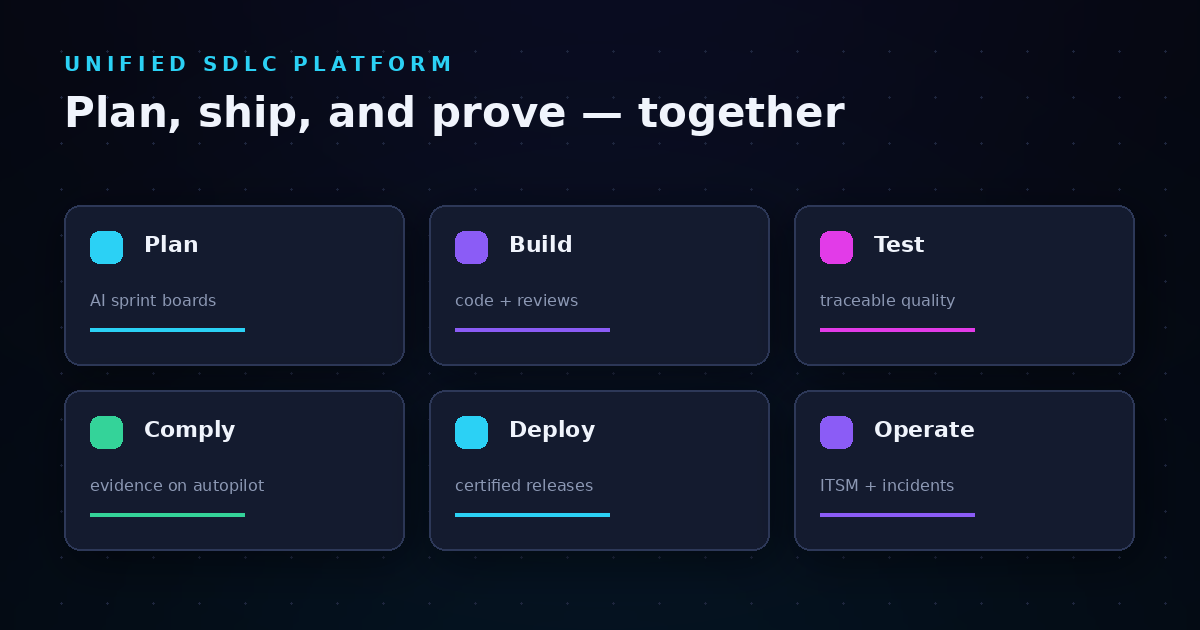
LoopIQ unifies planning, testing, DevOps, ITSM, and audit management into one connected system. This means your compliance evidence comes from the same place your engineering work happens—not from a separate tool that requires manual data entry. The result is evidence that is accurate, current, and defensible.
For mid-sized SaaS teams facing compliance requirements, LoopIQ removes the choice between shipping fast and staying compliant. Your engineers focus on building while LoopIQ captures the evidence trail. When auditors arrive, you generate the reports you need with one click. Explore how LoopIQ can help you achieve audit readiness.
FAQs about audit-readiness reports for AI SDLC compliance
What is a release certification dossier?
A release certification dossier is a bundled evidence package proving a software release met all compliance requirements before deployment. It aggregates test results, approval records, security scans, and other artifacts into one auditable document.
LoopIQ generates this dossier automatically as releases progress through your pipeline. This saves engineering time and ensures evidence is captured at the moment it is created, not reconstructed later.
How do AI SDLC compliance platforms help with audit readiness?
AI SDLC compliance platforms automate evidence collection across your delivery pipeline. Rather than manually assembling documentation before audits, you capture compliance evidence as engineering work happens.
LoopIQ connects to your existing tools—CI/CD, testing, ticketing, and approvals—and generates reports automatically. This shifts compliance from a periodic scramble to a background process.
What frameworks do audit-readiness reports support?
Common frameworks include SOC 2, ISO 27001, FedRAMP, HIPAA, and PCI DSS. According to the NIST Secure Software Development Framework (SSDF), organizations should integrate secure development practices throughout the software lifecycle.
LoopIQ maps evidence to multiple frameworks simultaneously, reducing duplicate work for teams subject to several compliance regimes.
How long does it take to generate audit-readiness reports?
With a well-integrated platform, generating audit-readiness reports takes seconds to minutes rather than days. LoopIQ generates reports on demand because evidence is already captured and organized.
The setup investment is upfront—connecting data sources and configuring report templates. Once complete, report generation becomes a one-click operation.
What is the difference between compliance dashboards and compliance reports?
Dashboards show real-time status and are useful for ongoing monitoring. Reports are point-in-time documents designed for auditors and external review. You need both for a complete compliance program.
LoopIQ gives you live dashboards for daily oversight and generates formal reports when audits require documented evidence.
.svg)