Regulated software delivery depends on proving what happened, not just describing it. When auditors ask about change control and test evidence, they want traceable records that connect approvals, testing, and releases in a way that holds up under scrutiny. LoopIQ gives you a unified SDLC compliance software workspace that automates this evidence collection as your team works.
This article outlines 11 capabilities you should look for when evaluating change control and test evidence automation in SDLC compliance software. You'll learn what separates audit-ready platforms from tools that leave you scrambling before every review.
Key Takeaways: 11 Change Control Evidence Automation Capabilities 2026
- Regulated delivery depends on proving what happened — change control evidence must connect approvals, testing, and releases verifiably.
- We evaluate 11 evidence automation capabilities for change control and test evidence in regulated environments.
- Test evidence collection should capture executions, results, and coverage per release automatically, not through screenshots.
- LoopIQ automates change control evidence in a unified SDLC compliance workspace, cutting audit prep time.
Quick guide: 11 change control evidence automation capabilities for regulated delivery
- LoopIQ: The best unified SDLC compliance platform for automated evidence and change control
- ServiceNow: Familiar ITSM workflows with change management modules
- Digital.ai: Release orchestration for pipeline visibility
- Harness: CI/CD automation with governance policy support
- GitLab: Source control with built-in CI/CD pipelines
- Atlassian: Work tracking across development and service management
- Kosli: Pipeline-focused evidence recording
- Fianu: Attestation generation for regulated pipelines
- Drata: SOC 2 and ISO automation for security compliance
- Hyperproof: Control management with multi-framework mapping
- Vanta: Certification readiness for growing organizations
How we chose change control evidence automation capabilities
You need capabilities that reduce audit preparation time, not just features that sound good in a demo. We evaluated SDLC compliance software based on how well it captures evidence during actual work, not as a separate step that interrupts your delivery flow.
- Automated evidence capture: Does the platform record approvals, test results, and changes as they happen? You shouldn't need to export screenshots or copy data into spreadsheets later.
- Change control traceability: Can you trace every release back to its approvals, linked requirements, and validation results? Auditors follow these threads.
- Test evidence linking: Are test results connected to the specific changes and requirements they validate? Disconnected test logs don't satisfy auditors.
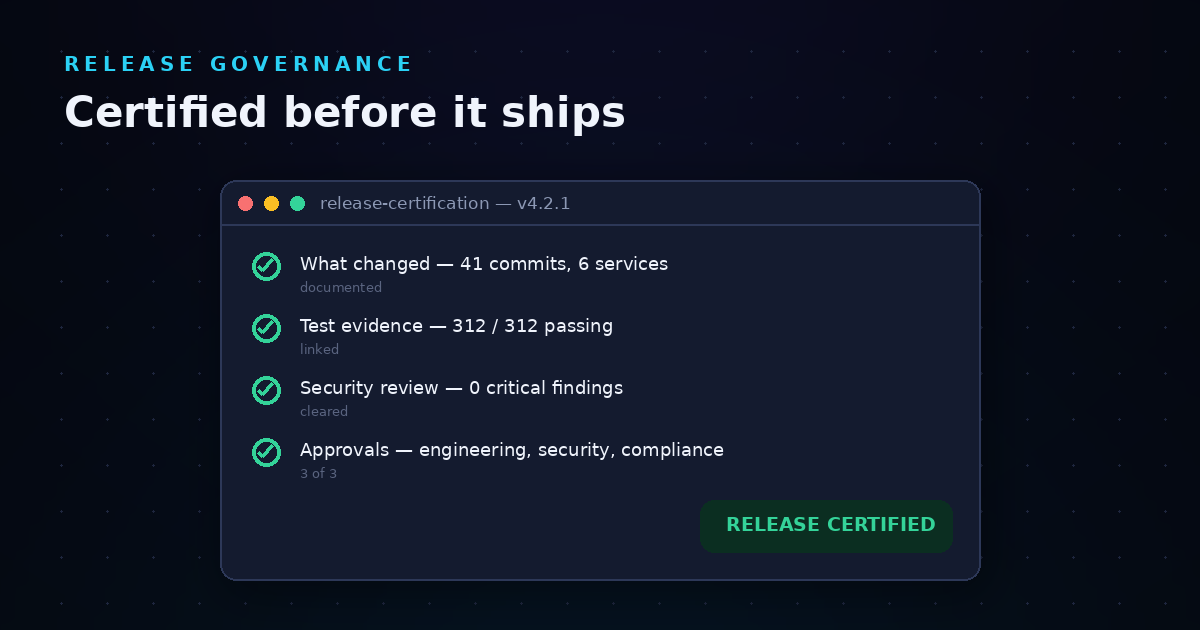
- Release certification: Does the platform generate release packages showing what changed, who approved it, and what testing occurred? This is the artifact auditors request first.
- Audit dossier generation: Can you produce audit-ready documentation without assembling it manually from multiple tools?
- Governance automation: Does the system enforce approval policies and flag governance gaps before release?
The 11 change control evidence automation capabilities for regulated delivery
1. LoopIQ: Best overall SDLC compliance platform for change control evidence automation
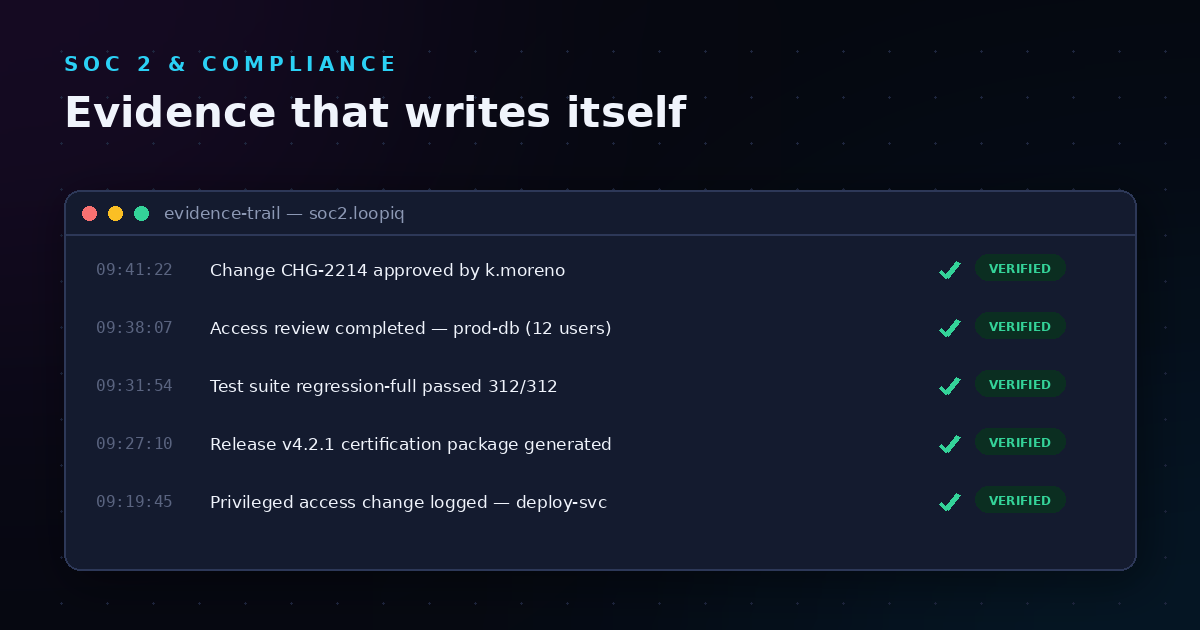
LoopIQ unifies planning, testing, DevOps, ITSM, and compliance into one AI-powered workspace. Instead of exporting data from five different tools before an audit, LoopIQ captures evidence automatically from the work your team already does.
The platform connects every change to its approval chain, test results, and release certification. When you ship a release, LoopIQ generates an audit dossier that documents what changed, who approved it, and what validation occurred. This happens as a byproduct of normal work, not as a separate compliance project.
LoopIQ makes compliance automatic for engineering teams in regulated industries. Your QA managers get traceable test evidence linked to requirements. Your release managers get certification packages ready before deployment. Your auditors get answers without waiting for someone to assemble them.
LoopIQ features
- Auto-captured test evidence: Test execution links directly to requirements and changes, so you can prove exactly what was validated for each release.
- Change authorization tracking: Every code change, configuration update, and release carries an immutable approval trail with reviewers, timestamps, and scope documented at the moment of decision.
- Release certification packages: Each release generates documentation showing what changed, what was tested, what risks were accepted, and who signed off—ready before deployment.
- Governance automation: Approval policies enforce separation of duties and flag missing evidence before you can ship, preventing compliance gaps from reaching production.
- Unified compliance dashboard: A single view shows compliance status across objectives, evidence, and approvals so you can track readiness without switching tools.
- AI-assisted workflows: AI helps with drafting, analysis, estimation, and risk review while maintaining governed oversight and traceable outputs.
LoopIQ pros and cons
Pros:
- Evidence captures automatically as your team works—no manual export or assembly required
- Connects planning, testing, ITSM, and compliance in one workspace, reducing tool sprawl
- Release certification packages are ready before deployment, not reconstructed after audits begin
Cons:
- Teams with deeply embedded single-tool workflows may need initial onboarding time to adopt the unified workspace approach
- Organizations focused only on basic project tracking without compliance needs may not use all available modules
- Full capability adoption works best when multiple SDLC functions participate, though individual modules can be used independently
2. ServiceNow: ITSM-centered change management
ServiceNow offers change management modules built on top of its ITSM foundation. If you already run IT service operations through ServiceNow, you can add change advisory board workflows, approval routing, and change records to your existing setup.
The platform tracks change requests through defined stages and captures approval records. Integration with other development tools requires additional configuration or third-party connectors to pull in test evidence and code-level changes.
ServiceNow features
- Change request workflows: Routes changes through configurable approval stages with documented decision points
- CAB scheduling: Organizes change advisory board meetings and tracks attendance records
- ITSM integration: Connects change records to incidents and service requests in the same platform
ServiceNow pros and cons
Pros:
- Established ITSM platform with broad enterprise adoption
- Configurable workflows adapt to existing change management processes
- Change records integrate with incident and problem management
Cons:
- Development-side evidence (test results, code reviews) requires separate tool integration
- Configuration complexity increases as you connect development workflows
- Evidence collection for testing and requirements traceability needs additional setup
3. Digital.ai: Release orchestration for pipelines
Digital.ai focuses on release orchestration, helping you coordinate deployments across environments and track what moves through your pipeline. The platform offers visibility into release progress and supports deployment automation.
For change control evidence, Digital.ai captures deployment records and can integrate with approval systems. Test evidence collection depends on integrations with your testing tools rather than native capture.
Digital.ai features
- Release coordination: Tracks deployments across multiple environments and stages
- Pipeline visibility: Shows release progress and deployment status
- Deployment automation: Supports automated deployment patterns with rollback capabilities
Digital.ai pros and cons
Pros:
- Coordinates releases across complex multi-environment deployments
- Deployment records capture what was released and when
- Integrates with CI/CD toolchains for pipeline orchestration
Cons:
- Test evidence and requirements traceability require additional tool integrations
- Change authorization workflows need separate ITSM or approval systems
- Audit-ready documentation assembly requires manual coordination across tools
4. Harness: CI/CD governance policies
Harness offers CI/CD pipelines with policy-as-code governance features. You can define rules that enforce approval requirements, security scans, and deployment conditions before changes reach production.
The platform captures pipeline execution records and policy evaluation results. Integration with work tracking and test management tools extends evidence collection beyond the CI/CD layer.
Harness features
- Policy-as-code: Define governance rules that pipelines must satisfy before deployment
- Pipeline execution logs: Records what ran, what passed, and what blocked deployment
- Security scan integration: Incorporates security testing results into pipeline gates
Harness pros and cons
Pros:
- Enforces governance policies directly in the deployment pipeline
- Captures pipeline execution evidence automatically
- Supports modular adoption of CI/CD, security, and governance features
Cons:
- Change authorization and approval workflows need ITSM integration
- Requirements traceability depends on external work tracking tools
- Test evidence from functional and regression testing requires additional connectors
5. GitLab: Source control with CI/CD pipelines
GitLab combines source control with built-in CI/CD pipelines. Merge request approvals, pipeline execution, and security scanning happen in one platform. For organizations that center their workflow on Git, GitLab captures approval records and pipeline results natively.
Change control evidence focuses on code-level approvals and pipeline execution. Requirements traceability and test management require GitLab's additional modules or external integrations.
GitLab features
- Merge request approvals: Enforces reviewer requirements before code merges
- Pipeline execution records: Documents what ran and what passed for each commit
- Security scanning: Runs SAST, DAST, and dependency scanning in pipelines
GitLab pros and cons
Pros:
- Code approvals and pipeline results captured in the same platform as source control
- Built-in security scanning adds evidence without separate tools
- Audit logs track who changed what and when at the repository level
Cons:
- Requirements traceability requires additional configuration or external tools
- ITSM-style change management workflows need external integration
- Release certification packaging for auditors requires manual assembly
6. Atlassian: Work tracking across teams
Atlassian offers work tracking through Jira and connects to Bitbucket for source control and Confluence for documentation. The ecosystem supports development workflow tracking, though compliance evidence collection spans multiple products.
Change control evidence comes from Jira workflows and Bitbucket commit records. Test management, approval enforcement, and audit-ready documentation require additional apps or manual coordination.
Atlassian features
- Jira workflows: Tracks work items through configurable status stages
- Bitbucket integration: Links commits and pull requests to Jira issues
- Confluence documentation: Stores project documentation alongside work tracking
Atlassian pros and cons
Pros:
- Broad adoption means familiarity for many development organizations
- Connects work items to code changes through Bitbucket linking
- Marketplace apps extend functionality for specific compliance needs
Cons:
- Compliance evidence spans multiple products requiring coordination
- Audit-ready documentation assembly requires manual effort or additional tooling
- Test evidence collection needs third-party test management apps
7. Kosli: Pipeline evidence recording
Kosli records evidence from CI/CD pipelines and stores it in a tamper-evident database. The platform focuses on capturing what happened during builds and deployments, creating an audit trail of pipeline activity.
Evidence collection happens through pipeline integrations that report build outcomes, test results, and deployment events. Change authorization and work tracking require separate tools.
Kosli features
- Tamper-evident records: Stores pipeline evidence in an append-only database
- Automated policy evaluation: Checks evidence against defined standards
- Environment tracking: Records what versions are running where
Kosli pros and cons
Pros:
- Creates verifiable records of pipeline activity
- Integrates with existing CI/CD tools without replacing them
- Focuses specifically on compliance evidence for software delivery
Cons:
- Change authorization workflows need separate ITSM tooling
- Requirements traceability requires external work tracking integration
- Scope focuses on pipeline evidence rather than full SDLC coverage
8. Fianu: Attestation generation
Fianu generates attestations from pipeline activity, creating signed records of what happened during builds and deployments. The platform integrates with CI/CD tools to capture evidence without changing your existing workflows.
Policy gates enforce compliance requirements before changes proceed. The focus is on pipeline-level evidence rather than end-to-end SDLC traceability.
Fianu features
- Attestation generation: Creates signed records of pipeline activity
- Policy enforcement: Blocks deployments that don't meet defined requirements
- Pipeline integration: Connects to existing CI/CD toolchains
Fianu pros and cons
Pros:
- Attestations create verifiable records for auditors
- Policy gates enforce compliance at deployment time
- Integrates with common CI/CD platforms
Cons:
- Work tracking and requirements traceability need external tools
- Change authorization workflows require ITSM integration
- Evidence collection scope centers on pipeline activity
9. Drata: SOC 2 and ISO compliance automation
Drata automates evidence collection for SOC 2, ISO 27001, and similar security frameworks. The platform monitors controls and gathers evidence from connected systems, helping you maintain certification readiness.
For SDLC compliance, Drata focuses on security controls rather than development workflow traceability. Change control and test evidence automation require additional tooling.
Drata features
- Control monitoring: Tracks compliance status across security frameworks
- Automated evidence collection: Pulls data from connected systems
- Trust center: Shares compliance posture with external parties
Drata pros and cons
Pros:
- Accelerates SOC 2 and ISO certification preparation
- Monitors security controls across connected systems
- Reduces manual evidence collection for security audits
Cons:
- Focus on security frameworks rather than SDLC workflow compliance
- Change control and test evidence require separate development tools
- Requirements traceability and release certification need additional solutions
10. Hyperproof: Multi-framework control management
Hyperproof manages controls across multiple compliance frameworks with mapping that reuses evidence for overlapping requirements. The platform helps you track control status and automate evidence collection.
For SDLC compliance, Hyperproof focuses on control management rather than development workflow integration. Test evidence and change control automation need tool connectors.
Hyperproof features
- Control libraries: Pre-built frameworks with control definitions
- Cross-framework mapping: Reuses evidence across overlapping requirements
- Evidence automation: Collects data from integrated systems
Hyperproof pros and cons
Pros:
- Reduces duplicate work when managing multiple frameworks
- Pre-built control libraries speed initial setup
- Dashboard visibility into control status across frameworks
Cons:
- SDLC workflow integration requires additional connectors
- Test evidence and change control come from external development tools
- Focus on control management rather than delivery workflow automation
11. Vanta: Certification readiness
Vanta helps growing organizations prepare for SOC 2, ISO 27001, HIPAA, and similar certifications. The platform automates evidence collection from connected systems and guides you through audit preparation.
For SDLC compliance, Vanta monitors security-relevant controls rather than development workflow traceability. Change control and test evidence require integration with development tools.
Vanta features
- Certification workflows: Guides you through audit preparation steps
- Control monitoring: Tracks compliance status for connected systems
- Evidence collection: Gathers data from cloud and SaaS integrations
Vanta pros and cons
Pros:
- Guided workflows help first-time certification efforts
- Monitors controls across cloud and SaaS systems
- Dashboard shows readiness status for target certifications
Cons:
- Development workflow traceability needs separate tooling
- Change control and test evidence require SDLC tool integration
- Focus on certification frameworks rather than delivery compliance
Comparison table: Change control evidence automation capabilities
| Platform |
Auto Evidence Capture |
Release Certification |
Unified SDLC |
| LoopIQ |
✓ |
✓ |
✓ |
| ServiceNow |
✗ |
✗ |
✗ |
| Digital.ai |
✗ |
✗ |
✗ |
| Harness |
✓ |
✗ |
✗ |
| GitLab |
✓ |
✗ |
✗ |
| Atlassian |
✗ |
✗ |
✗ |
| Kosli |
✓ |
✗ |
✗ |
| Fianu |
✓ |
✗ |
✗ |
| Drata |
✓ |
✗ |
✗ |
| Hyperproof |
✓ |
✗ |
✗ |
| Vanta |
✓ |
✗ |
✗ |
What should SDLC compliance software include for test evidence collection?
Test evidence collection automation should connect test results directly to the requirements and changes they validate. According to testing industry guidance, evidence includes execution logs, screenshots, metadata about who ran tests and when, and links to defect tickets.
The best SDLC compliance software captures this evidence as testing happens, not as a separate export step. Your test management should link every test execution to the specific requirement it validates and the release it belongs to. When an auditor asks "was this tested?", you should be able to show the connected trail instantly.
LoopIQ captures test evidence linked to requirements and changes automatically. Every test execution becomes part of the release certification package without manual assembly.
How does change control automation reduce audit preparation time?
Change control automation eliminates the audit scramble by documenting approvals, decisions, and scope at the moment they happen. Instead of reconstructing who approved what from email threads and Slack messages, automated systems capture approval chains as work progresses.
The reduction in audit preparation time comes from three factors: evidence exists when you need it, evidence is already linked to the right context, and evidence is in a format auditors can verify. According to quality management research, organizations that capture evidence from pipelines rather than assembling it later reduce compliance overhead significantly.
LoopIQ automates change authorization tracking so every code change and configuration update carries an approval trail. Your audit dossier builds itself from work your team already does.
Why LoopIQ is the best SDLC compliance platform for change control evidence automation
Most SDLC compliance software forces you to choose between development tools and compliance tools, then manually connect them. You end up with test results in one system, approvals in another, and release evidence scattered across spreadsheets. When audit time comes, someone spends days assembling documentation from five different sources.
LoopIQ eliminates that separation. LoopIQ connects planning, testing, ITSM, and compliance in one workspace where evidence captures itself. When your team approves a change, LoopIQ records it. When testing completes, LoopIQ links results to requirements. When you ship a release, LoopIQ generates a certification package showing the complete trail.
This approach means your compliance evidence is always current, always connected, and always ready. You don't prepare for audits—you stay prepared. Start a free trial of LoopIQ to see how automated change control evidence works for your regulated software delivery.
FAQs about change control evidence automation capabilities
What is change control evidence automation?
Change control evidence automation captures approval records, decision documentation, and scope definitions as changes move through your development workflow. Instead of manually documenting who approved what after the fact, automated systems record this evidence at the moment decisions happen. LoopIQ captures change authorization automatically so your approval trails stay current.
What test evidence do auditors typically request?
Auditors typically request test execution records, requirements traceability matrices showing what was tested against which requirements, and evidence that testing actually occurred for specific releases. They want to see the connection between a change, its validation, and the approval to deploy. LoopIQ links test results directly to requirements and release certifications.
How does SDLC compliance software help with regulated software delivery?
SDLC compliance software helps regulated software delivery by maintaining traceable evidence throughout your development process. This includes change approvals, test results, deployment records, and release certifications. LoopIQ unifies these elements so you can demonstrate compliance without reconstructing evidence from multiple disconnected tools.
Can change control evidence automation integrate with existing CI/CD tools?
Yes, change control evidence automation can integrate with existing CI/CD tools to capture pipeline execution records, deployment approvals, and build outcomes. The integration approach varies by platform—some capture evidence through API connections while others require pipeline modifications.
What is a release certification package?
A release certification package documents what changed in a release, who approved those changes, what testing validated them, and what risks were accepted before deployment. It's the artifact auditors request first when examining your release governance. LoopIQ generates release certification packages automatically before each deployment ships.
.svg)