.svg)
devops
devsecops
compliance

If you lead an engineering organization, you've probably watched your team juggle release tracking spreadsheets, compliance checklists, and audit documentation scattered across Google Sheets, Excel files, and internal wikis. These spreadsheets become the default coordination layer because existing tools don't connect planning, development, testing, and release evidence into one place.
The problem isn't that your team lacks discipline. It's that traditional SDLC tools weren't built to capture the full context of how releases happen. LoopIQ offers engineering leaders a unified platform that automatically captures release visibility and compliance evidence as your team works—eliminating the need for manual spreadsheet coordination.
This guide walks you through the root causes of spreadsheet dependency, the limitations of manual reporting, and a step-by-step approach to replacing spreadsheets with AI-powered release visibility and compliance automation in 2026.
SDLC reporting spreadsheets are manual tracking documents that engineering teams create to coordinate release status, quality gates, approval workflows, and compliance evidence. They typically live in Google Sheets, Excel, or similar tools and serve as the glue between disconnected systems.
Teams adopt these spreadsheets because their existing toolchains don't communicate. Your project tracker doesn't know what your CI/CD pipeline shipped. Your compliance documentation doesn't link to specific code changes. Your audit evidence lives in screenshots and email threads rather than structured records.
Release tracking sheets list features, associated tickets, deployment dates, and status updates. Quality gate checklists enumerate test coverage thresholds, security scan results, and approval sign-offs. Compliance matrices map regulatory requirements to specific releases and evidence artifacts.
Change management logs record who approved what and when. Audit preparation documents compile evidence from multiple sources into formats auditors can review. Each of these spreadsheets represents a gap in your tooling—a place where systems should connect but don't.
Maintaining these spreadsheets consumes significant engineering time. According to industry analysis, engineers lose approximately two days per release cycle to collecting evidence, updating tracking documents, and preparing audit materials. This time comes directly from building features and shipping value.
Beyond time cost, spreadsheets introduce human error. Version conflicts emerge when multiple team members update the same document. Stale data persists when someone forgets to update the status. Audit failures occur when evidence links break or documentation doesn't match actual release contents.
Manual reporting creates three categories of problems for VPs and directors of software development: visibility gaps, compliance risks, and velocity constraints. Each category compounds over time as your team scales.
When release information lives in spreadsheets, you can't see real-time status without manually refreshing data or asking team members for updates. This means your release readiness view is always delayed and potentially inaccurate.
You also lose context about why decisions were made. Spreadsheets capture that a release was approved but rarely preserve the conditions under which approval happened. Three months later, when an auditor asks why a particular change shipped, you're reconstructing the story from memory rather than records.
Compliance evidence assembled retroactively from spreadsheets is inherently weaker than evidence captured at the moment of decision. Auditors increasingly recognize this distinction and question documentation that appears assembled after the fact.
Detached evidence also creates gaps in your compliance posture. When evidence lives separately from delivery workflows, teams sometimes ship releases before documentation is complete. You discover compliance gaps during audits rather than before releases.
Every hour spent updating spreadsheets is an hour not spent shipping features. When compliance preparation becomes a separate activity from development, it acts as a tax on engineering velocity.
This tax increases as compliance requirements grow. SOC 2, ISO 27001, HIPAA, and industry-specific frameworks all demand evidence. Without automated capture, your compliance burden scales linearly with your regulatory footprint while your team's capacity remains constant.
AI-powered SDLC platforms replace spreadsheets by unifying the systems that currently require manual coordination. Instead of maintaining separate tracking documents, your release context, approval workflows, and compliance evidence exist in one intelligent system that captures information as work happens.
These platforms create a single source of truth by ingesting data from your existing tools—GitHub, CI/CD pipelines, testing frameworks, and security scanners—and correlating it with planning and release information. The result is a unified view of every release with its associated code changes, test results, approvals, and compliance status.
This unified model eliminates the need to manually assemble release information from disparate sources. When you need to understand what shipped in a release, the answer exists in structured data rather than spreadsheet rows.
Rather than collecting compliance evidence after releases, AI-powered platforms capture evidence as a byproduct of your existing delivery workflow. When a developer commits code, the platform records the change. When a test passes, the result links to the relevant release. When an approval occurs, the platform preserves who approved, what they approved, and the conditions at approval time.
LoopIQ embeds compliance tracking directly into delivery, capturing approvals and quality signals into a defensible release trail. This means your audit evidence generates automatically as your team works, not as a separate documentation exercise.
Beyond data capture, AI-powered platforms analyze your delivery patterns to identify compliance gaps before releases ship. Rather than discovering missing approvals during audits, you receive proactive signals about releases that don't meet your defined compliance criteria.
These platforms also generate validated analytics and reporting, eliminating the need to maintain custom spreadsheet formulas or manually calculate metrics. You can query your delivery data in plain language and receive structured answers backed by your actual release records.
When evaluating platforms to replace your SDLC spreadsheets, focus on capabilities that directly address your current manual coordination points. Not all platforms offer the same depth of integration or compliance automation.
Your platform should connect natively with GitHub, GitLab, or your version control system of choice. It should ingest CI/CD pipeline results and correlate them with specific releases. Testing framework integration should capture results automatically rather than requiring manual entry.
LoopIQ offers native GitHub integration for change capture and automated test execution, along with connections to tools like Datadog for security operations. The depth of integration determines how much manual data entry you can eliminate.
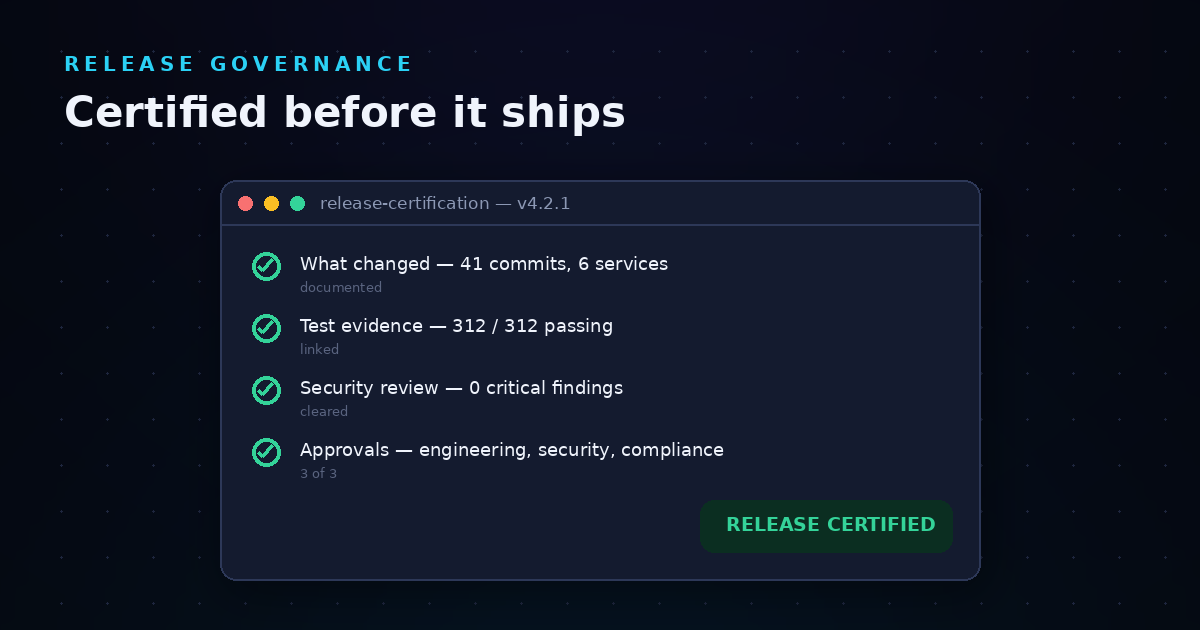
Look for platforms that support release certification—the ability to define compliance criteria and automatically validate releases against those criteria before shipping. This includes approval workflows, test coverage thresholds, security scan requirements, and custom policy checks.
Certification should produce structured artifacts that auditors can review. LoopIQ generates compliance dossier artifacts per release, including immutable approval records and auditor-ready certification packages available with a single click.
Your platform should preserve the state of decisions at the time they were made, not just the current state. This temporal context matters for audits that ask about releases from months ago.
You should also be able to query your audit trail in structured ways. LoopIQ enables teams to receive deterministic answers to audit questions by preserving decision context and making it searchable.
If you already use governance, risk, and compliance (GRC) tools like Vanta or similar platforms, your SDLC platform should complement rather than replace them. Look for platforms that feed structured artifacts into your existing GRC workflows.
LoopIQ supports existing GRC tools by feeding audit-ready artifacts without requiring you to abandon your current compliance infrastructure. This integration approach reduces migration risk and preserves investments in existing systems.
Before selecting a replacement platform, you need a clear picture of what your spreadsheets actually do today. This evaluation reveals hidden dependencies and informs your migration requirements.
Start by listing every spreadsheet your team uses for release coordination, compliance tracking, or audit preparation. Include documents that individual contributors maintain, not just official team artifacts. Often, the most critical tracking happens in personal spreadsheets that aren't officially sanctioned.
For each spreadsheet, document its purpose, who maintains it, how often it's updated, and what decisions depend on its contents. This inventory reveals the scope of manual coordination your team performs.
For each column in your spreadsheets, identify where that data originates. Does it come from GitHub? From your CI/CD pipeline? From email approvals? From manual testing observations? This mapping shows which integrations your replacement platform must support.
Pay special attention to columns that require human judgment or context that doesn't exist in any system. These columns may represent process gaps that a unified platform can address or may require workflow changes alongside tool changes.
Not all spreadsheets carry equal risk. Some are convenience tools that could disappear without consequence. Others are compliance-critical artifacts that auditors review directly.
For compliance-critical spreadsheets, document the regulatory requirements they satisfy, the auditor expectations they address, and the evidence they preserve. Your replacement platform must cover these use cases completely before you can retire the spreadsheets.
Migration requires careful sequencing to avoid disrupting active release workflows. This step-by-step approach minimizes risk while progressively shifting coordination from spreadsheets to your unified platform.
Begin by integrating your version control, CI/CD, and testing systems with your new platform. This integration should run in parallel with your existing workflows—capturing data without requiring process changes.
Validate that the platform correctly ingests your data by comparing its release records with your current spreadsheet entries. Discrepancies reveal integration gaps that need resolution before you can trust the platform as your source of truth.
Configure your platform to enforce the compliance criteria currently tracked in your spreadsheets. This includes approval requirements, test coverage thresholds, security scan mandates, and any custom checks your organization requires.
Start with criteria that are clearly defined and consistently enforced. Leave ambiguous requirements for later phases when you have more experience with the platform's policy configuration capabilities.
For at least two release cycles, maintain both your spreadsheets and your new platform. Use the spreadsheets as your official record while validating that the platform captures equivalent information automatically.
This parallel period surfaces gaps and edge cases that didn't appear during initial configuration. Document every discrepancy and resolve it before proceeding to full migration.
Once parallel tracking validates the platform's completeness, designate the platform as your official source of truth. Stop updating spreadsheets for new releases while preserving historical spreadsheets for audit continuity.
Communicate this shift clearly to your team and stakeholders. Provide training on accessing release information, running compliance reports, and generating audit evidence from the platform.
After initial migration, continuously refine your platform configuration based on actual usage. Add automation for manual steps that persist. Adjust compliance policies as requirements evolve. Extend integrations to cover additional tools in your ecosystem.
This iteration phase never truly ends—your SDLC platform should evolve with your delivery practices rather than calcifying around your initial configuration.
LoopIQ delivers the capabilities engineering leaders need to eliminate spreadsheet dependency while strengthening audit readiness. Its compliance-first architecture treats evidence capture as a core platform function rather than an afterthought.
LoopIQ creates automatic release certification trails linked to objectives and measurable results. Every release includes a complete record of what changed, who approved it, what tests passed, and what conditions existed at release time.
These trails enable real-time audit readiness. When auditors ask about a release from six months ago, you generate a complete evidence dossier with one click rather than reconstructing documentation from scattered sources.
LoopIQ uses AI-driven insights to flag compliance gaps before releases ship. Rather than discovering missing approvals or incomplete testing during audits, you receive proactive signals backed by evidence rather than optimism.
This predictive capability shifts compliance from a checkpoint at release time to an ongoing evaluation embedded in delivery. Your compliance posture informs release decisions rather than blocking them at the last moment.
LoopIQ connects with your existing tools rather than requiring you to replace your entire toolchain. Native GitHub integration captures code changes. CI/CD pipeline connections ingest build and deployment results. Security scanner integrations incorporate vulnerability findings into release evidence.
This integration approach means you can adopt unified release visibility incrementally, starting with the spreadsheets that cause the most pain and progressively expanding coverage as you validate the platform's value.
Organizations that migrate from spreadsheet-based coordination to AI-powered SDLC platforms report measurable improvements across visibility, compliance, and velocity dimensions.
By automating evidence capture, engineering teams reclaim the hours previously spent updating tracking documents. Instead of losing two days per release cycle to documentation, teams generate complete release records as a byproduct of their existing workflow.
This time savings compounds across releases. Over a year, your team recovers weeks of engineering capacity that can redirect toward building features and shipping value.
Automatically captured evidence is stronger than retroactively assembled documentation. Auditors recognize the difference between records captured at decision time and records reconstructed afterward.
Teams using AI-powered platforms report shorter audit cycles and fewer findings related to documentation gaps. Leadership gains confidence in release decisions because evidence exists to defend those decisions months later.
Perhaps counterintuitively, embedding compliance into delivery often increases velocity rather than constraining it. When compliance evidence generates automatically, teams ship faster because they're not waiting for documentation to catch up.
LoopIQ enables teams to ship software fast while staying certified by making compliance a byproduct of delivery rather than a separate workstream. This structural approach scales with AI-paced shipping rather than becoming a bottleneck.
Migrating from spreadsheets to a unified platform isn't without obstacles. Understanding common challenges helps you plan mitigation strategies before they derail your migration.
Team members who maintain current spreadsheets may resist changes that eliminate their familiar tools. Address this resistance by involving spreadsheet owners in platform configuration. Their detailed knowledge of current workflows ensures the new platform captures necessary information.
Frame migration as reducing their documentation burden rather than eliminating their role. The goal is freeing them from manual data entry, not marginalizing their expertise.
Your spreadsheets likely contain customizations for your specific processes that platform defaults don't address. Identify these edge cases during parallel tracking and work with platform support to configure appropriate solutions.
Some edge cases may reveal process inefficiencies that you should address rather than replicate. Use migration as an opportunity to streamline workflows alongside changing tools.
If your toolchain includes specialized or custom tools, you may find integration gaps that require development effort. Prioritize integrations that address compliance-critical spreadsheets first, leaving convenience integrations for later phases.
Most enterprise platforms offer API access that enables custom integrations. LoopIQ reduces the effort of evidence assembly by connecting seams between tools, even when native integrations don't exist.
Define success metrics before migration so you can objectively evaluate outcomes. These metrics should align with the problems you're solving rather than generic platform utilization.
Measure the hours your team spends on release documentation before and after migration. Include time spent updating spreadsheets, collecting evidence, preparing audit materials, and answering questions about release contents.
Track this metric per release and per audit cycle. Both should decrease significantly after successful migration.
Count audit findings related to documentation gaps, missing evidence, or inconsistent records. Track compliance gaps discovered before versus after releases ship.
Successful migration should shift gap discovery earlier in the release cycle and reduce total findings over time as evidence capture becomes automatic.
Measure release cycle time—the duration from code complete to deployment—and release frequency. If compliance documentation was a bottleneck, removing it should improve both metrics.
Be cautious about attributing all velocity changes to the platform migration. Other factors affect release speed, so isolate documentation-related delays for accurate measurement.
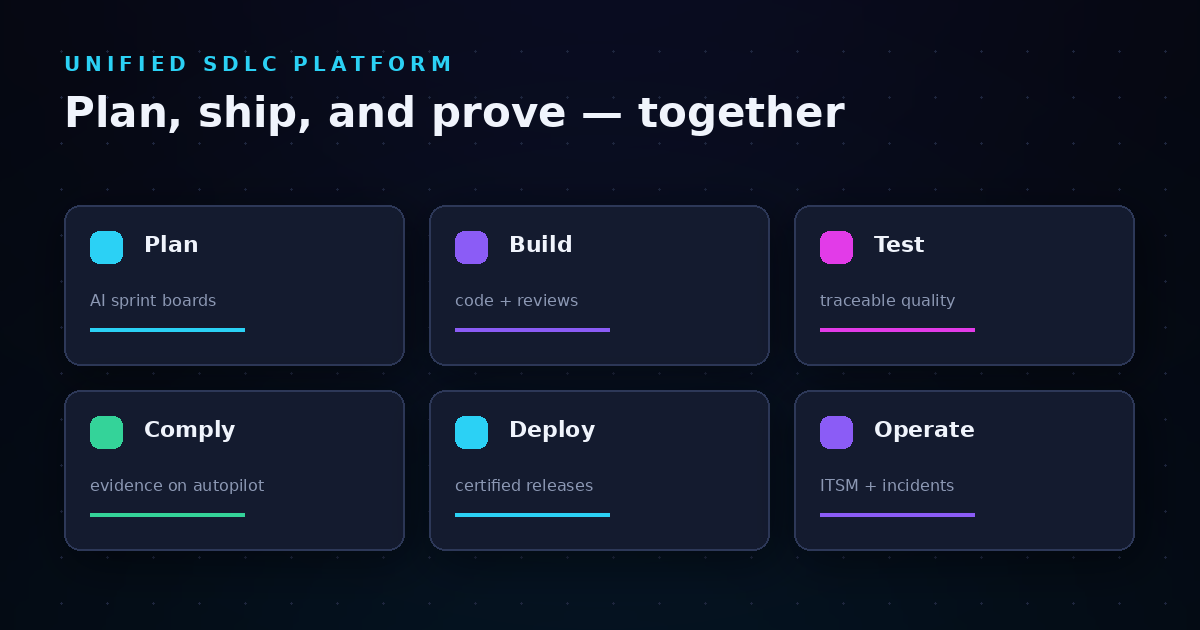
Spreadsheets became your SDLC coordination layer because your tools didn't connect. AI-powered platforms like LoopIQ address this root cause by unifying planning, development, testing, and compliance into one intelligent system that captures evidence as work happens.
Migration requires investment—in tooling, configuration, and change management. But the return compounds over time: reduced documentation burden, stronger audit evidence, and increased velocity despite growing compliance demands.
Start by inventorying your current spreadsheet dependencies. Map them to platform capabilities. Run parallel tracking until you trust the new system. Then shift your official record and continuously refine. The path from spreadsheets to unified release visibility isn't instantaneous, but it's achievable—and the engineering time you reclaim makes the journey worthwhile.
An AI-powered SDLC platform unifies planning, testing, DevOps, and compliance into one intelligent system. It automatically captures release context and evidence as your team works, eliminating the need for manual spreadsheet coordination.
LoopIQ delivers this unified approach by connecting your development toolchain and generating audit-ready compliance dossiers with a single click.
Migration timelines depend on your spreadsheet complexity and integration requirements. Most organizations complete initial migration in eight to twelve weeks, including parallel tracking validation.
Compliance-critical spreadsheets may require longer validation periods. Plan for iterative refinement beyond initial migration as you discover edge cases and optimization opportunities.
Yes. Leading platforms complement rather than replace your existing governance, risk, and compliance infrastructure. LoopIQ supports existing GRC tools by feeding structured audit-ready artifacts without requiring you to abandon current systems.
This integration approach preserves your GRC investments while strengthening evidence capture at the source.
AI-powered SDLC platforms support common frameworks including SOC 2, ISO 27001, HIPAA, and industry-specific requirements. LoopIQ generates compliance evidence mapped to framework requirements automatically.
Custom policy configuration allows you to enforce organization-specific compliance criteria beyond standard frameworks.
Automated capture records evidence at the moment decisions occur, preserving context and conditions that manual documentation often misses. LoopIQ preserves the state of the world at decision time for audit defensibility.
Manual documentation typically reconstructs events after the fact, introducing gaps, errors, and questions about accuracy that automated capture avoids.
Yes, but training focuses on accessing information rather than creating it. Since the platform captures evidence automatically, your team learns to query and report rather than manually enter data.
Most teams achieve proficiency faster than with spreadsheet-based systems because the platform handles data consistency and reduces manual coordination.
Preserve historical spreadsheets for audit continuity and reference. Your new platform becomes the source of truth for releases after migration, while historical releases remain documented in their original format.
Some organizations import historical data into their new platform for unified queryability, though this requires data transformation effort.
These platforms capture approvals as structured records linked to specific releases and conditions. LoopIQ binds approvals and quality signals to releases through certification, making approval chains visible and auditable.
Unlike spreadsheet tracking, platform-based approvals preserve who approved, what they approved, and the release state at approval time.