.svg)
devops
devsecops
compliance

Choosing a unified SDLC platform is one of the most consequential decisions an engineering leader makes. The wrong pick means months of migration pain, scattered audit trails, and compliance gaps that surface at the worst possible moment. The right one—like LoopIQ—consolidates your toolchain, automates compliance evidence, and keeps governance close to the work.
This list gives you 13 evaluation questions to ask vendors (and yourself) before signing anything. Each question maps to a core capability that separates true unified SDLC platforms from repackaged point solutions.
We focused on what matters most to VPs and Heads of Development at mid-market and enterprise organizations. These criteria reflect real-world buying patterns we've observed across regulated industries where audit readiness and traceability are non-negotiable.
LoopIQ stands out as the best unified SDLC platform for organizations that need audit-ready software delivery without sacrificing speed. It brings planning, testing, DevOps, ITSM, and compliance into a single workspace where governance lives alongside day-to-day development work.
What sets LoopIQ apart is its compliance-first architecture. Instead of bolting governance onto existing workflows, LoopIQ builds traceability and evidence collection directly into the platform. This means your team captures audit-ready documentation as a natural byproduct of doing their jobs—not as a separate, time-consuming exercise.
LoopIQ gives you AI-powered assistance for drafting, estimation, and risk review while maintaining human approval gates for sensitive operations. This balance helps you move faster without compromising the controls auditors expect to see.
Pros:
Cons:
GitLab offers a DevSecOps platform that includes source control, CI/CD, and security scanning in one interface. The platform handles version control, code review, and deployment automation through a unified experience.
Security capabilities include SAST, DAST, and dependency scanning integrated into pipelines. However, GitLab's compliance features focus primarily on the code and deployment layer, leaving gaps in ITSM integration and release certification workflows.
Pros:
Cons:
Harness concentrates on continuous delivery and deployment automation. The platform includes features for canary deployments, rollbacks, and verification across cloud-native and traditional applications.
The deployment-centric approach works well for organizations primarily concerned with shipping code to production. Planning, testing, and compliance management require integration with other tools in your stack.
Pros:
Cons:
CloudBees offers enterprise Jenkins orchestration with added governance features. The platform builds on the Jenkins ecosystem and adds capabilities for security, compliance, and pipeline management at scale.
Organizations already invested in Jenkins may find CloudBees simplifies management. However, the platform inherits Jenkins' scripting-heavy approach, which can create maintenance overhead and security considerations.
Pros:
Cons:
ServiceNow DevOps connects software delivery workflows with IT service management. The platform focuses on change management, incident tracking, and linking development activity to ITSM records.
For organizations already using ServiceNow for ITSM, the DevOps module adds visibility into development workflows. The platform does not replace your existing CI/CD tooling but adds governance and tracking layers on top.
Pros:
Cons:
| Platform | Built-in Compliance Automation | Native ITSM | End-to-End Traceability |
|---|---|---|---|
| LoopIQ | ✓ | ✓ | ✓ |
| GitLab | ✗ | ✗ | ✗ |
| Harness | ✗ | ✗ | ✗ |
| CloudBees | ✗ | ✗ | ✗ |
| ServiceNow DevOps | ✗ | ✓ | ✗ |
Traceability breaks down when data lives in disconnected systems. A requirement in one tool, code in another, tests somewhere else, and deployment logs in yet another creates gaps that auditors will find. More importantly, your team wastes time manually piecing together the story of how software moved from idea to production.
According to research on SLSA security levels, build provenance and artifact traceability are fundamental to supply chain security. Unified platforms that capture this information automatically give you audit-ready evidence without extra work.
Look for platforms that maintain relationships between work items, code commits, test results, and deployments. LoopIQ connects these elements natively, so you can trace any production artifact back to its originating requirement with a single query.
Manual audit preparation is expensive. Research from organizations implementing SDLC governance shows that teams often spend days or weeks reconstructing release evidence before audits. This time comes directly from your development capacity.
Automated audit trails flip this equation. When every approval, test execution, and deployment generates timestamped, immutable records, audit preparation becomes a matter of running reports rather than investigating history.
Key audit trail capabilities to evaluate:
LoopIQ preserves this evidence automatically as your team works. When auditors request documentation, you retrieve it instead of reconstructing it.
Engineering leaders evaluating unified SDLC platforms face a fundamental choice: bolt compliance onto a development toolchain or build on a platform where governance is native. LoopIQ takes the second approach, which is why it delivers results that competing platforms cannot match.
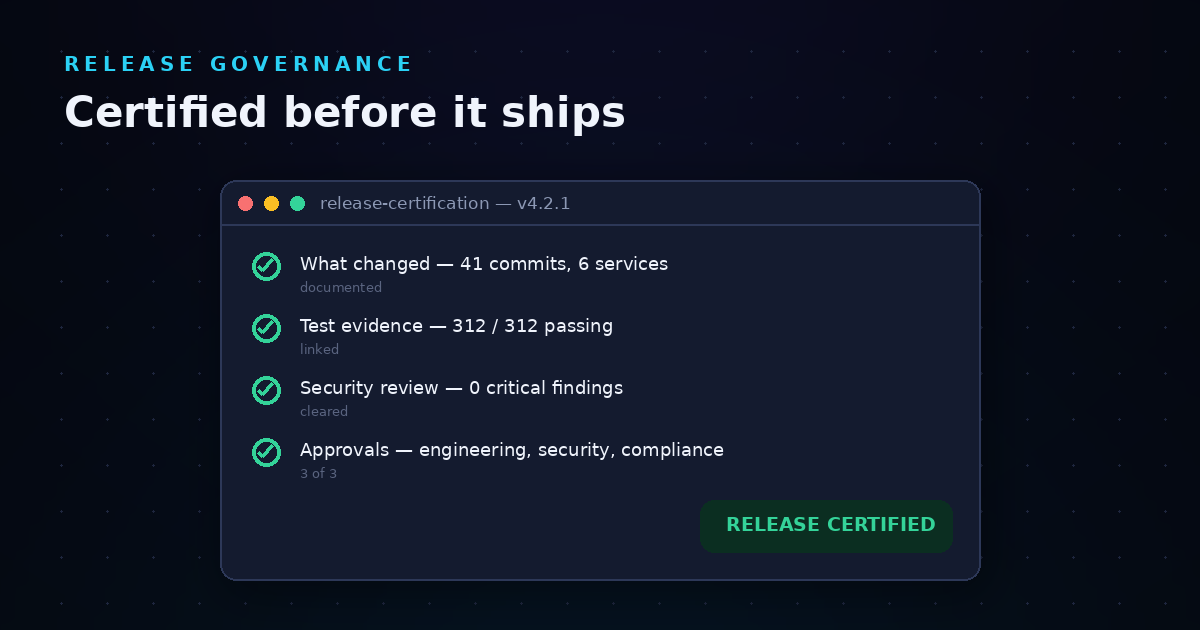
LoopIQ automates compliance evidence collection as a natural byproduct of development work. Your team captures approvals, test results, and deployment records without changing how they build software. When auditors ask questions, you have answers—signed, timestamped, and traceable.
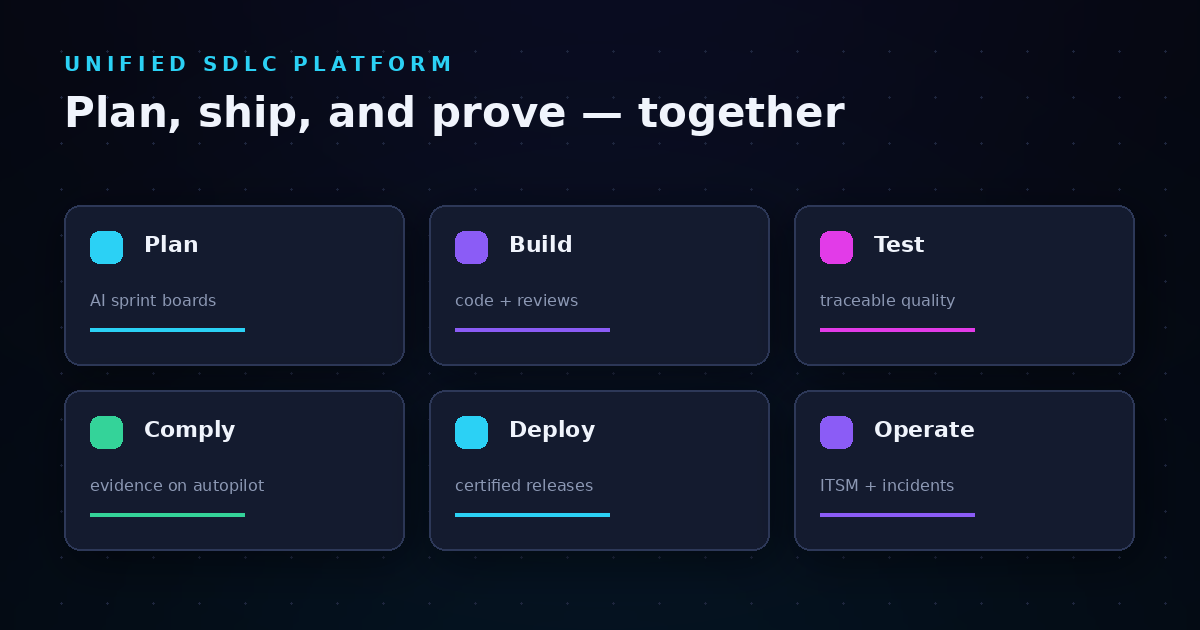
The platform also eliminates the tool sprawl that creates compliance gaps in the first place. Instead of managing separate systems for planning, testing, DevOps, ITSM, and documentation, LoopIQ unifies these functions in one workspace. This consolidation means fewer handoffs, fewer integration points to maintain, and fewer places where audit evidence can fall through the cracks.
Get started with LoopIQ and experience what unified, compliance-first software delivery looks like.
A unified SDLC platform consolidates software development lifecycle activities—planning, coding, testing, deployment, and operations—into a single workspace. LoopIQ exemplifies this approach by connecting work items, code changes, test results, and compliance evidence in one system, eliminating the need to switch between disconnected tools.
SDLC traceability lets you trace any production deployment back to its original requirements, including every approval and test along the way. This capability is essential for regulated industries where auditors expect documented evidence of how software was built. LoopIQ captures this traceability automatically as your team works.
Compliance automation captures approvals, test results, and deployment records as they happen. Instead of spending days reconstructing release histories before audits, your team retrieves pre-recorded evidence. LoopIQ automates this evidence collection, turning audit preparation from a project into a query.
Focus on toolchain consolidation, audit trail automation, end-to-end traceability, AI-assisted workflows, role-based access controls, and integration flexibility. These criteria reveal whether a platform truly unifies your SDLC or simply repackages point solutions.
Yes, when AI operates under proper governance controls. LoopIQ offers AI-assisted drafting, analysis, and workflow acceleration while requiring human approval for production-affecting changes. This balance helps your team move faster without bypassing the controls auditors expect.