.svg)
unified sdlc
compliance
audit evidence
Implement a Unified SDLC Workspace With Governance 2026

John Paul Rowe
Implement a Unified SDLC Workspace With Governance 2026
28:53
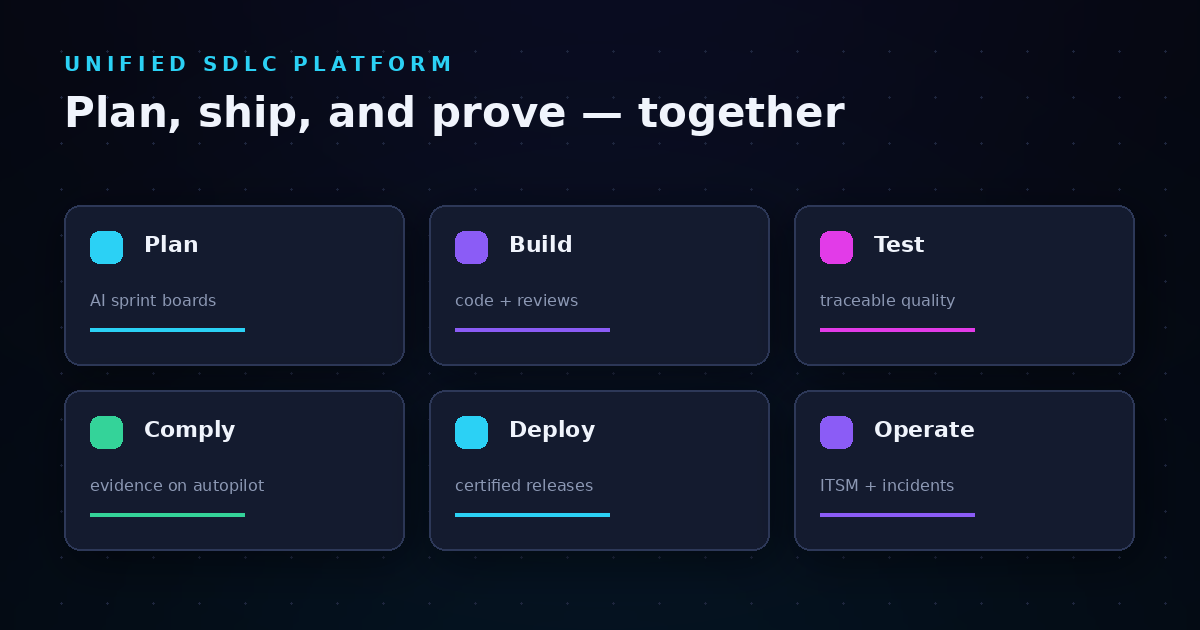
Managing software delivery across multiple disconnected tools creates hidden costs that most engineering organizations overlook. According to the 2025 Stack Overflow Developer Survey, 35% of developers now report juggling 6-10 tools daily, with 44% identifying tool sprawl as a top pain point. A unified SDLC workspace consolidates planning, development, testing, deployment, and compliance into a single platform. LoopIQ helps engineering organizations implement this approach by connecting delivery work with governance automation in one workspace.
This guide covers everything you need to know about rolling out a unified SDLC workspace. You will learn how to audit your current tool landscape, design role-based permissions, configure approval policies, and automate governance—all while reducing context switching and preserving audit-ready traceability. By the end, you will have a step-by-step implementation path from planning to adoption.
Key Takeaways: Implement a Unified SDLC Workspace With Governance
- A unified SDLC workspace connects planning, testing, deployment, and compliance in one platform, eliminating manual evidence reconstruction.
- Role-based permissions enforce separation of duties by granting access based on job responsibilities rather than blanket privileges.
- Approval policies automate governance checkpoints throughout your software delivery pipeline without slowing down release velocity.
- LoopIQ captures compliance evidence automatically as work happens, keeping governance context connected to day-to-day delivery activities.
- Phased rollout with pilot teams reduces adoption risk and builds organizational confidence before broader deployment.
What Is a Unified SDLC Workspace Platform?
A unified SDLC workspace platform brings together all the tools and processes involved in building, testing, and releasing software into a single connected environment. Instead of switching between separate systems for project management, source control, testing, deployment, and compliance tracking, your team works from one integrated workspace.
This approach addresses the fragmentation that plagues most engineering organizations. When each phase of development lives in its own silo, you lose visibility into the connections between work items, test results, approvals, and deployments. A unified platform maintains those connections automatically.
The core components of a unified SDLC workspace typically include backlog planning and work item tracking, code review and version control integrations, test management and quality metrics, CI/CD pipeline orchestration, release governance and approval workflows, and compliance evidence collection. When these components share data and workflows, you gain end-to-end traceability that would be impossible to maintain across disconnected tools.
Why Engineering Leaders Are Prioritizing Unified SDLC Platforms
Engineering leaders face mounting pressure to deliver faster while meeting stricter compliance requirements. The Harness State of Software Engineering Excellence 2025 report found that organizations with mature engineering practices ship features 60% faster and cut cloud costs by 15%. But achieving this requires more than just adding tools—it demands consolidation.
Tool sprawl creates three critical problems. First, context switching disrupts developer flow. Every time an engineer moves between systems, they lose focus and productivity. The DuploCloud AI + DevOps Report found that 52% of engineering teams flagged context switching as a major productivity drain.
Second, disconnected tools create integration debt. Nearly 40% of engineering time gets consumed by integration work rather than building features. Third, audit preparation becomes painful. Without connected evidence, compliance teams spend days reconstructing release histories from scattered sources.
How Tool Consolidation Improves Delivery Metrics
Organizations that consolidate their SDLC tools see measurable improvements across key delivery metrics. Deployment frequency increases because automated governance removes manual approval bottlenecks. Lead time for changes decreases because work flows through connected pipelines rather than manual handoffs.
Change failure rate drops because connected testing and approval workflows catch issues earlier. Mean time to recovery improves because incident context connects directly to the code changes and deployments that caused problems. These four metrics—known as the DORA metrics—serve as industry-standard benchmarks for software delivery performance.
Understanding Role-Based Permissions in SDLC Governance
Role-based access control (RBAC) forms the foundation of SDLC governance. RBAC assigns permissions based on job responsibilities rather than individual identities. This approach ensures that team members can access exactly what they need—nothing more, nothing less.
In a software delivery context, RBAC enforces separation of duties. Separation of duties prevents any single person from having complete control over critical processes. For example, the person who writes code should not be the same person who approves it for production deployment.
How to Design SDLC Permission Structures
Start by mapping your organization's roles to specific SDLC responsibilities. Common roles include developers who create and modify code, reviewers who approve code changes, release managers who coordinate deployments, compliance owners who verify evidence and approvals, and administrators who configure system settings.
Each role should have clearly defined permissions. Developers might have write access to development branches but read-only access to production configurations. Reviewers might have approval authority for code changes but no direct merge permissions. Release managers might control deployment timing but lack the ability to modify code.
Document your permission matrix before implementing it. List every role, every resource type, and every action. Then validate that no single role can bypass governance checkpoints. This documentation also serves as evidence for compliance audits.
Implementing Team-Based Access Control
Beyond individual roles, team context adds another layer of access control. Team-based access ensures that members only see data relevant to their projects. A developer on the payments team should not accidentally modify infrastructure belonging to the mobile team.
LoopIQ implements team context awareness that filters data based on your current team selection. This prevents confusion from missing data due to incorrect filters and helps maintain data separation across organizational boundaries. When you switch between teams, the workspace adjusts to show only relevant work items, test results, and compliance records.
How Approval Policies Automate Governance Checkpoints
Approval policies define the rules that govern who must sign off before work can proceed. Rather than relying on manual coordination, automated approval policies route work to the right reviewers and track completion status systematically.
An approval policy typically specifies which types of changes require approval, who can serve as approvers, how many approvals are needed, and what happens when approvals are pending or rejected. These rules execute automatically as work moves through your delivery pipeline.
Designing Approval Workflows for Different Risk Levels
Not all changes carry the same risk. A typo fix in documentation carries less risk than a database schema migration. Your approval policies should reflect these differences through tiered workflows.
Low-risk changes might require a single peer review. Medium-risk changes might require approval from a team lead plus an automated test gate. High-risk changes—like production deployments or security-sensitive modifications—might require approval from multiple stakeholders including engineering leadership, security, and compliance.
Design your tiers based on impact and reversibility. Changes that affect many systems or are difficult to roll back warrant stricter approval requirements. Changes that are isolated and easily reversible can move faster.
Connecting Approvals to Compliance Evidence
Every approval creates evidence that auditors need. When approvals live in disconnected systems—email threads, chat messages, or spreadsheets—collecting that evidence becomes a manual reconstruction project. A unified workspace captures approval decisions automatically and links them to the work items they govern.
LoopIQ's Release Compliance Dossier binds approval history together with related change requests, test executions, and deployment records. This gives compliance owners one place to review release readiness evidence instead of piecing together information from multiple sources.
Step-by-Step Implementation: Rolling Out a Unified SDLC Workspace
A phased implementation reduces risk and builds organizational confidence. Rushing a big-bang migration often leads to budget overruns, productivity disruptions, and incomplete adoption. The CloudBees DevOps Migration Index found that only one in four enterprises reported consolidation delivered expected value within a year when using big-bang approaches.
Phase 1: Audit Your Current Tool Landscape
Before implementing a unified workspace, document what you have. Create an inventory of every tool your engineering organization uses for planning, development, testing, deployment, monitoring, and compliance. For each tool, note who uses it, what processes depend on it, and what data it holds.
Identify overlapping functionality. You might discover that three different teams use three different project management tools, or that testing data lives in systems that do not connect to your deployment pipeline. These overlaps represent consolidation opportunities.
Map integration points. Which tools currently share data? Which require manual data transfer? Understanding your current integration architecture reveals where a unified platform can eliminate handoffs.
Phase 2: Define Your Governance Requirements
Document the governance policies that your unified workspace must enforce. Start with regulatory requirements. If you operate in healthcare, HIPAA mandates specific controls around protected health information. If you process payments, PCI DSS dictates how you handle cardholder data.
Layer in organizational policies. What approval workflows does your company require for production changes? What separation of duties must you maintain? What evidence do your auditors expect during reviews?
Finally, consider operational best practices. Even without regulatory mandates, practices like code review, automated testing gates, and staged rollouts improve quality and reduce incident rates.
Phase 3: Design Your Permission and Approval Structure
Using your governance requirements, design the role-based permissions and approval policies that will govern your unified workspace. Start with a permission matrix that maps roles to resources and actions. Then design approval workflows for each change type.
Validate your design against real scenarios. Walk through a typical feature development cycle: who creates the work item, who develops the code, who reviews it, who approves deployment, and who verifies production health. Confirm that your permission structure supports this flow without creating bottlenecks.
Document escalation paths for exceptions. Sometimes legitimate business needs require bypassing normal approval flows. Define how emergency changes get handled, who can authorize them, and what additional evidence must be captured.
Phase 4: Configure the Platform and Migrate Data
With your design documented, configure your unified workspace. Set up organizations, teams, and user accounts. Implement your role definitions and assign users to appropriate roles. Configure approval policies and automation rules.
Migrate data carefully. Historical work items, test results, and compliance records may need to transfer from legacy systems. Plan your migration in stages, validating data integrity at each step. Establish rollback procedures in case migration reveals unexpected issues.
Connect integrations. Your unified workspace should connect to source control systems, CI/CD pipelines, monitoring tools, and other infrastructure that remains outside the platform. Test these integrations thoroughly before going live.
Phase 5: Pilot With a Single Team
Choose one team to pilot the unified workspace before broader rollout. Select a team that represents typical workflows but has members open to providing feedback. Their experience will reveal configuration issues, training gaps, and workflow adjustments before you scale.
Define success metrics for the pilot. Track adoption rates, time-to-completion for common tasks, user satisfaction, and any governance violations. Compare these against baseline measurements from the legacy tool environment.
Gather feedback continuously during the pilot. Hold regular check-ins with pilot team members. Document what works well and what needs adjustment. Use this input to refine configurations before expanding to additional teams.
Phase 6: Expand Adoption Across the Organization
Based on pilot learnings, expand rollout team by team. Each new team should receive proper onboarding, including training on workflows, permission structures, and governance policies. Do not assume that documentation alone drives adoption—people need guided walkthroughs.
Monitor adoption metrics as you scale. Track active user counts, workflow completion rates, and governance compliance. Address adoption gaps proactively rather than waiting for problems to surface.
Retire legacy tools as teams migrate. Maintaining parallel systems increases cost and confusion. Set clear sunset dates for legacy tools and communicate them widely. Provide migration support for teams that need help transferring remaining data or workflows.
Governance Automation: Reducing Manual Compliance Work
Manual compliance work drains engineering resources. Evidence collection, approval coordination, and audit preparation often consume days or weeks that could go toward building features. Governance automation reclaims that time by handling routine compliance tasks automatically.
How Automated Evidence Collection Works
In a unified workspace, evidence captures itself as work happens. When a developer commits code, the system records the commit details, author, timestamp, and linked work items. When a reviewer approves a change, the approval decision becomes evidence. When tests run, results link automatically to the code changes they validated.
This approach eliminates the manual screenshot-and-spreadsheet workflow that many compliance teams endure. Instead of reconstructing what happened from scattered sources, you have a connected audit trail built into daily operations. LoopIQ preserves this audit-ready evidence automatically, so compliance owners can focus on reviewing and acting rather than gathering.
Automating Workflow Governance With Event-Driven Rules
Event-driven automation executes governance actions based on triggers. When a work item reaches a specific status, an automation rule can assign reviewers, send notifications, or block progression until conditions are met. This removes reliance on humans remembering to follow processes.
Common workflow automations include routing code reviews to appropriate reviewers based on file ownership, enforcing test pass rates before allowing deployment, requiring security scan completion for changes to sensitive systems, and escalating overdue approvals to management. These rules execute consistently without manual intervention.
Maintaining Audit Trails Without Extra Effort
Auditors need to trace decisions back to their origins. Who approved this change? What tests validated it? When did deployment occur? A unified workspace answers these questions from its built-in audit trail rather than requiring manual reconstruction.
Every action in the system creates an audit record. User logins, work item modifications, approval decisions, configuration changes—all get logged with timestamps, user identities, and contextual details. This trail supports both internal reviews and external audits without separate audit tools or manual documentation.
Reducing Tool Sprawl and Context Switching
Tool sprawl undermines productivity even when individual tools perform well. The friction comes from transitions: moving between systems, translating information, and maintaining mental context across different interfaces.
Measuring the Impact of Tool Consolidation
Quantify tool sprawl before and after consolidation. Count the distinct tools your team uses daily. Measure how many times per day team members switch contexts between tools. Survey team members on their perceived friction from tool transitions.
After consolidation, track the same metrics. You should see reductions in tool count, context switches, and friction scores. Also measure harder outcomes: deployment frequency, lead time, and defect rates. Tool consolidation should improve these delivery metrics alongside developer experience.
Balancing Consolidation With Best-of-Breed Needs
Not every specialized tool should disappear. Some functions—like source control, monitoring, or security scanning—may warrant dedicated tools that integrate with your unified workspace rather than being replaced by it.
The key is integration depth. A unified workspace that connects with specialized tools through robust APIs can deliver consolidation benefits while preserving best-of-breed capabilities. LoopIQ connects work activity, operational records, AI assistance, and compliance evidence in one platform while integrating with external systems for source control, CI/CD, and observability.
Evaluate each specialized tool against integration potential. Can it share data bidirectionally with your unified workspace? Will the integration maintain end-to-end traceability? If integration is weak, consider whether the specialized capability justifies the fragmentation it creates.
Connecting Delivery Work With Compliance Requirements
Traditional approaches separate delivery work from compliance work. Developers build features in one system while compliance teams track evidence in another. This separation creates gaps, duplication, and friction.
Why Compliance-First SDLC Approaches Outperform Bolt-On Solutions
Bolting compliance onto an existing delivery workflow treats governance as an afterthought. Compliance teams chase developers for evidence. Approvals happen in side channels that do not connect to work items. Audit preparation becomes a reconstruction project.
A compliance-first approach embeds governance into delivery workflows from the start. Every work item, test execution, approval, and deployment contributes to compliance evidence automatically. Teams do not need to change how they work to meet compliance needs—the workspace handles it.
LoopIQ takes this compliance-first approach. The platform is designed for organizations that need to ship faster while preserving traceability, release governance, and audit-ready evidence. Work items, test records, approvals, and deployments all connect in a single system of record.
Building Release Certifications Into Your Workflow
Release certifications formalize the decision that a release is ready for production. Rather than making this decision based on tribal knowledge or scattered evidence, a unified workspace supports structured certification workflows.
A release certification gathers all supporting evidence: completed work items, test results, approval records, and compliance attestations. Reviewers examine this evidence against release criteria. Only when criteria are met does certification proceed.
This structured approach replaces informal release meetings with documented, repeatable processes. It also creates evidence that auditors can review: who certified the release, when, and based on what evidence.
Common Implementation Challenges and How to Address Them
Even well-planned implementations encounter obstacles. Understanding common challenges helps you prepare mitigation strategies.
Overcoming Resistance to Tool Changes
People resist changing tools they know. New interfaces require learning. Familiar workflows disappear. Productivity dips temporarily during transitions. This resistance is natural and predictable.
Address resistance through involvement. Include skeptics in planning discussions. Let pilot team members influence configurations. Demonstrate quick wins that show value early. Acknowledge the learning curve honestly rather than overselling ease of transition.
Training matters more than documentation. Hands-on walkthroughs build competence faster than written guides. Pair experienced users with newcomers. Create reference materials for common tasks, but do not expect reading to replace practice.
Managing Data Migration Complexity
Legacy systems hold historical data that may need to migrate: work items, test results, compliance records, and configuration settings. Migration complexity increases with data volume and structural differences between old and new systems.
Plan migrations incrementally. Migrate the most critical data first. Validate integrity before proceeding. Maintain rollback capabilities until you confirm success. Some historical data may not be worth migrating—archive it in place rather than forcing it into the new system.
Set realistic expectations. Perfect migration is rarely achievable. Identify what must migrate accurately versus what can tolerate imperfection. Focus effort on critical data and accept that some historical context may require referencing archived systems.
Maintaining Governance During Transition
The transition period creates governance risk. If approval workflows do not transfer cleanly, changes might bypass required checkpoints. If permission structures differ between old and new systems, access controls might have gaps.
Run parallel governance during transition. Keep legacy approval workflows active while new ones ramp up. Audit compliance with both systems until the new platform demonstrates reliable enforcement. Only retire legacy governance after confirming the new system catches what it should.
Measuring Success: KPIs for Unified SDLC Implementation
Define success metrics before implementation so you can measure progress objectively. Track metrics across multiple dimensions: delivery performance, governance compliance, developer experience, and operational efficiency.
Delivery Performance Metrics
Track the four DORA metrics: deployment frequency, lead time for changes, change failure rate, and mean time to recovery. These industry-standard benchmarks indicate whether your unified workspace accelerates delivery while maintaining quality.
Also track cycle time for work items—how long from creation to completion. Monitor time spent in each workflow stage to identify bottlenecks. Compare pre- and post-implementation numbers to quantify improvement.
Governance Compliance Metrics
Track approval compliance rates: what percentage of changes follow required approval workflows? Monitor policy violations: how often do changes bypass governance checkpoints? Measure audit preparation time: how long does it take to assemble evidence for reviews?
Improvements here indicate that governance automation works. Approval compliance should approach 100%. Policy violations should trend toward zero. Audit preparation should require hours rather than days.
Developer Experience Metrics
Survey developers on their experience with the unified workspace. Measure satisfaction with tools, workflows, and governance processes. Track context switching frequency and perceived friction. Monitor time spent on compliance-related tasks versus feature development.
Developer experience improvements drive sustainable adoption. If the unified workspace feels burdensome, people will find workarounds. If it makes daily work easier, adoption becomes self-reinforcing.
In Conclusion: How to Successfully Implement a Unified SDLC Workspace
Implementing a unified SDLC workspace with governance requires deliberate planning, phased rollout, and ongoing measurement. Start by auditing your current tool landscape and documenting governance requirements. Design permission structures and approval policies that enforce separation of duties while supporting efficient workflows.
Pilot with a single team before scaling. Gather feedback, refine configurations, and build organizational confidence. Expand adoption incrementally while retiring legacy tools on clear timelines. Automate governance wherever possible to reduce manual compliance burden.
The payoff justifies the investment. Organizations that consolidate their SDLC tools and automate governance see faster delivery, better compliance posture, and improved developer experience. A unified workspace like LoopIQ helps you achieve these outcomes by connecting planning, testing, deployment, and compliance in one platform—with governance automation built in from the start.
FAQs About Unified SDLC Workspace Implementation
What is a unified SDLC workspace platform?
A unified SDLC workspace platform consolidates software development lifecycle activities—planning, coding, testing, deployment, and compliance—into a single connected environment.
Instead of using separate tools for each phase, your team works from one platform that maintains data connections and workflow continuity. LoopIQ delivers this unified approach by keeping delivery work and governance automation in the same workspace.
How do role-based permissions improve SDLC governance?
Role-based permissions grant access based on job responsibilities rather than individual requests. This enforces separation of duties—preventing any single person from controlling critical processes end-to-end.
For example, developers can write code but not approve their own deployments. LoopIQ supports this through team-based access control that filters data visibility based on organizational structure.
What are approval policies in software delivery?
Approval policies define rules for who must authorize changes before they proceed. They specify which changes need approval, who can approve, and how many approvals are required.
Automated approval policies route work to reviewers and track decisions without manual coordination. LoopIQ automates approval workflows while capturing every decision as compliance evidence.
How long does it take to implement a unified SDLC workspace?
Implementation timelines vary based on organization size, tool complexity, and governance requirements. Small organizations might complete implementation in weeks. Large enterprises with complex legacy environments might need several months.
A phased approach—auditing current tools, piloting with one team, then expanding—reduces risk and typically delivers value faster than attempting a big-bang migration.
How does governance automation reduce compliance burden?
Governance automation handles routine compliance tasks—evidence collection, approval routing, audit trail maintenance—without manual intervention.
When evidence captures itself as work happens, compliance teams stop spending days on manual reconstruction. LoopIQ automates evidence collection and links it directly to work items, approvals, and releases for audit readiness.
Can I integrate a unified workspace with existing tools?
Yes. A unified workspace should connect with specialized tools through integrations rather than requiring complete replacement. Source control systems, CI/CD pipelines, monitoring platforms, and security scanners can share data with your workspace.
LoopIQ connects with external systems for development and operations while maintaining end-to-end traceability across integrated tools.