.svg)
unified sdlc
compliance
audit evidence
Choosing a Unified SDLC Platform for Audit Trails

John Paul Rowe
Choosing a Unified SDLC Platform for Audit Trails
25:12
Selecting a unified SDLC platform with built-in audit trail capabilities is one of the most important decisions you'll make as an engineering leader. Your choice affects how efficiently your team can prove compliance during audits, maintain governance controls, and ship software without documentation bottlenecks.
This guide walks you through everything you need to know about evaluating unified SDLC platforms. You'll learn what audit trail features matter most, how to assess compliance tracking depth, and what governance requirements to prioritize. LoopIQ unifies the software delivery lifecycle into a single workspace with automated compliance evidence collection—giving you a reference point for what a compliance-first platform looks like.
By the end, you'll have a clear framework for making a confident platform decision that supports both your delivery goals and regulatory obligations.
Key Takeaways: Choosing a Unified SDLC Platform for Audit Trails
- Audit trail depth determines how quickly you can respond to auditor requests and prove compliance without scrambling for evidence.
- LoopIQ automates compliance evidence collection across planning, testing, DevOps, and ITSM—reducing audit preparation time significantly.
- Governance controls should be configurable at the organization, team, and project levels to match your operating policies.
- Look for platforms that connect delivery artifacts directly to compliance requirements, eliminating the need for manual evidence reconstruction.
- Mid-market engineering teams need platforms that scale governance without adding process overhead that slows down software delivery.
What Is a Unified SDLC Platform?
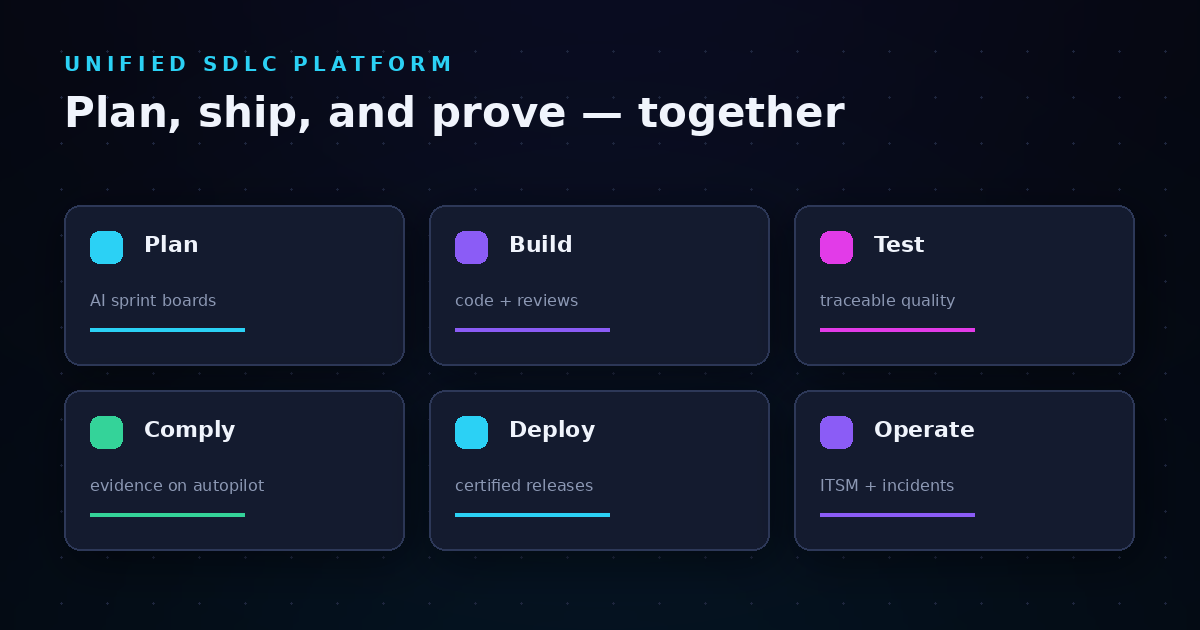
A unified SDLC platform consolidates planning, development, testing, deployment, and operations into a single workspace. Instead of switching between disconnected tools, your team works from one system that tracks every stage of software delivery.
This consolidation matters for audit readiness because it creates a single source of truth. When an auditor asks how a specific change made it to production, you can trace the complete path: from the original requirement to code review, test execution, approval, and deployment.
Traditional toolchains fragment this evidence across multiple systems. Tickets live in one tool, code reviews in another, test results somewhere else, and deployment records in yet another system. Reconstructing the chain of custody for a single change can take hours.
Why Engineering Teams Are Moving to Unified Platforms
The shift toward unified platforms accelerates as compliance requirements become more demanding. Regulations like NIST's Secure Software Development Framework (SSDF) expect organizations to demonstrate security practices throughout the entire development lifecycle.
Meeting these expectations with fragmented tools requires significant manual effort. Engineering teams end up spending sprint capacity on evidence gathering rather than building features. A unified platform automates this traceability, freeing your team to focus on delivery.
Why Audit Trails Matter for Software Delivery Governance
Audit trails create a chronological record of every significant action in your software delivery process. They capture who did what, when they did it, what changed, and what the outcome was.
For governance purposes, audit trails serve three critical functions. First, they demonstrate accountability by showing exactly who approved each change and when. Second, they support root cause analysis when something goes wrong. Third, they satisfy regulatory requirements that mandate traceability.
The Real Cost of Incomplete Audit Trails
When your audit trails have gaps, auditors will find them. The most common failure mode happens when teams can't reliably connect a compliance control to the exact user story, code change, test run, and approval that satisfied it.
This disconnect forces expensive remediation. Either you invest significant engineering time reconstructing evidence manually, or you accept audit findings that may require formal corrective action plans.
According to SDH Global's SDLC compliance checklist, organizations should audit their SDLC processes when they observe that projects aren't progressing as planned or when they notice deterioration in key performance indicators.
How to Evaluate Audit Trail Depth in SDLC Platforms
Audit trail depth refers to how much detail a platform captures about each event. Shallow audit trails might only record that a deployment happened. Deep audit trails capture the complete context: who initiated it, what approvals were required, which tests passed, and what evidence supports each decision.
When evaluating platforms, examine the granularity of recorded events. Does the platform capture field-level changes, or only record-level updates? Can you see not just that a status changed, but who changed it and why?
Questions to Ask About Audit Trail Capabilities
Start by asking what events the platform automatically captures. Look for coverage across these categories: user authentication, permission changes, record creation and modification, workflow state transitions, and system configuration updates.
Next, understand the retention policies. How long does the platform store audit data? Can you configure retention periods to match your regulatory requirements? Some industries require multi-year retention of compliance evidence.
Finally, evaluate the accessibility of audit data. Can you filter and search efficiently? Can you export data for external analysis or long-term archival? LoopIQ captures detailed audit logs across all activities, giving you the evidence trail you need when auditors come calling.
Compliance Tracking Requirements for Mid-Market Engineering Teams
Mid-market engineering teams face a specific challenge: you need enterprise-grade compliance capabilities without the process overhead that slows down smaller organizations. You're past the stage where informal processes work, but you don't have dedicated compliance staff to manage heavy documentation requirements.
Effective compliance tracking in this context means automation. Your platform should generate compliance evidence as a natural byproduct of your existing delivery workflow, not require separate documentation effort.
Core Compliance Tracking Features to Evaluate
Look for platforms that support configurable compliance frameworks. You should be able to define which controls apply to your organization and map them to specific delivery artifacts. This mapping ensures that when you complete a user story, the platform knows which compliance requirements that work satisfies.
Certification management is another key feature. Can you create release certifications that aggregate evidence from across the SDLC? Can those certifications flow through approval workflows before releases go live?
As the SonarSource developer compliance guide notes, compliance becomes easier when platforms generate evidence automatically rather than requiring manual documentation after the fact.
How LoopIQ Approaches Compliance Tracking
LoopIQ connects delivery work with compliance work directly. Instead of maintaining separate systems for tracking compliance objectives, you manage everything in one workspace. Evidence collection happens automatically as your team executes their normal workflow.
This approach means your compliance score improves organically as your team completes work. You can monitor compliance dashboards in real-time rather than scrambling to assemble evidence before an audit.
Governance Controls: What to Look for in Platform Selection
Governance controls determine who can do what in your software delivery process. Strong governance ensures that only authorized individuals can approve changes, access sensitive data, or modify critical configurations.
When evaluating platforms, examine the permission model's flexibility. Can you define custom roles that match your organizational structure? Can you assign different permissions at the organization, team, and project levels?
Approval Workflows and Separation of Duties
Approval workflows enforce your operating policies automatically. Instead of relying on manual verification that the right people signed off on a change, the platform prevents progression until required approvals are obtained.
Separation of duties is particularly important for regulated industries. The person who writes code shouldn't be the same person who approves it for production. Your platform should support configuring these constraints and enforcing them automatically.
Look for platforms that support multi-level approval chains. Some changes might require only a peer review, while others need manager approval or even executive sign-off. The platform should handle this complexity without forcing workarounds.
Role-Based Access Control Considerations
Role-based access control (RBAC) is the foundation of governance in software delivery platforms. But not all RBAC implementations offer the same capabilities.
Evaluate how granular the permissions can get. Can you control access to individual fields, or only to entire records? Can you restrict visibility based on team membership or project assignment?
Also consider how the platform handles permission inheritance. If you grant a role at the organization level, how does that propagate to teams and projects? Understanding this hierarchy helps you design a permission structure that balances security with usability.
How to Assess Cross-Environment Audit Trail Capabilities
Modern software delivery spans multiple environments: development, testing, staging, and production. Each environment generates its own audit events. A unified platform should aggregate these events into a coherent view.
Cross-environment traceability lets you answer questions like: "Which code changes from this sprint have been deployed to production?" or "What tests were executed against this release candidate before it went live?"
Integration Capabilities Matter
Your unified SDLC platform probably won't replace every tool in your stack. You might continue using specialized tools for certain functions. The platform's integration capabilities determine whether you can still maintain unified audit trails.
Evaluate the available integrations and their depth. Does the integration just sync basic status information, or does it pull detailed audit events into the central platform? Can you configure which events flow between systems?
API capabilities matter here too. If a pre-built integration doesn't exist, can you build custom integrations that capture the audit data you need?
Building Your Platform Evaluation Checklist
A structured evaluation process helps you compare platforms consistently. Create a checklist organized around your specific requirements, weighted by importance to your organization.
Audit Trail Requirements Checklist
Start with the audit trail fundamentals. Does the platform capture all required event types? Are timestamps accurate and in a consistent timezone? Can you identify the actor for every event?
Check the audit trail completeness. Are there gaps in coverage where events might not be captured? How does the platform handle bulk operations—does it log each individual change or just the batch operation?
Verify the audit trail immutability. Can audit records be modified or deleted? This is critical for regulatory compliance—auditors need confidence that the records they review haven't been tampered with.
Compliance and Governance Requirements Checklist
Document your compliance framework requirements. Which regulations apply to your organization? What specific controls must you demonstrate? Map these requirements to platform capabilities.
Evaluate the governance feature set. Does the platform support the approval workflows you need? Can you enforce separation of duties? Are role-based permissions granular enough for your organization?
Assess the reporting capabilities. Can you generate the reports auditors expect? Can you schedule regular compliance reports for management review?
Step-by-Step Guide to Running a Platform Selection Process
Running an effective platform selection requires involving the right stakeholders and following a structured process. Here's how to approach it.
Step 1: Document Your Requirements
Begin by cataloging your current compliance and governance requirements. Interview stakeholders from engineering, security, compliance, and legal teams. Understand what problems they face with your current tooling.
Prioritize requirements into must-haves and nice-to-haves. Must-haves are non-negotiable—a platform without these features won't work for your organization. Nice-to-haves add value but aren't deal-breakers.
Step 2: Create Your Initial Vendor List
Research platforms that claim to address unified SDLC and compliance capabilities. Look at analyst reports, peer reviews, and industry publications. Create a long list of potential candidates.
Narrow the list based on obvious fit criteria. Does the vendor serve organizations of your size? Do they support your industry's compliance requirements? Are they financially stable enough to be a long-term partner?
Step 3: Conduct Initial Vendor Assessments
Send your requirements document to shortlisted vendors. Request demonstrations focused specifically on your priority use cases. Don't let vendors run generic demos—insist on seeing the features that matter most to you.
During demos, pay attention to how naturally the compliance features integrate with daily delivery workflows. Features that require separate steps or additional effort tend to be skipped under deadline pressure.
Step 4: Run Proof-of-Concept Evaluations
For your top candidates, conduct hands-on proof-of-concept evaluations. Configure the platform according to your governance requirements. Have team members perform realistic workflows and evaluate the experience.
Test the audit trail capabilities specifically. Make changes, then try to reconstruct what happened using only the audit logs. This exercise reveals whether the audit trails will actually serve you during real audits.
Step 5: Make Your Decision
Score each finalist against your requirements checklist. Consider total cost of ownership, including implementation effort, training, and ongoing administration.
Reference checks with existing customers in similar industries give you insight into real-world performance. Ask specifically about audit experiences—did the platform's audit trails hold up under scrutiny?
Common Mistakes to Avoid When Selecting an SDLC Platform
Platform selection mistakes can be costly, both in terms of implementation effort and ongoing operational challenges. Learn from common pitfalls.
Mistake 1: Underestimating Migration Complexity
Moving from existing tools to a unified platform requires migrating data, retraining teams, and potentially redesigning workflows. Underestimating this effort leads to budget overruns and extended timelines.
Factor migration into your evaluation. How much historical data do you need to bring over? Does the platform support bulk imports? What's the vendor's track record with migrations of your scale?
Mistake 2: Ignoring Day-Two Operations
It's easy to focus on initial setup and ignore ongoing administration requirements. Who will manage the platform after implementation? What skills do they need? How much time will administration consume?
Evaluate the administrative experience during your proof-of-concept. Try common administrative tasks: adding new users, modifying permission structures, generating compliance reports. Complex administration creates ongoing operational burden.
Mistake 3: Choosing Features Over Usability
A platform with every feature you need but poor usability will fail in practice. If your team finds the platform difficult to use, they'll find workarounds that bypass your governance controls.
Pay attention to the user experience during evaluations. Is the interface intuitive? Can new team members become productive quickly? Does the platform support the workflows your team already follows, or will you need to change how you work?
How AI-Assisted Workflows Affect Platform Selection
AI capabilities are increasingly important in SDLC platforms. AI can help with drafting, analysis, estimation, and risk review. But AI assistance creates new governance considerations.
When evaluating platforms with AI features, understand the governance controls around AI use. Can you restrict which AI actions require human approval? Are AI-generated outputs logged in the audit trail?
AI Governance Requirements
Your platform should support configuring which AI capabilities are available to which roles. Some organizations may want to limit AI-assisted code generation to senior engineers, for example.
Audit trail requirements extend to AI actions. When AI assists with a task, the audit trail should capture what the AI contributed and what the human approved. This traceability becomes important for regulated industries where human oversight is mandatory.
LoopIQ supports AI-assisted workflows with governance controls that let you define when human approval is required before AI agent actions take effect.
Understanding Total Cost of Ownership for SDLC Platforms
Platform licensing is just one component of total cost. Implementation, training, administration, and integration development all contribute to what you'll actually spend.
Implementation Costs
Implementation includes initial configuration, data migration, integration setup, and user training. Vendors may offer professional services to accelerate implementation, but these come at additional cost.
Consider your internal costs too. How much time will your team spend on implementation? What's the opportunity cost of that time?
Ongoing Operational Costs
After implementation, you'll incur ongoing costs for administration, maintenance, and support. How much administrator time does the platform require? What are the support terms and costs?
Factor in scaling costs as well. How does pricing change as your team grows or your usage increases? Understanding the long-term cost trajectory helps you avoid surprises.
Preparing for Your First Audit on a New Platform
After implementing a new unified SDLC platform, prepare specifically for your first audit. This experience will test whether your configuration actually meets your compliance requirements.
Pre-Audit Preparation Steps
Run a mock audit before the real one. Have someone play the auditor role and request common evidence types. Practice generating the reports and exports you'll need.
Identify any gaps in your audit trail coverage. Are there activities that happen outside the platform? Do you have processes for capturing that evidence and linking it to platform records?
Train your team on how to respond to audit requests. Who has access to generate reports? What's the process for handling urgent auditor questions? Clear procedures reduce stress during the actual audit.
What Auditors Typically Request
Auditors commonly request evidence of change management controls. They want to see that changes are reviewed, approved, and tested before reaching production. Your platform should generate this evidence automatically.
Access control evidence is another common request. Auditors want to see how permissions are managed, how access is granted and revoked, and how you enforce separation of duties. Your audit trails should capture all permission changes.
Some auditors request sample testing, where they pick specific changes and ask you to trace the complete history. Practice this workflow during your mock audit to ensure you can respond quickly.
In Conclusion: Making Your Unified SDLC Platform Decision
Selecting a unified SDLC platform with strong audit trail and compliance capabilities is a significant investment. The right choice accelerates your delivery while satisfying governance requirements. The wrong choice creates friction that slows your team and leaves compliance gaps.
Focus your evaluation on the capabilities that matter most for your organization. Audit trail depth, compliance tracking automation, and governance controls should be at the top of your criteria. Don't be swayed by features you won't use—usability and fit matter more than feature counts.
LoopIQ helps engineering teams ship software faster while preserving traceability and meeting governance requirements. By unifying planning, testing, DevOps, ITSM, and compliance into one AI-powered workspace, LoopIQ eliminates the tool sprawl that makes audit preparation painful.
Your platform decision will shape how your team works for years. Take the time to evaluate thoroughly, involve the right stakeholders, and choose a platform that supports both your delivery goals and your compliance obligations.
FAQs about Choosing a Unified SDLC Platform for Audit Trails
What is an audit trail in software development?
An audit trail is a chronological record of all significant events in your software delivery process. It captures who performed each action, when they performed it, and what changed as a result.
Good audit trails include enough context to understand each event independently. This means recording not just that a status changed, but who changed it, what the previous value was, and what triggered the change.
How do unified SDLC platforms improve compliance?
Unified platforms improve compliance by generating evidence automatically as your team works. Instead of documenting compliance activities separately, the platform captures everything in one place.
LoopIQ automates compliance evidence collection across the entire delivery lifecycle. This automation reduces the manual effort required for audit preparation and ensures nothing falls through the cracks.
What compliance frameworks do unified SDLC platforms typically support?
Most unified platforms support common frameworks like SOC 2, ISO 27001, HIPAA, and PCI DSS. The level of support varies—some platforms offer pre-built controls mappings while others require manual configuration.
When evaluating platforms, verify they support your specific compliance requirements. Ask for demonstrations of how the platform generates evidence for your most important controls.
How long should audit trail data be retained?
Retention requirements vary by industry and regulation. Some regulations require seven years of retention, while others mandate shorter periods. Your platform should support configurable retention policies.
Beyond regulatory minimums, consider your operational needs. Historical audit data can help with incident investigation and trend analysis long after the immediate compliance requirement expires.
Can a unified SDLC platform replace existing compliance tools?
Unified platforms can replace many point solutions, but you may still need specialized compliance tools for certain functions. The key is ensuring audit data flows between systems.
LoopIQ connects work activity, operational records, AI assistance, and compliance evidence in one platform. This integration reduces tool sprawl while maintaining the specialized capabilities you need.
What role does AI play in SDLC compliance?
AI can assist with compliance by automating evidence gathering, identifying gaps in coverage, and drafting documentation. However, AI actions themselves need governance controls.
Look for platforms that log AI-assisted actions in the audit trail and support configuring which AI capabilities require human approval. LoopIQ supports governed AI agent actions with human approval requirements for sensitive operations.
How do I evaluate audit trail quality during platform demos?
During demos, ask the vendor to make a change and then show you the resulting audit record. Evaluate whether the audit entry contains enough detail to understand what happened without additional context.
Also test the search and filtering capabilities. Ask the vendor to find all changes made by a specific user during a specific time period. This exercise reveals whether you'll be able to respond efficiently to auditor requests.