.svg)
unified sdlc
devops
compliance
Audit Ready SDLC Evidence Trail in a Unified Workspace 2026

John Paul Rowe
Audit Ready SDLC Evidence Trail in a Unified Workspace 2026
24:14
Passing an audit shouldn't feel like reconstructing a crime scene. Yet for many engineering leaders, that's exactly what happens when auditors arrive. You scramble to pull screenshots from five different tools, piece together approval chains from Slack threads, and hope the evidence you gather tells a coherent story.
There's a better way. LoopIQ unifies planning, code, CI/CD, testing, and deployment analytics into a single workspace where audit-ready evidence captures itself as work happens. This guide walks you through how to build an end-to-end SDLC traceability system that satisfies auditors and removes the manual reconstruction burden from your engineering team.
By the end, you'll understand which artifacts you need at each SDLC phase, how to map them to compliance requirements, and how automation can turn traceability from a dreaded audit prep activity into a natural byproduct of daily development work.
Key Takeaways: Audit Ready SDLC Evidence Trail in a Unified Workspace
- SDLC traceability connects every requirement to code changes, test results, and deployment records for complete audit coverage.
- Manual evidence collection fails at scale because artifacts are scattered across disconnected tools and often incomplete.
- A unified workspace automatically captures audit evidence as work progresses through each development phase.
- LoopIQ preserves audit-ready evidence from backlog to deployment, eliminating last-minute scrambles before auditor visits.
- Automated evidence collection reduces audit prep time from weeks to hours while improving accuracy and coverage.
What Is SDLC Traceability and Why Does It Matter for Audits?
SDLC traceability is the ability to follow any requirement through its entire lifecycle—from initial planning through development, testing, and deployment. When you have full traceability, you can answer questions like "Why did we build this feature?" and "How do we know it was tested?" instantly.
Auditors care deeply about traceability because it demonstrates control over your development process. According to research on secure SDLC auditing, auditors assess whether controls operate at each phase—not just whether documentation exists. They want evidence that shows how decisions were made, who approved changes, and whether testing validated requirements.
Without traceability, you're left with gaps. A feature might exist in production, but you can't prove it went through proper review. A bug fix might have shipped, but there's no record linking it to the incident that triggered it. These gaps translate directly into audit findings and compliance risk.
The Cost of Poor Traceability in Regulated Industries
For organizations building software in regulated industries—healthcare, finance, government—poor traceability creates real business consequences. Delayed certifications, warning letters, and even fines result when you can't demonstrate proper controls.
The problem compounds over time. When traceability is manual, it's often incomplete. Teams skip steps under deadline pressure. Evidence gets lost when someone leaves the company. By the time auditors arrive, you're reconstructing history rather than simply reporting it.
How Do Traditional SDLC Tools Create Traceability Gaps?
Most engineering organizations use multiple tools across their development lifecycle. You might have one system for planning work, another for source control, a third for CI/CD pipelines, and separate tools for testing, deployment, and monitoring. Each tool captures its own slice of information.
The problem is that none of these tools talk to each other in ways that create a complete audit trail. Your planning tool knows what stories were defined, but it doesn't know which commits addressed them. Your CI/CD system knows which builds passed, but it can't connect failures back to specific requirements.
The Spreadsheet Anti-Pattern
When tools don't connect, teams resort to spreadsheets. Someone manually updates a traceability matrix, copying information from one system to another. This approach fails in predictable ways:
- Updates lag behind actual work, creating accuracy gaps
- Multiple people maintain conflicting versions of the matrix
- The person who understands the spreadsheet leaves, and institutional knowledge disappears
- Manual transcription introduces errors that become audit findings
Spreadsheet-based traceability also doesn't scale. As your team grows and release frequency increases, manual tracking becomes a full-time job—one that no engineer wants.
What Artifacts Do You Need for an Audit-Ready Evidence Trail?
Building a complete evidence trail requires capturing specific artifacts at each SDLC phase. Auditors look for documentation that proves controls existed and operated effectively. Here's what you need at each stage:
Planning Phase Artifacts
During planning, you establish what you're building and why. Auditors want to see that security and compliance considerations were part of this process from the start. Required artifacts include:
- Requirement specifications linked to business objectives
- Threat models or risk assessments for new features
- Approval records showing who authorized the work
- Priority classifications that drove scheduling decisions
Development Phase Artifacts
During development, you produce code and conduct reviews. Auditors verify that proper controls governed code changes. Required artifacts include:
- Commit records with clear messages explaining changes
- Pull request or merge request records showing review activity
- Approval signatures from authorized reviewers
- Links between commits and the requirements they address
Testing Phase Artifacts
During testing, you validate that code meets requirements and doesn't introduce new risks. Auditors check that testing was adequate and defects were handled properly. Required artifacts include:
- Test plans mapping test cases to requirements
- Test execution records with pass/fail results
- Defect records with resolution evidence
- Security scan results and remediation records
Deployment Phase Artifacts
During deployment, you move code to production under controlled conditions. Auditors verify that deployment followed approved procedures. Required artifacts include:
- Change requests with approval workflows
- Deployment logs showing what was released and when
- Rollback procedures and evidence they were available
- Post-deployment validation records
How Does a Unified SDLC Workspace Solve the Traceability Problem?
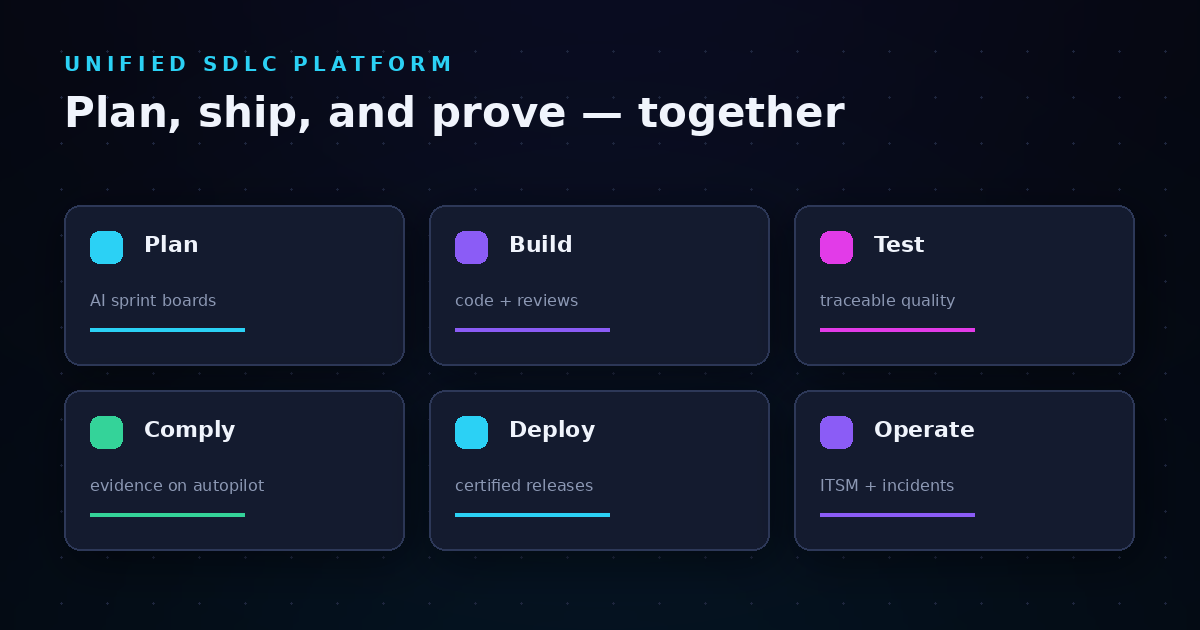
A unified workspace eliminates traceability gaps by keeping all SDLC activity in one system. Instead of copying information between tools, every artifact connects naturally because it's created in the same platform.
When a developer commits code, the commit links directly to the story or issue it addresses. When a tester executes a test case, the result connects to the requirement being validated. When a release goes to production, the deployment record includes everything auditors need—approvals, test results, and the complete history of changes.
Automatic Evidence Capture
The most significant benefit of a unified workspace is automatic evidence capture. LoopIQ preserves audit-ready evidence as work happens, removing the burden of manual documentation. Every action creates a record. Every decision captures its context.
This approach aligns with what compliance automation research describes as "continuous assurance"—the ability to demonstrate compliance at any moment, not just during scheduled audits.
Bidirectional Traceability
A unified workspace enables bidirectional traceability—the ability to trace forward from requirements to deployments and backward from deployments to requirements. This capability matters for both audits and incident response.
When an auditor asks "Show me every change related to this feature," you can pull a complete history in seconds. When a production incident occurs, you can trace back from the failure to the specific code change, the requirement it addressed, and the tests that validated it.
Step-by-Step: Building Your Audit-Ready SDLC Traceability System
Building an audit-ready traceability system requires systematic work across your development process. Follow these steps to establish coverage that satisfies auditors and scales with your team.
Step 1: Map Your Current SDLC Phases and Tools
Start by documenting your current state. Identify every tool your team uses across the development lifecycle. For each tool, note what artifacts it captures and what gaps exist in the evidence chain.
Common gaps include:
- Missing links between planning tools and source control
- Test results stored separately from the features they validate
- Deployment records that don't reference change approvals
- Approval workflows that exist in email or chat rather than systems of record
Step 2: Define Your Compliance Control Mapping
Identify which compliance frameworks apply to your organization—SOC 2, ISO 27001, HIPAA, PCI DSS, or industry-specific standards. Map each control requirement to SDLC phases and the evidence needed to demonstrate compliance.
For example, SOC 2's CC8.1 control addresses change management. To satisfy this control, you need evidence of:
- Change authorization before development begins
- Code review and approval before merging
- Testing validation before deployment
- Deployment approval and execution records
Step 3: Establish Traceability Links at Each Phase
Configure your systems to create mandatory links between artifacts. Every commit should reference a work item. Every test execution should connect to a requirement. Every deployment should reference an approved change request.
LoopIQ automates these connections through its unified workspace. When you create a story, it becomes the anchor for all related commits, test cases, and deployment records. This link structure means traceability exists by default, not by manual effort.
Step 4: Automate Evidence Collection and Storage
Manual evidence collection doesn't scale and introduces errors. Automate the capture of every artifact your compliance framework requires. Configure workflows that prevent work from progressing unless required evidence exists.
For example, configure your deployment pipeline to block releases that lack approved change requests. Set up automation that captures test results and stores them with permanent timestamps. Create workflows that require security scan results before code can merge.
Step 5: Implement Audit-Ready Reporting
Your evidence is only useful if you can retrieve it quickly. Implement reporting that assembles evidence packages on demand. When an auditor requests documentation for a specific feature or time period, you should produce it in minutes, not days.
LoopIQ gives you deployment analytics and compliance dashboards that aggregate evidence across all SDLC phases. You can generate reports showing complete traceability for any release, including all requirements, code changes, test results, and approvals.
What Workflow Events Should Trigger Evidence Collection?
Effective evidence collection happens automatically at specific workflow events. Here are the triggers that should capture audit artifacts:
Planning Events
- Work item creation: Capture the original requirement, requester, and priority
- Assignment changes: Record who was assigned work and when
- Status transitions: Document when work moved between phases
- Approval decisions: Store approver identity, timestamp, and any conditions
Development Events
- Branch creation: Link new branches to the work items they address
- Commits: Capture commit messages, authors, and timestamps
- Pull request creation: Record the proposed changes and reviewers assigned
- Review submissions: Store reviewer feedback and approval decisions
- Merges: Document when code entered protected branches and who approved
Testing Events
- Test plan creation: Link test plans to the requirements they validate
- Test execution: Capture results, executor, timestamps, and any defects found
- Defect creation: Link defects to failed tests and affected requirements
- Defect resolution: Record fixes and retesting results
Deployment Events
- Change request creation: Document what's being deployed and why
- Approval workflows: Capture each approval step and any conditions
- Deployment execution: Record what was deployed, when, and by whom
- Post-deployment validation: Store smoke test results and health checks
How Do You Reduce Manual Audit Reconstruction Work?
Manual audit reconstruction wastes engineering time and produces incomplete results. Here's how to eliminate reconstruction work and maintain always-ready compliance posture.
Shift from Periodic to Real-Time Compliance
Traditional compliance treats audits as point-in-time events. You prepare before the auditor arrives, then return to normal operations afterward. This pattern creates a compliance-operations gap where daily practices don't match audit evidence.
Real-time compliance integrates evidence capture into daily workflows. There's no preparation needed because evidence accumulates automatically. When the auditor arrives, you show them what already exists rather than constructing it on demand.
Eliminate Evidence Gaps Through Policy Enforcement
Evidence gaps occur when workflow steps happen without documentation. Someone approves a change verbally. A deployment bypasses the normal process due to urgency. Code merges without proper review.
Policy enforcement prevents gaps by making evidence capture mandatory. Configure your systems to block progress when required evidence doesn't exist. If a deployment can't proceed without an approved change request, you'll never have a deployment without that evidence.
Create Immutable Audit Trails
Mutable records create audit concerns. If evidence can be modified after the fact, auditors can't trust it represents what actually happened. Immutable audit trails solve this problem.
LoopIQ captures evidence with cryptographic integrity, creating records that can't be altered without detection. This immutability satisfies auditor requirements for evidence reliability and reduces questions about record accuracy.
How Does LoopIQ Differ from Point Solutions for Compliance Automation?
Compliance automation tools address evidence collection, but most focus on gathering evidence from existing tools rather than capturing it natively. This approach has limitations.
The Integration Tax
Point solutions require integrations with every tool in your stack. Each integration creates maintenance burden and potential failure points. When your CI/CD tool updates its API, your compliance automation might break. When you add a new tool, you need a new integration.
LoopIQ eliminates integration complexity by being the tool rather than integrating with tools. Planning, code management, testing, and deployment happen in one platform, so evidence capture requires no integration—it's native to how work happens.
Evidence Quality and Completeness
External compliance tools can only capture what other tools expose through APIs. If your source control system doesn't export review discussions, your compliance tool can't capture them. If your testing tool lacks detailed execution logs, that evidence doesn't exist.
A unified workspace captures everything because it owns the data. LoopIQ records not just the final approvals but the discussions that led to them. Not just test pass/fail, but execution details, screenshots, and tester notes.
Traceability Without Manual Linking
External compliance tools require you to maintain links between systems. You configure which planning tool items map to which source control branches map to which deployment records. These configurations break when conventions change.
LoopIQ maintains traceability automatically because all artifacts share a common identity system. A story, its commits, tests, and deployment records all reference each other without manual configuration.
What Compliance Frameworks Does Unified SDLC Traceability Support?
A well-designed traceability system supports multiple compliance frameworks simultaneously. Here's how unified SDLC evidence maps to common standards:
SOC 2 Trust Services Criteria
SOC 2 audits evaluate controls around security, availability, processing integrity, confidentiality, and privacy. SDLC traceability directly supports several control categories:
- CC6 (Logical and Physical Access): Evidence of code review and approval requirements
- CC7 (System Operations): Change management and deployment controls
- CC8 (Change Management): Full traceability from request through deployment
ISO 27001 Annex A Controls
ISO 27001 includes specific controls for secure development. Traceability evidence supports:
- A.8.25 (Secure Development Lifecycle): Evidence of security in each SDLC phase
- A.8.26 (Application Security Requirements): Requirement-to-test traceability
- A.8.32 (Change Management): Approval workflows and deployment records
NIST SP 800-218 (SSDF)
The Secure Software Development Framework requires evidence of secure practices throughout development. Traceability supports:
- PO.1 (Define Security Requirements): Requirement documentation and classification
- PS.1 (Protect All Forms of Code): Access controls and review evidence
- PW.1 (Design Software to Meet Requirements): Requirement-to-implementation traceability
How Do You Measure SDLC Traceability Effectiveness?
You can't improve what you don't measure. Track these metrics to assess your traceability system's health:
Coverage Metrics
- Requirement coverage: Percentage of requirements linked to test cases
- Commit traceability: Percentage of commits linked to work items
- Deployment traceability: Percentage of deployments with complete evidence chains
Quality Metrics
- Evidence completeness: Percentage of required artifacts captured at each phase
- Link accuracy: Percentage of traceability links that are correct and current
- Gap rate: Frequency of work progressing without required evidence
Efficiency Metrics
- Audit prep time: Hours required to assemble evidence for auditor requests
- Evidence retrieval time: Time to locate specific artifacts on demand
- False finding rate: Audit findings that result from evidence gaps, not actual control failures
What Are Common Mistakes When Implementing SDLC Traceability?
Organizations make predictable mistakes when building traceability systems. Avoid these pitfalls:
Treating Traceability as a One-Time Project
Traceability isn't something you "complete." It requires ongoing maintenance as your processes evolve. Teams that treat implementation as finished after initial setup find their traceability degrades over time.
Build traceability into your workflow automation so it maintains itself. Review coverage metrics regularly and address gaps before they become systemic.
Over-Engineering the Initial Implementation
Some organizations try to capture everything from day one. They design elaborate traceability schemas that require extensive manual input. Engineers resist the overhead, and adoption fails.
Start with the minimum evidence your compliance framework requires. Add additional traceability as you identify gaps during actual audits. This iterative approach builds sustainable systems.
Ignoring the Human Element
Traceability systems that create friction for developers won't be used consistently. If linking commits to work items adds steps to the development workflow, some commits won't be linked.
Design your traceability to be invisible in daily work. LoopIQ captures evidence automatically as part of normal activities, so engineers don't need to think about compliance to generate compliant evidence.
In Conclusion: Building a Sustainable Audit-Ready SDLC Evidence System
An audit-ready SDLC evidence trail isn't just about passing audits—it's about running a development organization with full visibility into how software gets built. Traceability helps you debug incidents faster, onboard new team members more effectively, and make data-driven decisions about your development process.
The path forward starts with unifying your SDLC tools. When planning, development, testing, and deployment happen in one workspace, traceability becomes automatic rather than aspirational. You stop reconstructing evidence and start demonstrating controls that operate by default.
LoopIQ delivers this unified workspace with built-in compliance and audit management. Engineering teams ship software faster while evidence captures itself. When auditors arrive, you show them a system that's always ready rather than scrambling to prove controls existed.
Your next audit doesn't have to feel like a crisis. Build the traceability foundation now, and compliance becomes a natural outcome of good engineering practice.
FAQs about Audit Ready SDLC Evidence Trail in a Unified Workspace
What is an SDLC evidence trail?
An SDLC evidence trail is a documented record connecting every stage of software development—from requirements through deployment. It proves that proper controls governed each phase.
LoopIQ captures this evidence automatically as work happens, linking requirements to code changes, test results, and deployment records in one unified system.
How long does it take to implement full SDLC traceability?
Implementation timeline depends on your current tool landscape and compliance requirements. Teams moving to a unified workspace like LoopIQ can achieve basic traceability in days since evidence capture is built into the platform.
Mature implementations with full coverage across all compliance controls typically take two to three months to refine and optimize.
Can I achieve audit-ready traceability with disconnected tools?
Technically yes, but it requires significant manual effort and ongoing maintenance. You'll need integrations between each tool pair and processes to verify links remain accurate.
Most organizations find this approach unsustainable as their team and release frequency grow. Unified workspaces eliminate these challenges.
What happens if traceability gaps are discovered during an audit?
Traceability gaps typically result in audit findings that require remediation. Depending on the framework, gaps might delay certification, trigger increased scrutiny, or require compensating controls.
LoopIQ helps you prevent gaps through policy enforcement that blocks work from progressing without required evidence.
How does automated evidence collection affect developer productivity?
Automated evidence collection should improve productivity by eliminating manual documentation tasks. When traceability captures itself, developers focus on building software rather than proving they built it correctly.
LoopIQ preserves audit-ready evidence as work happens without adding steps to developer workflows or requiring extra input.
Which compliance frameworks require SDLC traceability?
Most major frameworks require some form of SDLC traceability: SOC 2, ISO 27001, HIPAA, PCI DSS, FedRAMP, and industry-specific standards like FDA 21 CFR Part 11 for medical devices. Requirements vary in specificity but all expect evidence of controlled development processes.