.svg)
unified sdlc
devops
ai tools
9 Unified SDLC Workspaces Capturing Decisions and Quality

John Paul Rowe
9 Unified SDLC Workspaces Capturing Decisions and Quality
22:42
9 Unified SDLC Workspaces Capturing Decisions and Quality
Running your software delivery across five or six disconnected tools creates a hidden tax on every release. Decisions get lost in Slack threads, quality signals scatter across dashboards nobody checks, and when auditors come calling, you spend days reconstructing what happened. LoopIQ and other unified SDLC workspace platforms solve this by capturing decisions and quality signals automatically as your team works.
This article compares nine platforms that consolidate planning, development, testing, and deployment. You will find clear criteria for evaluation, detailed reviews, and a comparison table to help you choose the right unified SDLC workspace for your organization.
According to the State of DevOps Report 2026, 34% of organizations still operate with ad hoc practices that vary by team. This inconsistency blocks AI adoption and makes compliance evidence nearly impossible to assemble.
Key Takeaways: 9 Unified SDLC Workspaces Capturing Decisions and Quality
- Unified SDLC workspaces capture decisions and quality signals automatically, ending the hidden tax of reconstructing release history from Slack and dashboards.
- We compare 9 platforms on decision capture, quality signal tracking, compliance evidence, and audit readiness.
- Evaluate workspaces on what they capture without engineer effort: approvals, test results, deployment events, and the context behind decisions.
- LoopIQ leads for decision capture: its WorkGraph links every decision, quality signal, and release into one traceable record.
Quick guide: 9 unified SDLC workspaces for software development leaders
- LoopIQ: The best unified SDLC workspace for automated decision capture and compliance evidence
- GitLab: A DevOps platform with built-in CI/CD pipelines
- Azure DevOps: Microsoft's integrated planning and deployment toolchain
- Jira + Atlassian Suite: A project tracking hub with marketplace integrations
- ServiceNow: An enterprise workflow platform with ITSM capabilities
- monday dev: A visual work management tool with developer features
- Shortcut: A planning platform designed for product and engineering alignment
- Opsera: A no-code DevOps orchestration platform
- Planview: A portfolio management solution with value stream visibility
How we chose the unified SDLC workspaces for this list
Evaluating a unified SDLC workspace means looking beyond feature checklists. You need a platform that captures what your team does, not just what they plan to do. We focused on platforms that help you answer the question auditors and executives ask most: "What happened, who approved it, and can you prove it?"
- Decision capture: Does the platform automatically record who approved changes, when, and under what conditions? Manual documentation fails when deadlines get tight.
- Quality signal traceability: Can you trace a test result back to the requirement it validates and the code change it covers? Disconnected test data creates audit gaps.
- Unified workspace: Does your team work in one place, or do they copy data between tools? Context-switching costs you hours per developer per week.
- AI-assisted planning: Does the platform help prioritize work, estimate effort, or flag risks? AI features only matter if they connect to your actual delivery data.
- Compliance evidence automation: Can you generate audit-ready documentation without assembling screenshots and spreadsheets? Manual compliance work delays releases.
- Startup vs. enterprise fit: Does the platform scale from a small team to thousands of developers? Your workspace should grow with your organization.
The 9 unified SDLC workspaces for capturing decisions and quality
1. LoopIQ: Best overall unified SDLC workspace for decision capture and compliance
LoopIQ gives you a compliance-first approach to software delivery that most platforms treat as an afterthought. Instead of bolting compliance onto existing workflows, LoopIQ captures audit-ready evidence automatically as your team works. Every approval, test result, and deployment decision gets recorded without requiring engineers to change how they build software.
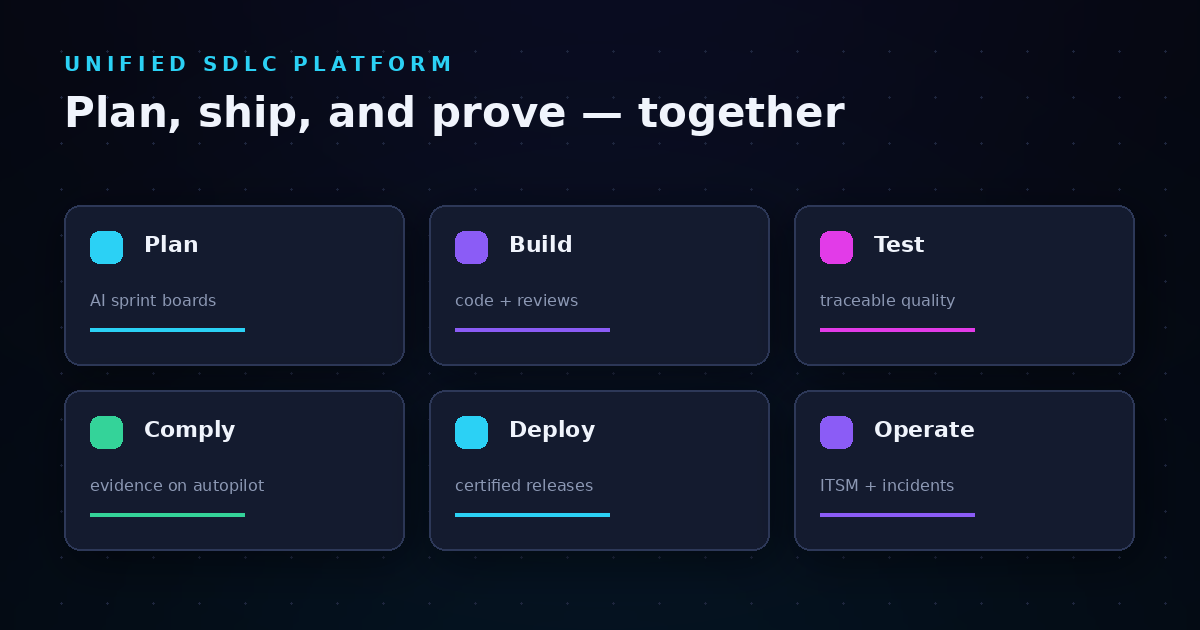
The platform unifies seven modules—project management, test management, ITSM, knowledge management, idea management, time tracking, and compliance—into a single workspace. This means you stop copying data between tools and start seeing the full picture of your delivery process. LoopIQ connects every decision to its context, making audit preparation a byproduct of normal work rather than a multi-day project.
LoopIQ automates compliance evidence collection across five domains: change authorization, access governance, test and validation, release certification, and incident response. When auditors ask "who approved this change and when?", your answer is already documented with timestamps and approval chains intact.
LoopIQ features
- Automated compliance evidence: LoopIQ captures approvals, quality signals, and release certifications as work happens. You never reconstruct audit trails from memory or screenshots again.
- AI-driven project management: Smart sprint boards prioritize work based on dependencies, velocity, and risk signals. Your backlog reflects what you can ship, not just what you want to ship.
- Traceable test management: Every test links to the requirement it validates and the code it covers. Coverage gaps surface before release, not during audits.
- Agentic AI orchestration: LoopIQ's AI triggers tasks, routes approvals, and flags risks automatically. You get proactive notifications instead of chasing status updates.
- Unified knowledge management: Documentation stays connected to tasks, pull requests, and decisions. Context never gets lost in a wiki nobody reads.
- Built-in ITSM: Incident tickets auto-triage to the right team with full traceability to the code changes that caused them. Mean time to resolution drops when responders have context.
LoopIQ pros and cons
Pros:
- Audit-ready evidence captures itself without manual documentation effort
- Seven integrated modules eliminate tool sprawl and context-switching
- AI orchestration automates routing, approvals, and risk detection
Cons:
- Organizations with deep investments in existing tools may need migration planning
- Full platform adoption delivers the most value compared to partial implementation
- Advanced compliance features require understanding your audit requirements first
2. GitLab: A DevOps platform with source control and CI/CD pipelines
GitLab combines source control, CI/CD, and security scanning in a single application. Your code, pipelines, and security findings live in one place, reducing the integrations you need to maintain. The platform handles everything from merge requests to production deployments.
GitLab includes built-in project management features like issue tracking and milestones. However, compliance evidence and decision capture require additional configuration or third-party tools to match what dedicated governance platforms offer natively.
GitLab features
- Integrated CI/CD: Pipelines run automatically on every commit, with built-in runners and parallel execution
- Security scanning: SAST, DAST, and dependency scanning run in pipelines to catch vulnerabilities early
- Merge request workflows: Code review, approval rules, and automated testing happen before code reaches main branches
GitLab pros and cons
Pros:
- Source control and CI/CD in one tool reduces integration complexity
- Security scanning runs automatically in pipelines
- Self-hosted and cloud options offer deployment flexibility
Cons:
- Compliance evidence requires manual assembly or external tools
- Project management features are less developed than dedicated planning tools
- Decision capture depends on custom workflows and configurations
3. Azure DevOps: Microsoft's integrated planning and deployment platform
Azure DevOps combines boards, repos, pipelines, test plans, and artifacts in a single product. If your organization runs on Microsoft infrastructure, Azure DevOps integrates naturally with Azure cloud services, Visual Studio, and Teams. The platform supports both agile and traditional project management approaches.
Recent updates include GitHub Copilot integration for generating code changes directly from work items. This creates traceability from planning to implementation, though compliance evidence still requires manual collection or third-party governance tools.
Azure DevOps features
- Azure Boards: Kanban boards, backlogs, and sprint planning with customizable work item types and workflows
- Azure Pipelines: CI/CD automation with YAML-based configuration and multi-platform support
- Azure Test Plans: Manual and automated test management with requirements traceability
Azure DevOps pros and cons
Pros:
- Tight integration with Microsoft ecosystem and Azure cloud services
- Flexible work item tracking adapts to different methodologies
- Copilot integration connects work items to code changes
Cons:
- Compliance automation requires external tools or custom development
- Full feature set can create complexity for smaller organizations
- Decision capture depends on manual documentation practices
4. Jira + Atlassian Suite: A project tracking hub with extensive integrations
Jira has become the default choice for agile project management, with over 180,000 organizations tracking work in its boards and backlogs. Combined with Confluence for documentation and Bitbucket for source control, the Atlassian suite covers much of the SDLC. A marketplace with thousands of apps extends functionality further.
However, the suite approach means your data lives in separate products that require integration. Decision capture and compliance evidence depend on your configuration discipline and third-party apps rather than built-in automation.
Jira features
- Agile boards: Scrum and Kanban boards with customizable workflows, story points, and sprint planning
- Advanced roadmaps: Cross-project planning with dependency tracking and capacity management
- Automation rules: Trigger-based automation for status changes, assignments, and notifications
Jira pros and cons
Pros:
- Large ecosystem of integrations and marketplace apps
- Familiar interface for organizations already using Atlassian products
- Flexible workflows adapt to different team structures
Cons:
- Unified experience requires multiple products and integrations
- Compliance evidence needs third-party tools or manual processes
- Decision traceability depends on consistent team practices
5. ServiceNow: An enterprise workflow platform with ITSM capabilities
ServiceNow started as an IT service management tool and expanded into a broad workflow platform. If your organization already uses ServiceNow for IT operations, extending it to software delivery creates visibility across both domains. The platform handles change management, incident response, and service requests in a single system.
ServiceNow's strength in enterprise workflows comes with complexity. Customization requires specialized skills, and the platform's approach to software delivery differs from developer-centric tools.
ServiceNow features
- Change management: Formal change request workflows with approval chains and risk assessment
- Incident management: Ticketing and escalation with SLA tracking and automated routing
- CMDB integration: Configuration management database links changes to affected infrastructure
ServiceNow pros and cons
Pros:
- Enterprise-grade change management with formal approval workflows
- Unified IT operations and software delivery visibility
- Audit trails for compliance-regulated industries
Cons:
- Developer experience differs from modern development tools
- Customization requires platform-specific expertise
- Quality signal capture requires integration with testing tools
6. monday dev: A visual work management tool with developer features
monday dev brings the visual, board-based approach of monday.com to software development workflows. The platform includes sprint management, bug tracking, and roadmap planning with a drag-and-drop interface. Two-way sync with Azure DevOps and GitHub connects developer work to broader organizational planning.
The platform excels at cross-functional visibility, letting product, design, and engineering teams see work progress in one place. However, compliance automation and decision capture are not core features.
monday dev features
- Visual sprint boards: Color-coded boards with customizable columns and status tracking
- Azure DevOps sync: Two-way integration brings developer work into monday.com dashboards
- Roadmap views: Timeline visualization connects sprints to product milestones
monday dev pros and cons
Pros:
- Intuitive visual interface reduces onboarding time
- Cross-departmental visibility connects engineering to product and marketing
- Azure DevOps integration brings developer data into planning views
Cons:
- Compliance evidence requires manual processes or external tools
- Developer-centric features are less mature than dedicated DevOps platforms
- Decision capture depends on team documentation habits
7. Shortcut: A planning platform designed for product and engineering alignment
Shortcut integrates docs, issue tracking, sprint planning, objectives, and roadmaps in a single experience. The platform targets the gap between what product managers plan and what engineers build, with features designed to keep both groups aligned. Milestones and iterations connect daily work to strategic objectives.
Shortcut focuses on planning and tracking rather than CI/CD or compliance. You will need additional tools for pipeline automation, security scanning, and audit evidence collection.
Shortcut features
- Integrated docs: Documentation lives alongside stories and epics, not in a separate wiki
- Objective tracking: OKRs and goals connect to the work items that drive them
- GitHub integration: Branch creation and PR linking happen from Shortcut stories
Shortcut pros and cons
Pros:
- Unified planning experience for product and engineering
- Documentation stays connected to relevant work items
- Objective tracking links daily work to strategic goals
Cons:
- CI/CD and deployment require external tools
- Compliance automation is not a core feature
- Quality signal capture depends on integrations
8. Opsera: A no-code DevOps orchestration platform
Opsera takes a different approach by orchestrating your existing tools rather than replacing them. The platform connects to your CI/CD systems, cloud providers, and security scanners, adding governance and visibility without requiring tool migration. Drag-and-drop pipeline builders let you automate workflows across vendors.
This hub model works well if you have invested heavily in specific tools and want unified governance. Decision capture and compliance features depend on what your underlying tools track.
Opsera features
- Tool-agnostic orchestration: Connect Jenkins, GitLab, GitHub Actions, and other CI/CD systems in unified pipelines
- No-code pipeline builder: Visual pipeline creation without scripting or YAML configuration
- Unified metrics: DORA metrics and delivery analytics across all connected tools
Opsera pros and cons
Pros:
- Preserves existing tool investments while adding orchestration
- Visual pipeline builder reduces scripting requirements
- Cross-tool metrics create unified delivery visibility
Cons:
- Decision capture depends on capabilities of connected tools
- Compliance evidence requires configuration across multiple systems
- Platform value depends on complexity of existing toolchain
9. Planview: A portfolio management solution with value stream visibility
Planview connects strategy to execution by showing how development work aligns with business goals. The platform supports portfolio management, agile planning, and value stream management in one system. If your organization needs to demonstrate how engineering investment drives business outcomes, Planview offers that visibility.
Planview targets enterprise planning needs more than day-to-day developer workflows. Integration with development tools brings work data into portfolio views, but the platform itself does not replace your CI/CD or testing infrastructure.
Planview features
- Value stream management: Track flow from idea to customer value with bottleneck identification
- Portfolio alignment: Connect development work to strategic objectives and OKRs
- AI-powered insights: Detect risks, track OKRs, and optimize investment allocation
Planview pros and cons
Pros:
- Connects engineering work to business outcomes and ROI
- Value stream visibility identifies bottlenecks across the SDLC
- Portfolio-level planning supports strategic decision-making
Cons:
- Day-to-day developer workflows require separate tools
- Compliance evidence depends on integrated systems
- Enterprise focus may exceed needs of smaller organizations
Comparison table: Unified SDLC workspaces for decision capture
| Platform | Automated Decision Capture | Compliance Evidence | AI-Assisted Planning |
|---|---|---|---|
| LoopIQ | ✓ | ✓ | ✓ |
| GitLab | ✗ | ✗ | ✓ |
| Azure DevOps | ✗ | ✗ | ✓ |
| Jira | ✗ | ✗ | ✗ |
| ServiceNow | ✓ | ✗ | ✗ |
| monday dev | ✗ | ✗ | ✗ |
| Shortcut | ✗ | ✗ | ✗ |
| Opsera | ✗ | ✗ | ✓ |
| Planview | ✗ | ✗ | ✓ |
How do you evaluate a unified SDLC workspace for your organization?
Start with your pain points, not feature lists. If audits consume weeks of your team's time, prioritize platforms with automated compliance evidence. If tool sprawl creates context-switching overhead, focus on platforms that consolidate multiple functions. If AI-assisted planning matters, verify the AI connects to your actual delivery data.
Talk to your developers about where they lose time. Many organizations choose platforms based on executive preferences rather than engineering workflows. A platform your developers avoid creates shadow processes and incomplete data.
Request demos that show your specific use cases. Generic product tours highlight features that may not matter to your situation. Ask vendors to demonstrate decision capture, compliance reporting, and quality traceability with scenarios from your own releases.
What compliance evidence should a unified SDLC workspace capture automatically?
Auditors typically ask five categories of questions that your platform should answer without manual reconstruction. First, change authorization: who approved each code change, configuration update, and release decision? Second, access governance: who can access what, and can you prove least-privilege policies?
Third, test and validation: was this change tested, and can you link test results to requirements? Fourth, release certification: what changed in each release, and who signed off? Fifth, incident response: how do you detect and respond to production issues?
According to Sonar's developer compliance guide, compliance is not a separate phase—it results from a consistent, high-quality development process that prioritizes compliance from the beginning. Platforms that capture evidence as a byproduct of normal work reduce both audit preparation time and compliance risk.
Why LoopIQ is the best unified SDLC workspace for capturing decisions and quality
Most platforms in this list solve part of the software delivery puzzle. GitLab handles CI/CD well. Jira tracks work items effectively. ServiceNow manages ITSM workflows. But none of them treat decision capture and compliance evidence as first-class features built into the core product.
LoopIQ takes a different approach by making audit-ready evidence a byproduct of how your team already works. You do not add compliance steps to your workflow. LoopIQ records approvals, test results, and deployment decisions automatically as they happen. When auditors arrive, your evidence package is already assembled.
LoopIQ gives you a unified workspace that eliminates the context-switching tax of working across five or six disconnected tools. Your planning, development, testing, ITSM, and documentation all live in one place. Decisions link to the context that created them. Quality signals trace back to the requirements they validate.
If you are tired of spending days preparing for audits, losing decisions in Slack threads, and copying data between tools, LoopIQ offers a better path. Try LoopIQ free and see how compliance evidence captures itself while your team focuses on shipping software.
FAQs about unified SDLC workspaces
What is a unified SDLC workspace platform?
A unified SDLC workspace combines planning, development, testing, and deployment tools in a single platform. Instead of copying data between disconnected tools, your team works in one place with full visibility into decisions and quality signals.
LoopIQ takes this further by automatically capturing compliance evidence as work happens. Your audit trail builds itself without manual documentation.
How does automated decision capture work?
Automated decision capture records who approved changes, when approvals happened, and what context informed each decision. LoopIQ logs this information automatically as your team completes reviews, merges code, and deploys releases.
This eliminates the need to reconstruct approval chains from memory or dig through Slack threads when auditors ask questions.
What makes LoopIQ different from Jira or GitLab?
Jira tracks work items. GitLab manages code and CI/CD. LoopIQ unifies seven modules—including compliance automation—in a single workspace designed around decision traceability.
LoopIQ captures audit-ready evidence automatically, connecting every approval, test result, and deployment to its full context. Other platforms require third-party tools or manual processes for this level of traceability.
Can a unified SDLC workspace help with SOC 2 or ISO 27001 audits?
Yes. Unified platforms that capture decisions and quality signals automatically generate the evidence auditors need. LoopIQ documents change authorization, access governance, test validation, release certification, and incident response without manual assembly.
This turns audit preparation from a multi-week project into a simple export of existing records.
How do I migrate from disconnected tools to a unified SDLC workspace?
Start by identifying your highest-pain workflows. Many organizations begin with compliance-heavy processes where manual evidence collection consumes the most time. LoopIQ supports gradual adoption, letting you migrate functions incrementally rather than switching everything at once.
Your existing data in tools like Jira can often be imported or synced during transition.